
Minota
AI Productivity Tools
Minota turns everyday WhatsApp chats into an AI life OS for notes, tasks, calendar, finances, and a secure vault.


- Pricing
- Free
- Category
- Productivity
- Listed
- Aug 30, 2026
- Updated
- Aug 31, 2026
Promoted
 Sidrune AI85% off. Stable Claude API for agent developers. Pay as you go. Invoices & refunds available.
 Pixmax.aiPixmax.ai is an all-in-one AI workspace for videos, visual stories, and marketing content.
 AI Checker PlusAI detector that highlights which passages AI wrote. Free check, no sign-up. Plagiarism too.
 RewindType any X/Twitter handle. Get their year back as a narrated video story. Then ask it anything.
 KurodyneSell the tools from your AI side projects. Listing is free.
 SEOify - Improve your SEO & rankingsBuild links to rank in Google. Improve your DR with links you can start building now.Advertise here270,000+ people visit Dang.ai every month.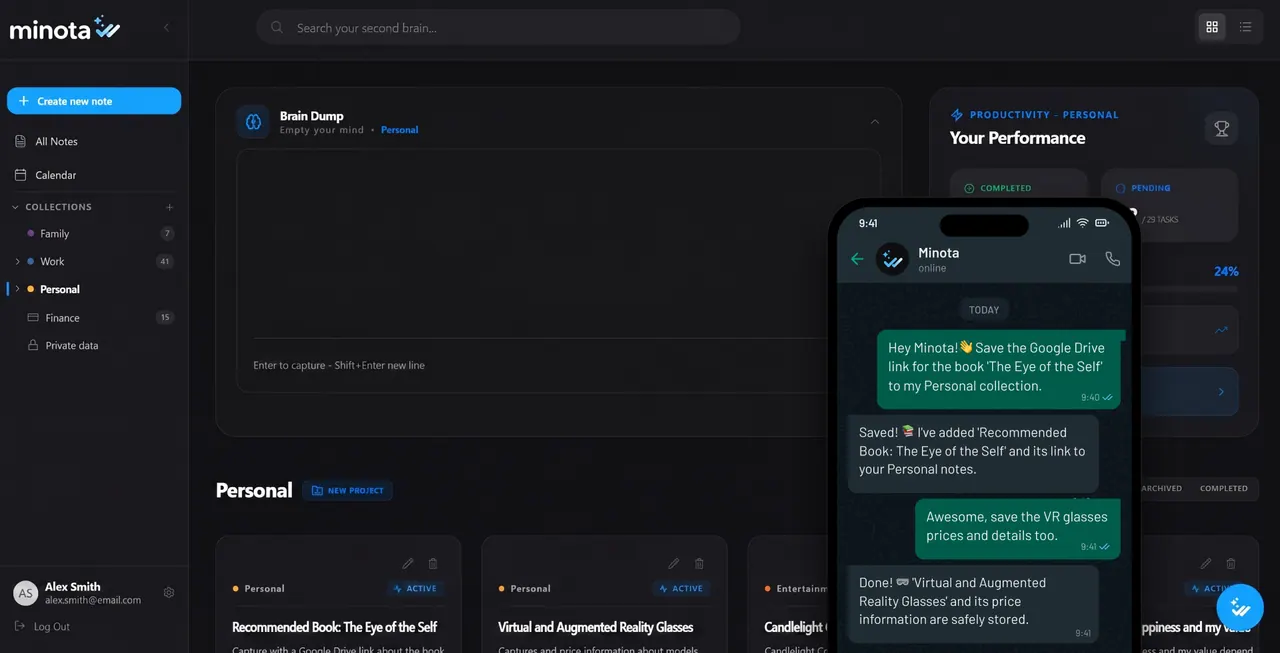
What does Minota do?
Minota brings your important stuff—ideas, reminders, bills, passwords, links, and documents—into one place you can actually find again. Instead of losing information across chats, screenshots, and separate apps, you capture it once and manage it through real conversations inside WhatsApp.
Write naturally and Minota organizes what you share into structured notes, projects, and tasks. You can schedule events and reminders, review pending items, and ask for what’s next—without leaving the chat. It also helps track personal finances by logging expenses and summarizing spending against budgets.
For sensitive information, Minota includes an encrypted personal vault. Generate secure temporary access links for items like passwords and verify with your Master Key before opening.
If you want to reduce app switching and build a calmer, organized routine, Minota connects key tools like Google Calendar, Google Drive, and Gmail while working directly in WhatsApp and via a web dashboard.
Do I need to install a new app to use Minota?
No. Minota works inside WhatsApp and also includes a web dashboard for managing and exploring what you’ve saved.
How does Minota keep me organized if I just chat?
You send messages like you normally would, and Minota automatically organizes your inputs into notes, projects, tasks, and reminders so you can retrieve them later by asking.
Can Minota sync my calendar?
Yes. Minota supports two-way Google Calendar sync, helping you schedule items and get reminders through WhatsApp.
How does the secure vault work for passwords and sensitive data?
Sensitive items are protected in an encrypted vault. When you request access (for example, to a password), Minota provides a secure temporary link and verifies with your Master Key.
What happens to my data if I change phones?
Your Minota account and saved information live in Minota rather than on your phone. Reconnect WhatsApp on the new device and continue where you left off.
Can I export my information?
Yes. You can export everything whenever you want, since your data stays yours.
This listing is claimed
Own Minota? Sign in with the email used to claim it to manage this listing, or upgrade to Pro for featured-first placement and a newsletter feature.