
MeeLang
AI Translator & Translation Tools
MeeLang is a free Chrome extension that delivers real-time AI subtitles for Google Meet in your chosen language.
- Pricing
- Free
- Category
- Translation
- Listed
- Sep 28, 2026
- Updated
- Sep 28, 2026
Promoted
 Sidrune AI85% off. Stable Claude API for agent developers. Pay as you go. Invoices & refunds available.
 Pixmax.aiPixmax.ai is an all-in-one AI workspace for videos, visual stories, and marketing content.
 SEOify - Improve your SEO & rankingsBuild links to rank in Google. Improve your DR with links you can start building now.Advertise here270,000+ people visit Dang.ai every month.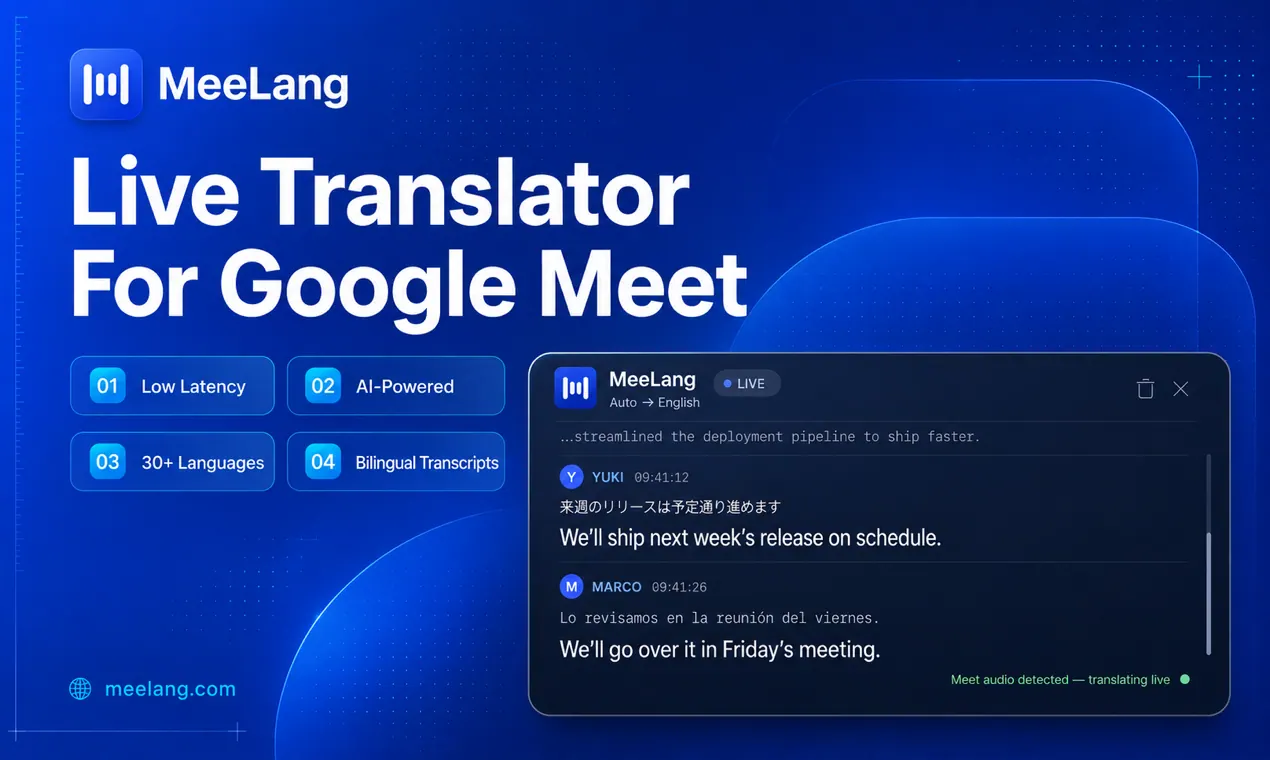
What does MeeLang do?
MeeLang is a Chrome extension that turns live Google Meet speech into instant AI-translated subtitles in your language—before the speaker finishes the sentence. It’s designed so you can follow the conversation without repeatedly asking others to slow down or rephrase.
Get live subtitles while you meet: install the extension, join a Google Meet, and pick your target language. Translated captions appear on top of the meeting in near real time (with sub-second latency), helping you stay aligned with fast, multi-speaker conversations.
MeeLang focuses on meeting records and privacy. Your meeting transcripts are kept in your browser alone and nothing is retained on its servers. It also includes speaker diarization to separate different speakers and supports exporting bilingual transcripts.
How do I get real-time translated subtitles in Google Meet?
Install MeeLang, join a Google Meet in your Chrome tab, and choose your target language. Live translated subtitles will appear on screen while people speak.
Which languages does MeeLang support?
MeeLang supports 30+ languages, including English, Spanish, Vietnamese, Chinese, Japanese, Korean, French, German, Portuguese, Italian, Russian, Arabic, and Hindi.
Is MeeLang free?
MeeLang can be started free with 60 translation minutes per month for occasional meetings. There’s also a Pro upgrade option for more frequent use.
Does MeeLang work with Zoom or Microsoft Teams?
Zoom and Microsoft Teams support are planned. MeeLang currently translates Google Meet today.
Where are my meeting transcripts stored?
Meeting content isn’t stored on MeeLang servers. Transcripts are kept in your browser alone, and nothing is retained after the call.
Will other participants see that I’m using MeeLang?
No. MeeLang runs without a visible bot, recorder, or announcement in the participant list.
This listing is claimed
Own MeeLang? Sign in with the email used to claim it to manage this listing, or upgrade to Pro for featured-first placement and a newsletter feature.