
JustMarkdown
AI Markdown Editor
JustMarkdown is a three-pane workspace to read PDFs/EPUBs, chat with AI, and write clean Markdown in one continuous flow.
- Pricing
- Freemium
- Category
- Productivity
- Listed
- Jun 1, 2026
- Updated
- Jun 2, 2026
Promoted
 Sidrune AI85% off. Stable Claude API for agent developers. Pay as you go. Invoices & refunds available.
 Pixmax.aiPixmax.ai is an all-in-one AI workspace for videos, visual stories, and marketing content.
 SEOify - Improve your SEO & rankingsBuild links to rank in Google. Improve your DR with links you can start building now.Advertise here270,000+ people visit Dang.ai every month.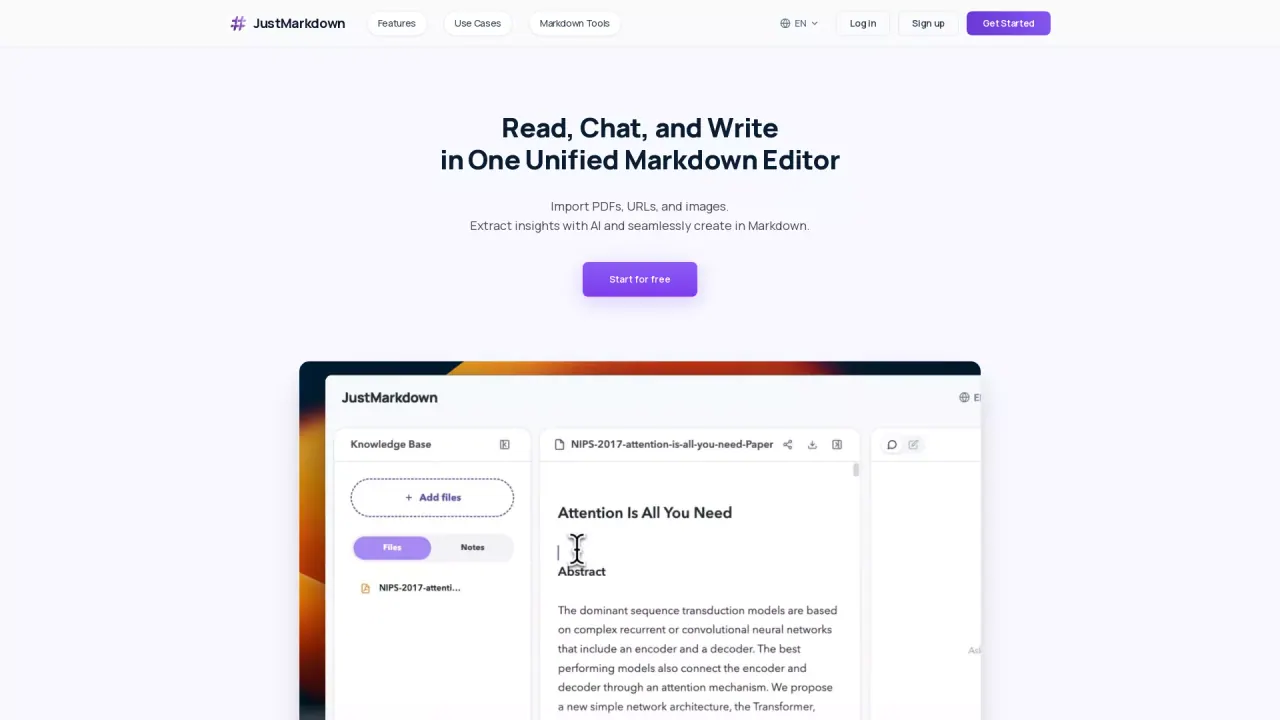
What does JustMarkdown do?
JustMarkdown is an all-in-one workspace that unifies reading, AI assistance, and Markdown note-taking in a single 3-pane workflow. Instead of moving between separate tools, you can keep source content, extracted insights, and your notes connected as one knowledge base.
Convert messy materials into structured Markdown with one click—import PDFs, URLs, images, and more. From there, keep working: highlight and annotate in the left editor, take notes on the right, and use the built-in AI assistant to summarize or dig into complex topics, then append helpful insights directly as Markdown text.
When you’re ready to share or publish, export polished results from the same workspace. The editor includes WYSIWYG Markdown rendering with a distraction-free, paper-like writing experience, so you can draft, refine, and continue cleaning Markdown rather than treating conversion as the final step.
What’s JustMarkdown’s main workflow?
Import content (like PDFs or URLs), convert it into structured Markdown, then read, annotate, chat with AI, and continue drafting—all inside one continuous workspace.
What file types can I convert to Markdown?
You can convert PDFs, web pages/URLs, Word files, images (with OCR & text extraction), and multiple other formats listed under the converter tools such as EPUB and CSV.
How does the AI assistant fit into reading and writing?
You can summarize long articles or explore technical details, then append valuable AI insights directly into your workspace as high-quality Markdown text.
Can I edit after the conversion finishes?
Yes—conversion preserves the result as Markdown so you can keep cleaning, expanding, annotating, and exporting instead of ending with a disposable download.
How is the workspace arranged?
It uses a dual-pane workflow with deep annotation in the left editor and an independent note-taking area on the right, alongside the unified reading and AI chat experience.
What does export support include?
You can export polished results to HTML, image, rich text, and PDF from the same workspace.
This listing is claimed
Own JustMarkdown? Sign in with the email used to claim it to manage this listing, or upgrade to Pro for featured-first placement and a newsletter feature.