KeycapsAI
AI Keycap Design Studio
KeycapsAI turns your prompts or 3D sculptures into custom 1u AI keycaps with real 3D previews, STL exports, and a shareable interest page.
Promoted
 Sidrune AI85% off. Stable Claude API for agent developers. Pay as you go. Invoices & refunds available.
 Pixmax.aiPixmax.ai is an all-in-one AI workspace for videos, visual stories, and marketing content.
 SEOify - Improve your SEO & rankingsBuild links to rank in Google. Improve your DR with links you can start building now.Advertise here270,000+ people visit Dang.ai every month.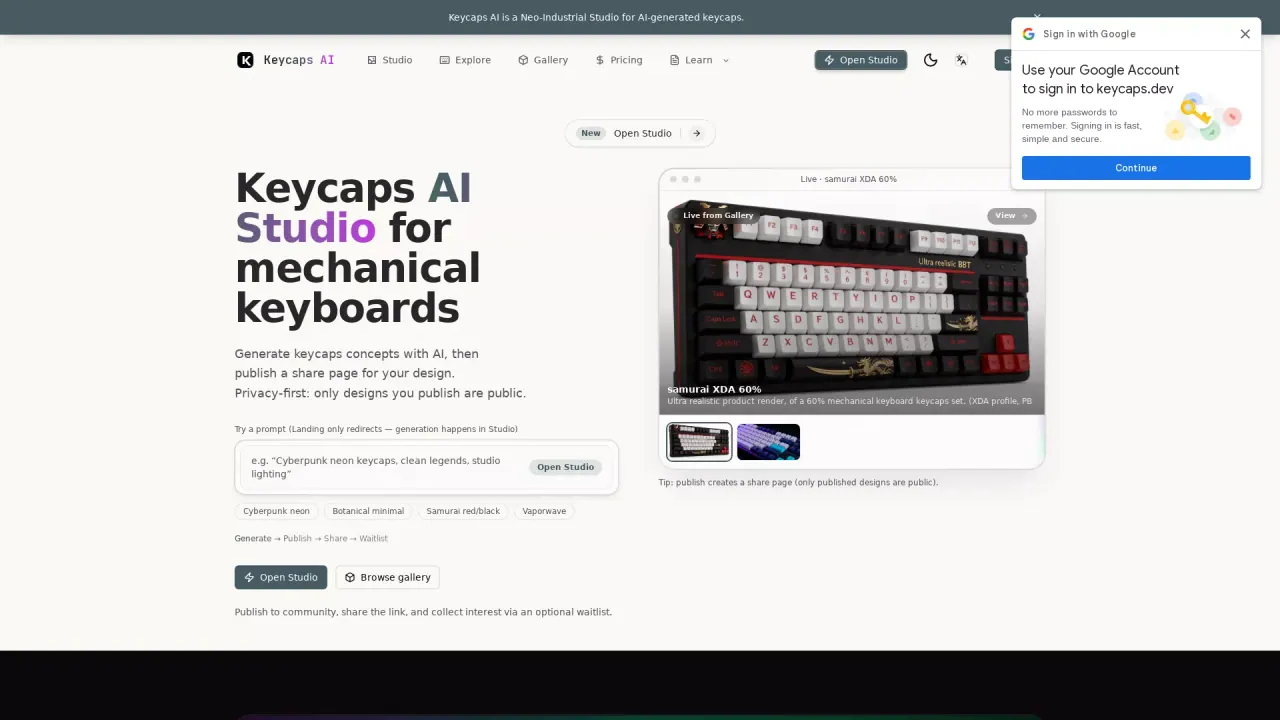
What does KeycapsAI do?
KeycapsAI is a keycap generator and 3D designer for makers who want custom artisan-style keycaps. Create a single 1u keycap starting from an original AI sculpture or by importing your own 3D model, then shape it with configurable shell profiles and an MX-candidate socket designed for calibration.
The workflow stays flexible: bring a GLB, STL, or triangulated OBJ sculpture, choose a straight or tapered 1u shell, and join the decoration to the base geometry. You can rotate and inspect a real 3D mesh preview, crop and fit the model, and generate an STL using mesh checks and a conservative cleanup process. A closed mesh is one step toward a printable object, while external slicing, printed fit, and installation still require your own printer checks.
It’s built for mechanical keyboard enthusiasts who want to iterate toward a specific look—using sculpture form, profile height/outline, and your own calibration results—before printing. Studio also lets you save designs and printing notes for private projects.
Free to try with no account required, KeycapsAI provides GLB/STL/OBJ output and optional sharing so others can see what you’re making and show interest.
Can I start with a ready-made sculpture or do I need to generate everything from a prompt?
You can start with a ready-made sculpture or import your own GLB/STL/OBJ sculpture, then choose a 1u shell and socket. Prompts and AI concept inspiration are available, but imported models are supported for direct customization.
What files can I export from KeycapsAI?
You can work with and download GLB, STL, or OBJ outputs. STL export includes the joined geometry for printing after you complete the model steps.
Will the generated STL automatically fit my MX mechanical keyboard?
Physical printing and fit are not verified automatically. You should test the socket with calibration samples, check slicer setup and supports, and confirm clearances before installing on your keyboard.
What does “MX candidate” mean for the socket?
The socket is designed to fit over the switch cross stem, but shrinkage and printer/material behavior can affect fit. Calibration samples and your own checks are required before installation.
Is KeycapsAI free to try?
Yes—GLB/STL/OBJ are free to try with no account required.
Can I save my progress and keep notes for printing?
Yes. You can save designs and printing notes in Studio, including results from your calibration and test prints.
This listing is claimed
Own KeycapsAI? Sign in with the email used to claim it to manage this listing, or upgrade to Pro for featured-first placement and a newsletter feature.