
JsonTranslate
AI Productivity Tools
JsonTranslate is a browser-based JSON, Markdown, and TXT translation workspace that preserves keys and nested paths for i18n projects.
- Pricing
- Free
- Category
- Productivity
- Listed
- Aug 18, 2026
- Updated
- Aug 18, 2026
Promoted
 AI Checker PlusAI detector that highlights which passages AI wrote. Free check, no sign-up. Plagiarism too.
 RewindType any X/Twitter handle. Get their year back as a narrated video story. Then ask it anything.
 KurodyneSell the tools from your AI side projects. Listing is free.
 Sidrune AI85% off. Stable Claude API for agent developers. Pay as you go. Invoices & refunds available.
 Pixmax.aiPixmax.ai is an all-in-one AI workspace for videos, visual stories, and marketing content.
 SEOify - Improve your SEO & rankingsBuild links to rank in Google. Improve your DR with links you can start building now.Advertise here330,000+ people visit Dang.ai every month.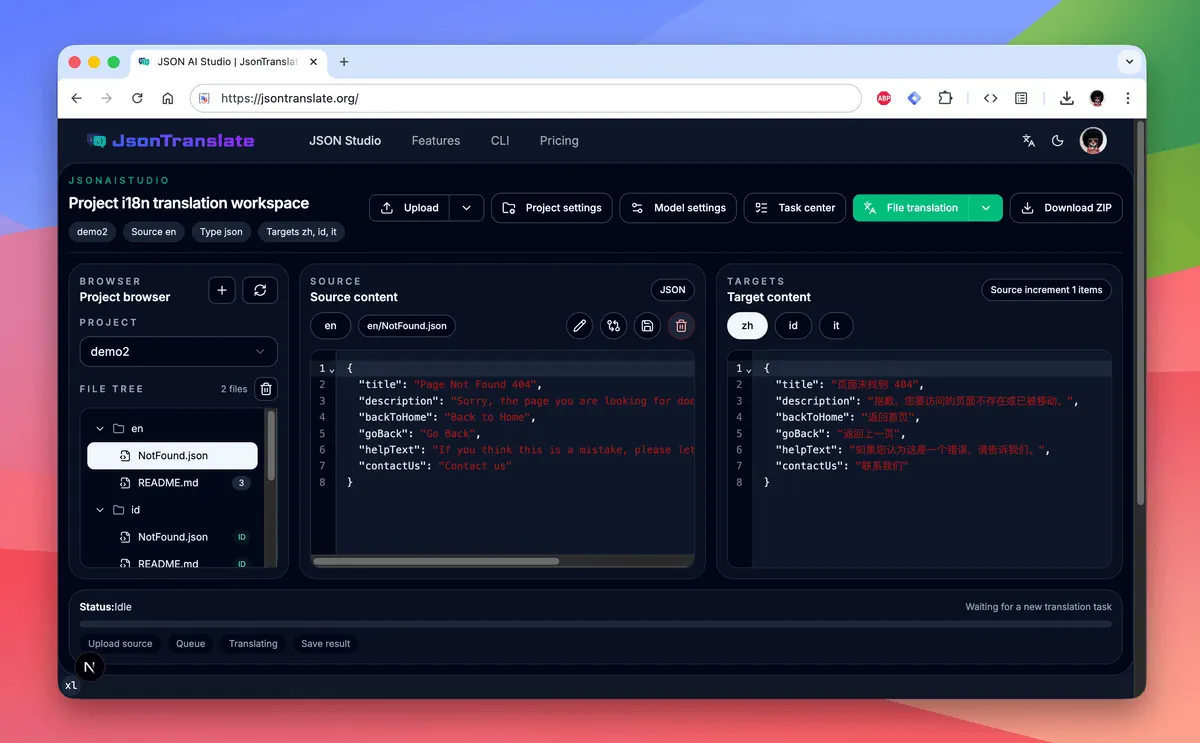
What does JsonTranslate do?
JsonTranslate is an online translator built for localization workflows that involve structured i18n content. It supports JSON, Markdown, TXT, and other plain-text inputs, so you can translate single files or work at the project level while keeping keys and nested paths intact.
Work in multiple translation modes—incremental, full, file-level, or project-scale delivery—using Git-diff-like change detection to translate only added or edited content. Use project path mapping to generate locale outputs that follow your existing directory conventions, including common patterns like locale folders, module folders, and locale suffixes.
For teams that need an end-to-end loop, JsonTranslate connects the hosted Web Studio with a CLI. Upload, run translation, check queued/running/paused/completed task states in the task center, and then pull results back into your local repository with directory structure preserved (including ZIP exports for full projects).
What file formats does JsonTranslate support?
You can translate JSON, Markdown, and TXT files, along with other plain-text inputs brought into the workspace.
Can JsonTranslate translate only the parts that changed?
Yes. It supports incremental translation using Git-diff-like change detection so only added or edited content is processed.
Can I translate a full project instead of a single file?
Yes. Choose file-level or project-level translation modes to handle single edits or project-scale delivery workflows.
How does project path mapping work for i18n outputs?
You organize source and targets at the project level, then map directories and rules so translated locale files are generated into your existing i18n folder conventions.
Can I import or export translated files as a ZIP?
Yes. You can export a full translated project as a ZIP while preserving the original folder hierarchy for write-back or handoff.
Is there a CLI for syncing with a local repository?
Yes. The CLI is designed as a full synchronization bridge between your local codebase and the hosted workspace, covering auth, push, translate, status checks, and pull of results.
This listing is claimed
Own JsonTranslate? Sign in with the email used to claim it to manage this listing, or upgrade to Pro for featured-first placement and a newsletter feature.