imgtxtapp.laviolab.com
AI Optimization Tools
Extract clean, editable text from images, scanned documents, book pages, and Instagram carousels directly inside Telegram.
- Pricing
- Free
- Category
- Optimize
- Listed
- Jul 17, 2026
- Updated
- Jul 18, 2026
Promoted
 Pixmax.aiPixmax.ai is an all-in-one AI workspace for videos, visual stories, and marketing content.
 RewindType any X/Twitter handle. Get their year back as a narrated video story. Then ask it anything.
 KurodyneSell the tools from your AI side projects. Listing is free.
 Sidrune AI85% off. Stable Claude API for agent developers. Pay as you go. Invoices & refunds available.
 SEOify - Improve your SEO & rankingsBuild links to rank in Google. Improve your DR with links you can start building now.Advertise here270,000+ people visit Dang.ai every month.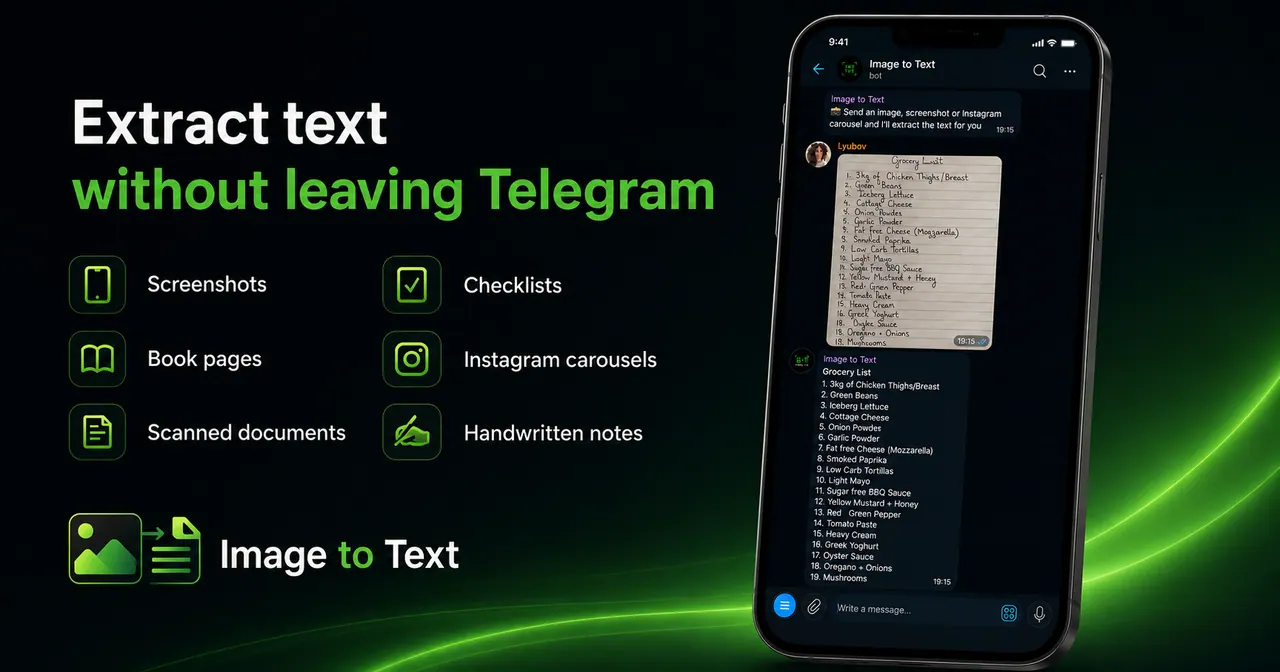
What does imgtxtapp.laviolab.com do?
imgtxtapp.laviolab.com is a Telegram-based image-to-text converter that turns photos, screenshots, scanned documents, and printed pages into clean, editable text. Upload an image (or paste a link to an Instagram carousel) and get extracted text quickly for copying, editing, translating, or summarizing.
It’s designed for fast workflows when you don’t want to retype information. You can also process multiple images at once in a single message to receive all extracted text together, which makes it useful for saving screenshots, reading lots of material, or turning study resources into searchable notes.
The extracted text can be used in your other tools and writing flow, including pasting into ChatGPT, Claude, Gemini, or your notes app. It supports a wide range of content types such as handwritten notes, receipts, tables/spreadsheets, and presentation slides.
How can I get text from an image in Telegram?
Upload the photo/screenshot/scanned page in the bot, and it will return clean, editable text you can copy and use.
Can I extract text from an Instagram carousel?
Yes—paste the carousel link instead of downloading each image. The bot extracts the text in Telegram.
Can I convert multiple images at once?
Yes. Upload several screenshots in one message and you’ll receive the extracted text together.
What kinds of content can the converter handle?
It supports screenshots, photos, scanned documents, book pages, printed documents, PDF documents, Instagram carousels, handwritten notes, receipts, presentation slides, and tables/spreadsheets.
Do I need to install an app or create an account?
No app installation is required because it works directly in Telegram. Account requirements aren’t specified here.
How can I use the extracted text after conversion?
Copy it, translate or summarize it, edit it, and paste it into tools like ChatGPT, Claude, Gemini, or your notes app.
This listing is claimed
Own imgtxtapp.laviolab.com? Sign in with the email used to claim it to manage this listing, or upgrade to Pro for featured-first placement and a newsletter feature.