
HiTranscript
AI Transcription Software Tools
Turn public Instagram Reels into searchable, speaker-aware transcripts and export-ready subtitles.
- Pricing
- Free
- Category
- Transcription
- Listed
- Aug 27, 2026
- Updated
- Oct 16, 2026
Promoted
 Pixmax.aiPixmax.ai is an all-in-one AI workspace for videos, visual stories, and marketing content.
 RewindType any X/Twitter handle. Get their year back as a narrated video story. Then ask it anything.
 KurodyneSell the tools from your AI side projects. Listing is free.
 Sidrune AI85% off. Stable Claude API for agent developers. Pay as you go. Invoices & refunds available.
 SEOify - Improve your SEO & rankingsBuild links to rank in Google. Improve your DR with links you can start building now.Advertise here270,000+ people visit Dang.ai every month.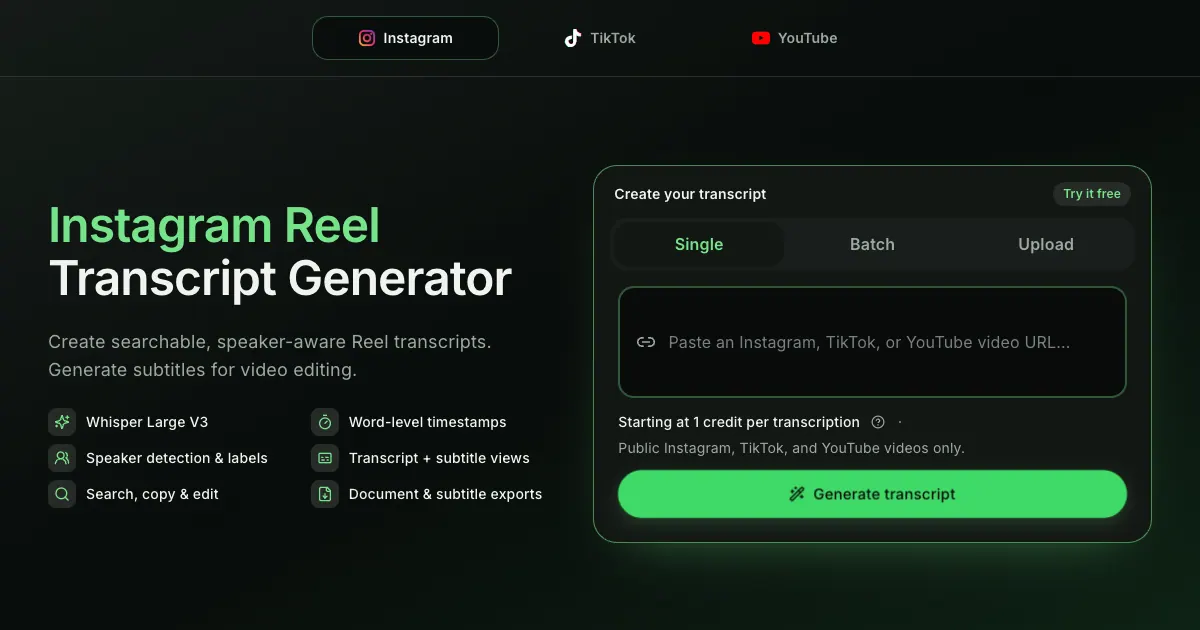
What does HiTranscript do?
HiTranscript generates searchable, speaker-aware transcripts and timed subtitles from public Instagram Reels. Paste a public Reel link, process a batch of multiple Reels, or upload a supported audio/video file to convert spoken content into reusable text.
The workflow is simple: create a transcript and subtitles, then review and edit in the same workspace. HiTranscript supports word-level timestamps, so you can precisely locate and refine specific moments. It also includes speaker detection and labels when distinct speakers are identified, helping you follow conversations and organize content for downstream work.
You can review your output in transcript view or switch to subtitle cues for editing. Transcripts can be exported in TXT, DOCX, or PDF, with options to include timestamps and detected speaker labels. Subtitles can be exported as SRT or WebVTT; batch downloads support subtitle exports as well.
HiTranscript is designed for creators, editors, researchers, marketers, and anyone who needs readable text and captions derived from spoken social video content. Public Instagram, TikTok, and YouTube videos are supported up to 1 hour only, starting at 1 credit per transcription. The tool processes only public or authorized content and does not bypass login, private, member-only, regional, or age restrictions.
What inputs can I use to create a transcript in HiTranscript?
You can paste a public Instagram Reel URL, process multiple valid Reel links in Batch, or upload a supported local audio/video file.
Does HiTranscript generate subtitles for video editing?
Yes. It generates both a transcript and timed subtitles together, and you can export subtitles as SRT or WebVTT.
Will I get speaker labels in the transcript?
Speaker labels appear when distinct speakers are detected. You can then review the labeled sections and rename or merge labels if needed.
What timestamp detail is included?
Word-level timestamps are included, which helps with precise editing and alignment between the transcript and the video.
What export formats are available for transcripts and subtitles?
Transcripts can be exported as TXT, DOCX, or PDF (with options to include timestamps and detected speaker labels). Subtitles can be exported as SRT or WebVTT.
Is HiTranscript able to access private or non-public videos?
No. HiTranscript processes only public or authorized content and does not bypass login, private, member-only, regional, or age restrictions.
This listing is claimed
Own HiTranscript? Sign in with the email used to claim it to manage this listing, or upgrade to Pro for featured-first placement and a newsletter feature.