
EZGrader
Verified
AI Grading Tool
EZGrader.co is a fast, free easy grader tool that helps teachers quickly calculate student grades from test results.
Promoted
 Sidrune AI85% off. Stable Claude API for agent developers. Pay as you go. Invoices & refunds available.
 Pixmax.aiPixmax.ai is an all-in-one AI workspace for videos, visual stories, and marketing content.
 AI Checker PlusAI detector that highlights which passages AI wrote. Free check, no sign-up. Plagiarism too.
 RewindType any X/Twitter handle. Get their year back as a narrated video story. Then ask it anything.
 KurodyneSell the tools from your AI side projects. Listing is free.
 SEOify - Improve your SEO & rankingsBuild links to rank in Google. Improve your DR with links you can start building now.Advertise here270,000+ people visit Dang.ai every month.
What does EZGrader do?
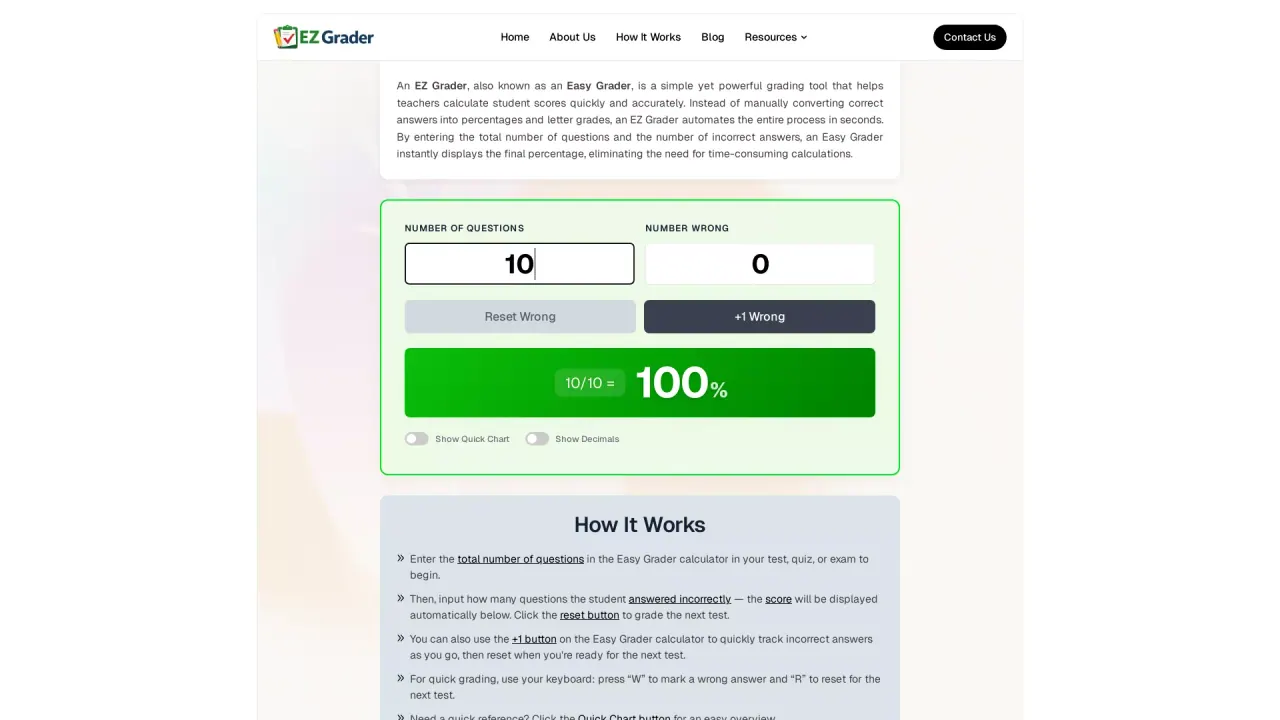
EZGrader (also called an Easy Grader) is a simple grading tool built to help teachers calculate student scores quickly and accurately. Instead of manually converting correct answers into percentages and letter grades, you input the number of questions and the number of incorrect answers and the result is generated automatically.
Using EZGrader is straightforward: enter the total number of questions in a quiz, test, or exam, then add how many answers were incorrect. The tool immediately displays the final percentage, and it can also show a quick reference chart for faster decision-making. To support rapid grading during a session, you can use an on-page counter (including an increment option) to track wrong answers as you go, then reset when you’re ready for the next test.
EZGrader is designed for school and college educators who want a beginner-friendly way to speed up everyday grading while reducing calculation errors. It supports quick keyboard-based grading (marking an answer as wrong and resetting for the next test) and works as an online tool you can use from a laptop, tablet, or phone.
EZGrader is free to use, making it an accessible option for routine quizzes, exams, and assignments.
What is EZGrader (Easy Grader) used for?
EZGrader helps teachers calculate student grades by turning test results into a final percentage (and supporting letter grade display) automatically.
How do I calculate a score in EZGrader?
Enter the total number of questions, then input how many answers were wrong. The final percentage is shown automatically.
Can I grade multiple tests back-to-back?
Yes. Use the reset button to clear the inputs after each test, then enter the new totals for the next one.
Does EZGrader help me grade faster while I review papers?
Yes. You can increment the wrong-answer count as you go and use keyboard shortcuts to mark answers as wrong and reset for the next test.
Is EZGrader free to use?
Yes—EZGrader is available for free use.
What is the Quick Chart feature?
Quick Chart provides a simple overview reference to help you match percentages to corresponding grading outputs without doing complex calculations.
This listing is claimed
Own EZGrader? Sign in with the email used to claim it to manage this listing, or upgrade to Pro for featured-first placement and a newsletter feature.