
Forms Plugin
AI Productivity Tools
Forms Plugin is a native AI form builder for Framer—create secure, multi-step, integration-ready forms without embeds or code.
- Pricing
- Free
- Category
- Productivity
- Listed
- Sep 21, 2026
- Updated
- Oct 17, 2026
Promoted
 Sidrune AI85% off. Stable Claude API for agent developers. Pay as you go. Invoices & refunds available.
 Pixmax.aiPixmax.ai is an all-in-one AI workspace for videos, visual stories, and marketing content.
 AI Checker PlusAI detector that highlights which passages AI wrote. Free check, no sign-up. Plagiarism too.
 RewindType any X/Twitter handle. Get their year back as a narrated video story. Then ask it anything.
 KurodyneSell the tools from your AI side projects. Listing is free.
 SEOify - Improve your SEO & rankingsBuild links to rank in Google. Improve your DR with links you can start building now.Advertise here270,000+ people visit Dang.ai every month.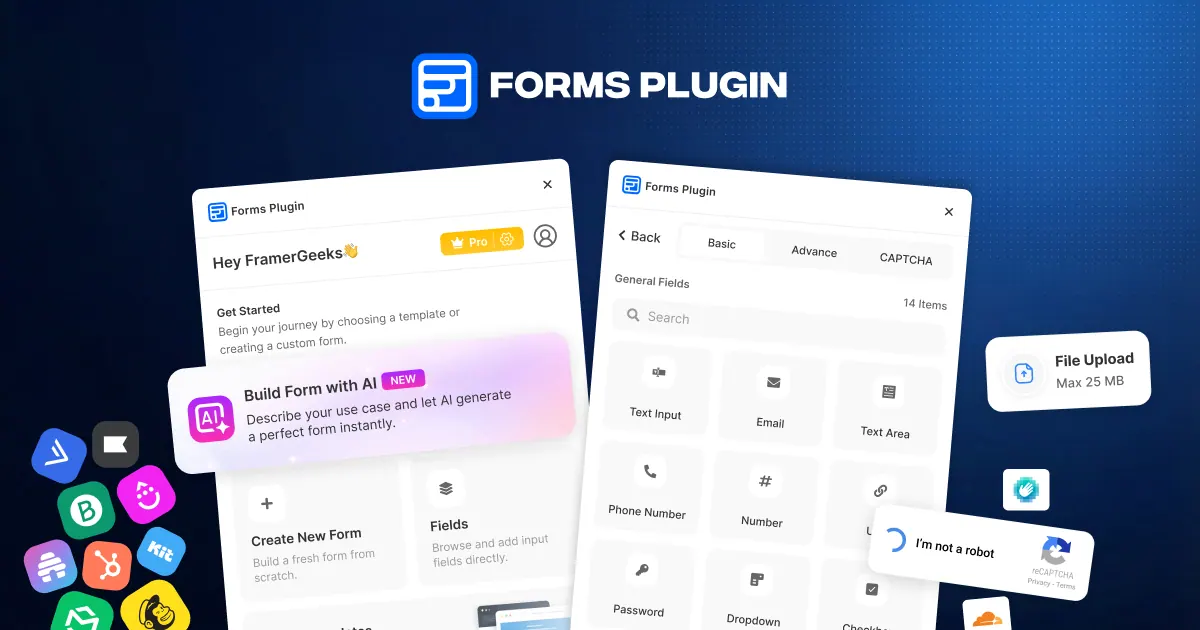
What does Forms Plugin do?
Forms Plugin is a native form builder that runs inside Framer’s editor, so you can design and publish forms without iframes, embeds, or external form builders. Build contact, lead capture, registration, feedback, survey, order, booking, quote request, application, newsletter signup, inquiry, appointment, client onboarding, and waitlist forms—while keeping everything in your existing Framer project.
Create forms faster with a drag-and-drop workflow plus AI form generation. Describe your business in plain English and the AI builder generates a structured form with the right fields, validations, and layout. You can then fully edit the result, add advanced field types, and refine styling so your forms match your brand.
Collect richer data and improve form quality with 30+ field types, including file and image uploads, e-signature, voice recording, audio/video upload, ratings, NPS, range sliders, conditional logic, and multiple CAPTCHA-style spam protections. Publish your forms inside Framer or embed them elsewhere, with responsive rendering across desktop, tablet, and mobile.
Forms Plugin also supports native integrations (including HubSpot, Brevo, Mailchimp, MailerLite, Klaviyo, ActiveCampaign, Drip, Beehiiv, Google Drive, HighLevel, and Framer CMS) to sync submissions and connect your workflow. Plans are one-time lifetime purchases: Basic (free), Personal (one-time $99), and Commercial (one-time $119) with included features varying by tier.
Can I use Forms Plugin inside Framer without iframes or code?
Yes—Forms Plugin builds and publishes forms directly inside Framer’s editor, so you can create and style forms without code and without using third-party form builders.
What kinds of forms can I create with Forms Plugin?
You can build many form types such as contact, lead capture, registration, feedback, surveys, orders, bookings, quote requests, applications, newsletter signups, inquiries, appointments, onboarding, and waitlists.
How does the AI form builder work?
Describe your business in plain English and the AI generates a structured form with appropriate fields, validations, and layout in seconds. After generation, you can freely edit the fields and layout.
What advanced field features are available?
Forms Plugin includes 30+ field types such as file/image/audio/video uploads, e-signature, voice recording, ratings and NPS, range sliders, CAPTCHA-style spam protection, and options like conditional logic and multi-step forms (depending on plan).
How do I protect my forms from spam?
Use built-in CAPTCHA and spam protection options, which are included in the plugin features across plans for stronger protection against automated submissions.
What are the pricing plans and licensing options?
You can start with a free Basic plan. Lifetime one-time purchases are available: Personal (one-time $99) and Commercial (one-time $119), with Personal for personal projects and Commercial for unlimited sites and client work licensing.
Is this your tool?
Claim Forms Plugin to manage this listing, or upgrade to Pro for featured-first placement and a newsletter feature.