
floorai
Verified
AI Interior Design Generator Tools
Turn a sketch, photo, PDF, or text description into a clean, labelled floor plan you can edit and export in minutes.
- Pricing
- Freemium
- Category
- Interior design
- Listed
- Sep 21, 2026
- Updated
- Oct 17, 2026
Promoted
 Sidrune AI85% off. Stable Claude API for agent developers. Pay as you go. Invoices & refunds available.
 Pixmax.aiPixmax.ai is an all-in-one AI workspace for videos, visual stories, and marketing content.
 AI Checker PlusAI detector that highlights which passages AI wrote. Free check, no sign-up. Plagiarism too.
 RewindType any X/Twitter handle. Get their year back as a narrated video story. Then ask it anything.
 KurodyneSell the tools from your AI side projects. Listing is free.
 SEOify - Improve your SEO & rankingsBuild links to rank in Google. Improve your DR with links you can start building now.Advertise here270,000+ people visit Dang.ai every month.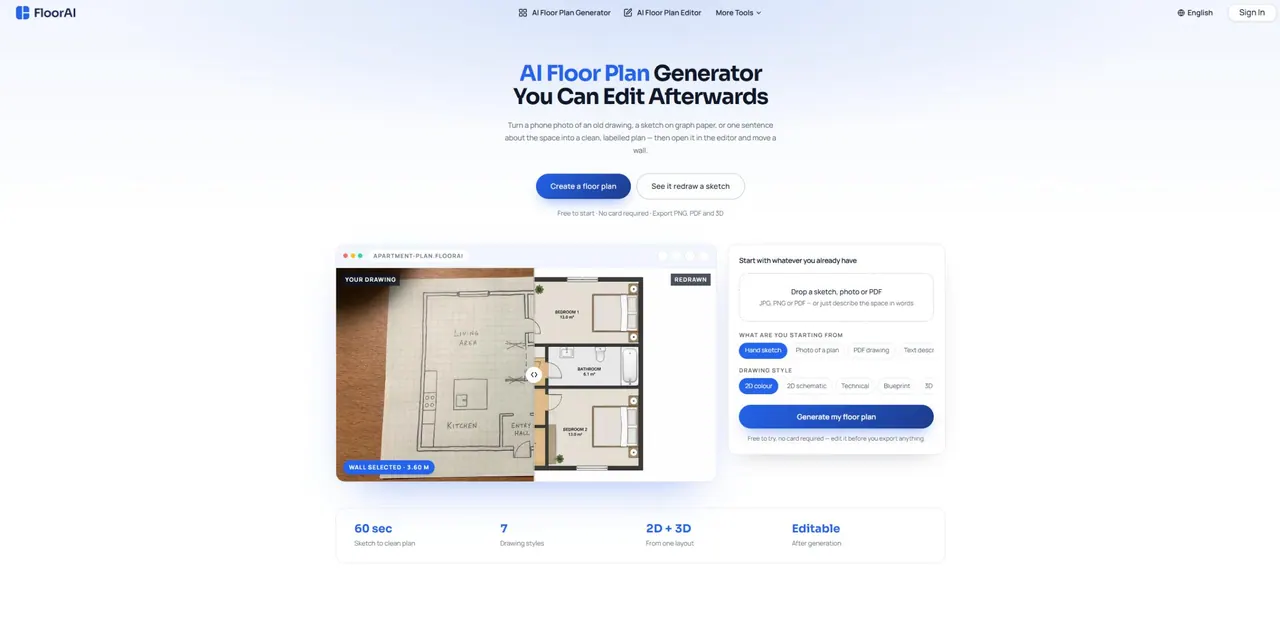
What does floorai do?
FloorAI is an AI floor plan generator that redraws a hand sketch, photo, PDF drawing, or a plain-English description into a clean, labelled layout. Start from something you already have—like a listing sheet, an old survey, or a quick measurement sketch—then generate a floor plan in about 60 seconds.
After generation, you can open the result in a built-in editor and refine it directly. Drag walls and openings, rename rooms, correct the areas the generator guessed, and add, move, or rotate furniture room by room. Edits don’t require re-rolling the whole plan, so you can iterate until it matches what you intend to show.
Choose from multiple drawing styles when you generate—2D colour, 2D schematic, technical, blueprint, or 3D isometric. FloorAI also digitizes existing plans with automatic skew correction, and you can compare layout alternatives side by side. Exports include PNG, PDF, and 3D (GLB), with room areas and total floor area included.
Who it’s for: estate agents and listing professionals, renovating homeowners testing alternatives, interior designers, property photographers, short-let hosts needing a clear plan, and freelance draughtsmen creating a first pass faster. Pricing is available via a free tier with 4 generations (with editor access), plus paid plans starting at $9.99/month.
What inputs can I use to generate a floor plan in FloorAI?
Upload a sketch, photo, or PDF (JPG, PNG, or PDF), or type a simple text description of the space. Anything legible to a person works.
Can I edit the floor plan after it’s generated?
Yes. Every generated plan opens in a built-in editor where you can drag walls and openings, rename rooms, adjust areas, and move furniture directly.
How do drawing styles work with one layout?
Pick the drawing style at generation time (2D colour, 2D schematic, technical, blueprint, or 3D isometric). You can also export other styles from the same underlying layout later.
Does FloorAI handle photos and scanned drawings that are skewed or curled?
Yes. FloorAI corrects skew and page curl automatically when digitizing existing drawings.
What can I export the result as?
You can export to PNG, PDF, and 3D (GLB).
Is there a free way to try FloorAI?
Yes. You can start free with 4 AI floor plan generations and editor access, no card required.
This listing is claimed
Own floorai? Sign in with the email used to claim it to manage this listing, or upgrade to Pro for featured-first placement and a newsletter feature.