
Floor Plan Maker
Verified
AI Interior Design Generator Tools
Floor Plan Maker is a free online AI tool for generating, customizing, and visualizing 2D/2.5D/3D isometric floor plans in minutes.
- Category
- Interior design
- Listed
- Jun 10, 2026
- Updated
- Jun 10, 2026
Promoted
 Sidrune AI85% off. Stable Claude API for agent developers. Pay as you go. Invoices & refunds available.
 Pixmax.aiPixmax.ai is an all-in-one AI workspace for videos, visual stories, and marketing content.
 AI Checker PlusAI detector that highlights which passages AI wrote. Free check, no sign-up. Plagiarism too.
 RewindType any X/Twitter handle. Get their year back as a narrated video story. Then ask it anything.
 KurodyneSell the tools from your AI side projects. Listing is free.
 SEOify - Improve your SEO & rankingsBuild links to rank in Google. Improve your DR with links you can start building now.Advertise here270,000+ people visit Dang.ai every month.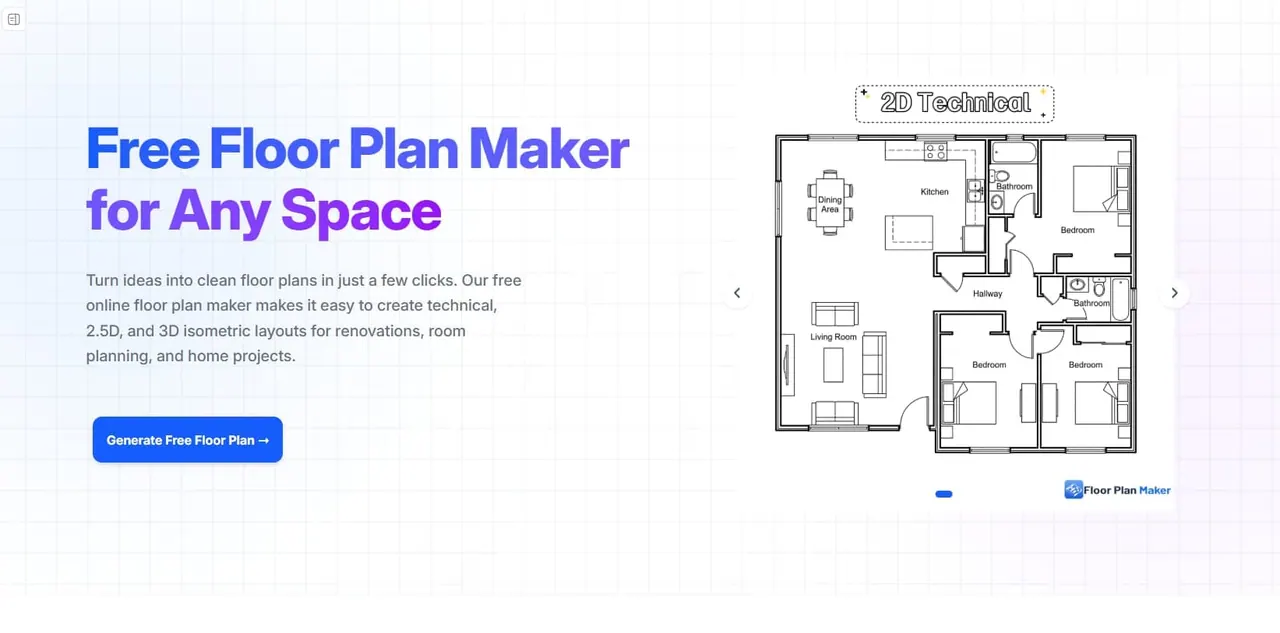
What does Floor Plan Maker do?
Turn ideas into clean floor plans quickly with an AI-powered, free floor plan maker. Create technical layouts as well as 2.5D and 3D isometric views designed for renovation planning, room layout exploration, and home projects.
Customize your rooms, choose a floor plan style, and generate layouts in seconds—no design experience required. Adjust bedrooms, bathrooms, kitchens, dining areas, and living spaces, and fine-tune space size using metric or imperial units to better match real-world needs.
Use it to compare renovation options before construction starts, optimize small spaces with clearer room placement, and create presentation-ready visuals for clients or listings. You can generate and refine multiple layout ideas side by side to make decisions with less guesswork.
What kinds of floor plans can I create with Floor Plan Maker?
You can generate technical floor plans, 2.5D previews, and 3D isometric views for planning, inspiration, and presentation.
Can I create a floor plan online without design skills?
Yes. The workflow is beginner-friendly and designed to let you generate floor plans by entering room preferences and choosing a style.
How do I generate a floor plan?
Set room preferences (including total space size), pick a floor plan style (Technical, 2.5D, or 3D Isometric), then generate and refine the layout.
Can I adjust dimensions to match real spaces?
Yes. You can set gross area and fine-tune dimensions using metric or imperial units.
Do I need to sign up to use the floor plan maker?
No—use it instantly online without signing up for personal projects.
Will my floor plans have a watermark?
Generated floor plans are provided with clean exports and no watermark for free personal use.
This listing is claimed
Own Floor Plan Maker? Sign in with the email used to claim it to manage this listing, or upgrade to Pro for featured-first placement and a newsletter feature.