
Floor Plan AI
Verified
AI Interior Design Generator Tools
Floor Plan AI turns a text prompt or reference images into downloadable 2D floor plans (PNG) and 3D GLB models.
- Pricing
- Freemium
- Category
- Interior design
- Listed
- Jun 4, 2026
- Updated
- Jun 5, 2026
Promoted
 KurodyneSell the tools from your AI side projects. Listing is free.
 Sidrune AI85% off. Stable Claude API for agent developers. Pay as you go. Invoices & refunds available.
 Pixmax.aiPixmax.ai is an all-in-one AI workspace for videos, visual stories, and marketing content.
 RewindType any X/Twitter handle. Get their year back as a narrated video story. Then ask it anything.
 SEOify - Improve your SEO & rankingsBuild links to rank in Google. Improve your DR with links you can start building now.Advertise here270,000+ people visit Dang.ai every month.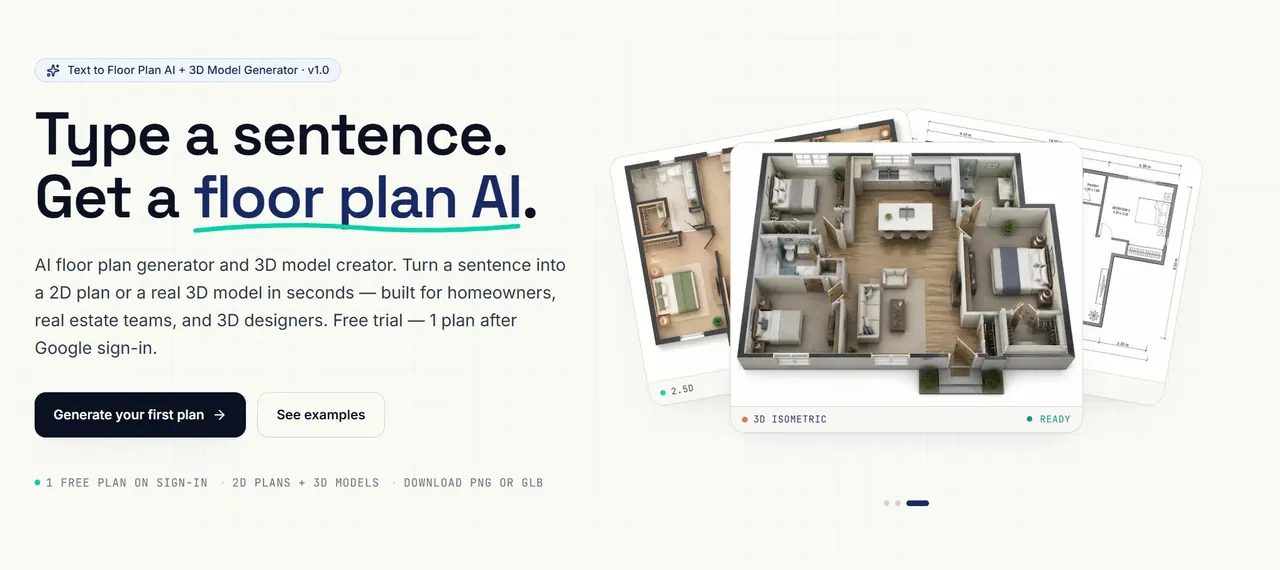
What does Floor Plan AI do?
Floor Plan AI is an AI floor plan generator that creates 2D top-down layouts and 3D models from a one-sentence description or optional reference images. Choose a drawing style (technical blueprint, watercolor, marker pen, 2.5D, 3D isometric, photorealistic, and more) and generate a labeled floor plan in seconds.
Switch to 3D Visualization to download a real, rotatable GLB model based on the same prompt. Import it into tools like Blender, Unity, Unreal, or three.js for rendering, embedding, or interactive scenes.
Use it for quick layout exploration, listing-ready visuals, or to skip manual modeling steps by generating GLB assets directly from prompts and references.
What can I generate with Floor Plan AI?
You can generate 2D floor plans (top-down PNG renders) and 3D models (downloadable GLB files).
Do I need CAD skills to use it?
No—describe your space in plain English (e.g., bedrooms, approximate size in m² or sqft, and must-haves).
What input options are available?
You can use a text prompt, and you can optionally upload up to 16 reference images to guide the layout while keeping your structure.
What file formats can I download?
You can download high-resolution PNG floor plans. For 3D, you can download GLB models to rotate, zoom, and import into 3D tools.
Is Google sign-in required?
Yes—Google sign-in is required to generate plans, including the free trial plan on sign-in.
Does Floor Plan AI train on my designs?
Your prompts, reference images, generated floor plans, and 3D models stay yours; your inputs aren’t used to train models or shared with third parties.
This listing is claimed
Own Floor Plan AI? Sign in with the email used to claim it to manage this listing, or upgrade to Pro for featured-first placement and a newsletter feature.