
Fill PDF from Sheet
AI Productivity Tools
Fill PDF from Sheet automatically maps your Excel, CSV, or Google Sheets data to fill PDF forms in single or batch runs.
- Pricing
- Free
- Category
- Productivity
- Listed
- Aug 23, 2026
- Updated
- Aug 24, 2026
What does Fill PDF from Sheet do?
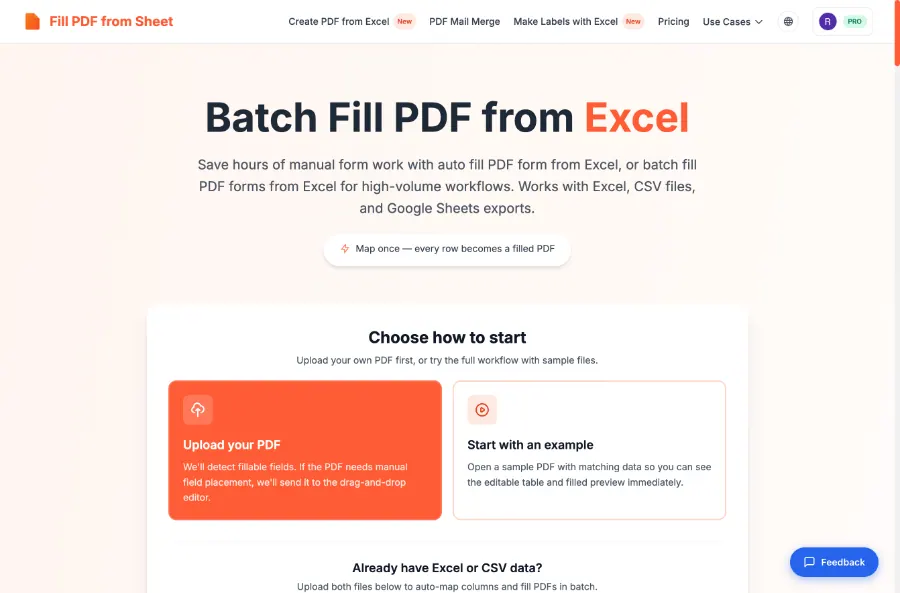
Fill PDF from Sheet helps you generate filled PDF forms from spreadsheet data without manual copy-and-paste. Upload your PDF form template and data (Excel .xlsx/.xls, CSV, or a Google Sheets export) to auto-map spreadsheet columns to PDF fields and produce one filled PDF per row.
You can run workflows in bulk for high-volume needs, with options to preview and download filled results individually or in bulk. If your PDF has fillable fields, the tool detects them and handles the mapping automatically; if it doesn’t, you can use a drag-and-drop editor to place spreadsheet columns onto your template.
Designed for repeatable daily form processing, this workflow can help reduce repetitive admin work and minimize human error when generating documents like HR/admin forms, finance/legal documents, and education/healthcare registrations.
What data formats can I use to fill the PDFs?
Use Excel (.xlsx/.xls), CSV files, or Google Sheets exports as your data source. Your uploaded PDF acts as the template to fill.
Can I process many rows at once to generate multiple filled PDFs?
Yes. Each row in your data file generates a separate filled PDF, which makes it well-suited for batch filling hundreds of documents in one run.
How does the tool match my spreadsheet columns to PDF form fields?
It detects and matches spreadsheet column headers to PDF form fields, then lets you review and adjust mappings before generating the filled PDFs.
Do you store my uploaded files after generating the PDFs?
No. Files are used only to generate your PDFs and are deleted right away, with no database storage of your uploads.
What if my PDF isn’t fillable (there are no form fields)?
If the PDF has no fillable fields, you can use the drag-and-drop editor to place spreadsheet columns onto your template. Alternatively, you can add real fillable fields elsewhere and return to batch-fill them.
Do I need Adobe Acrobat or coding skills to use this?
No. There’s nothing to install and you don’t need formulas, macros, or mail-merge setup—upload files, confirm mappings, and generate PDFs.
This listing is claimed
Own Fill PDF from Sheet? Sign in with the email used to claim it to manage this listing, or upgrade to Pro for featured-first placement and a newsletter feature.