
Fastsub
AI Transcription Software Tools
Fastsub generates and edits subtitles online and translates them for free into 206+ languages—no video uploads required.
- Pricing
- Paid
- Category
- Transcription
- Listed
- Oct 21, 2026
- Updated
- Oct 21, 2026
Promoted
 Sidrune AI85% off. Stable Claude API for agent developers. Pay as you go. Invoices & refunds available.
 Pixmax.aiPixmax.ai is an all-in-one AI workspace for videos, visual stories, and marketing content.
 SEOify - Improve your SEO & rankingsBuild links to rank in Google. Improve your DR with links you can start building now.Advertise here270,000+ people visit Dang.ai every month.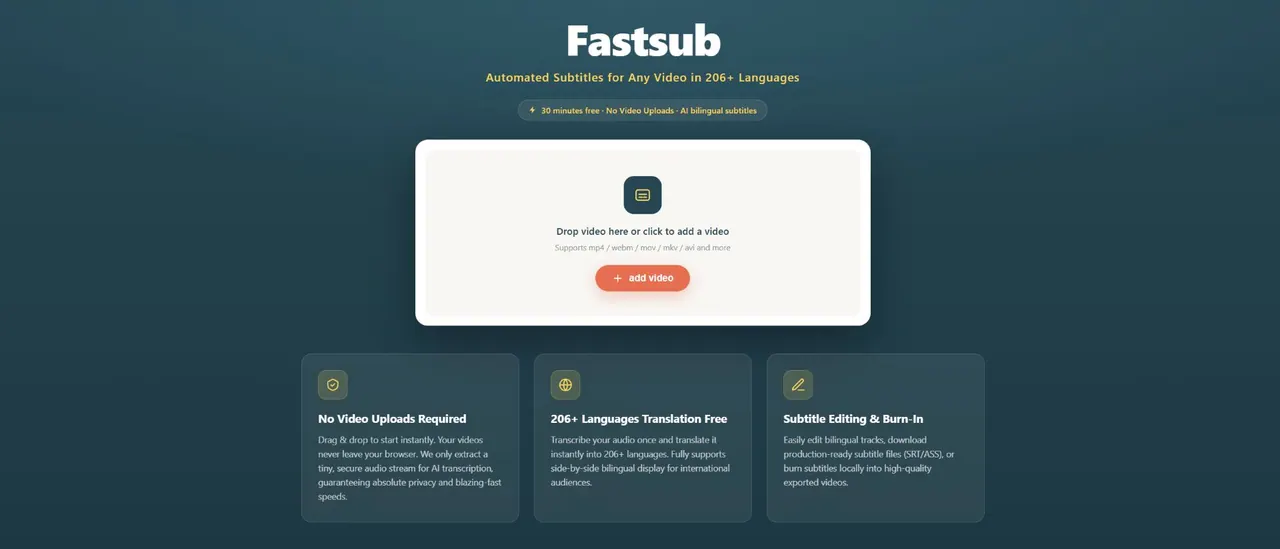
What does Fastsub do?
Fastsub is an AI subtitle generator and translator that helps you turn video audio into captions in 206+ languages without uploading your video to a server. Start by dragging and dropping your file (mp4, webm, mov, mkv, avi, and more) and the video stays in your browser while a secure, tiny audio stream is extracted for transcription.
Translation is available at any time for free into 206+ languages, including a bilingual side-by-side view so you can review the original and translated subtitles together. Fastsub also supports rich subtitle styles and includes tools to edit subtitles visually—modify text, split or merge cues, delete segments, and see timeline updates instantly with real-time preview.
When you’re ready, export production-ready subtitle files in .SRT or .ASS. If you want permanently embedded captions, you can burn subtitles directly into an exported MP4 using local rendering.
Fastsub uses credits for transcription: 1 credit transcribes 1 minute of audio, credits are verified before processing, partial minutes are rounded up to the next full minute, and credits expire after one year. Translations across the 206+ languages are covered with the transcription credit—there are no extra translation charges.
Do I need to upload my video to Fastsub?
No. Your video stays within your browser session. Only a tiny, secure audio track is extracted locally and streamed for AI transcription.
How do credits work for transcription?
1 credit transcribes 1 minute of audio. Credits are verified before processing and charged based on the actual duration once recognition is complete, with partial minutes rounded up to the next full minute.
Do credits expire?
Yes. Credits or top-up quotas are valid for exactly one year (365 days) from the purchase date. Unused credits are forfeited after expiration and do not roll over.
Is translating into 206+ languages free?
Translation into 206+ languages is free, and it’s included with your transcription credit. There are no hidden fees or extra charges for translations.
Can I edit subtitles before exporting or burning them?
Yes. Edit subtitles visually line by line, split or merge cues, delete segments, and preview changes in real time before exporting .SRT/.ASS or burning into MP4.
What happens if my browser crashes during subtitle burn-in?
Your progress is saved in history records. You can reload, re-select the video, and restart the burn-in without losing subtitle progress or re-consuming credits.
This listing is claimed
Own Fastsub? Sign in with the email used to claim it to manage this listing, or upgrade to Pro for featured-first placement and a newsletter feature.