EzMaker AI Background Remover
Verified
AI Image Enhancer Tools
Remove photo backgrounds with AI for free, producing transparent PNG cutouts without any sign-up.
Promoted
 RewindType any X/Twitter handle. Get their year back as a narrated video story. Then ask it anything.
 KurodyneSell the tools from your AI side projects. Listing is free.
 Sidrune AI85% off. Stable Claude API for agent developers. Pay as you go. Invoices & refunds available.
 Pixmax.aiPixmax.ai is an all-in-one AI workspace for videos, visual stories, and marketing content.
 AI Checker PlusAI detector that highlights which passages AI wrote. Free check, no sign-up. Plagiarism too.
 SEOify - Improve your SEO & rankingsBuild links to rank in Google. Improve your DR with links you can start building now.Advertise here330,000+ people visit Dang.ai every month.
What does EzMaker AI Background Remover do?
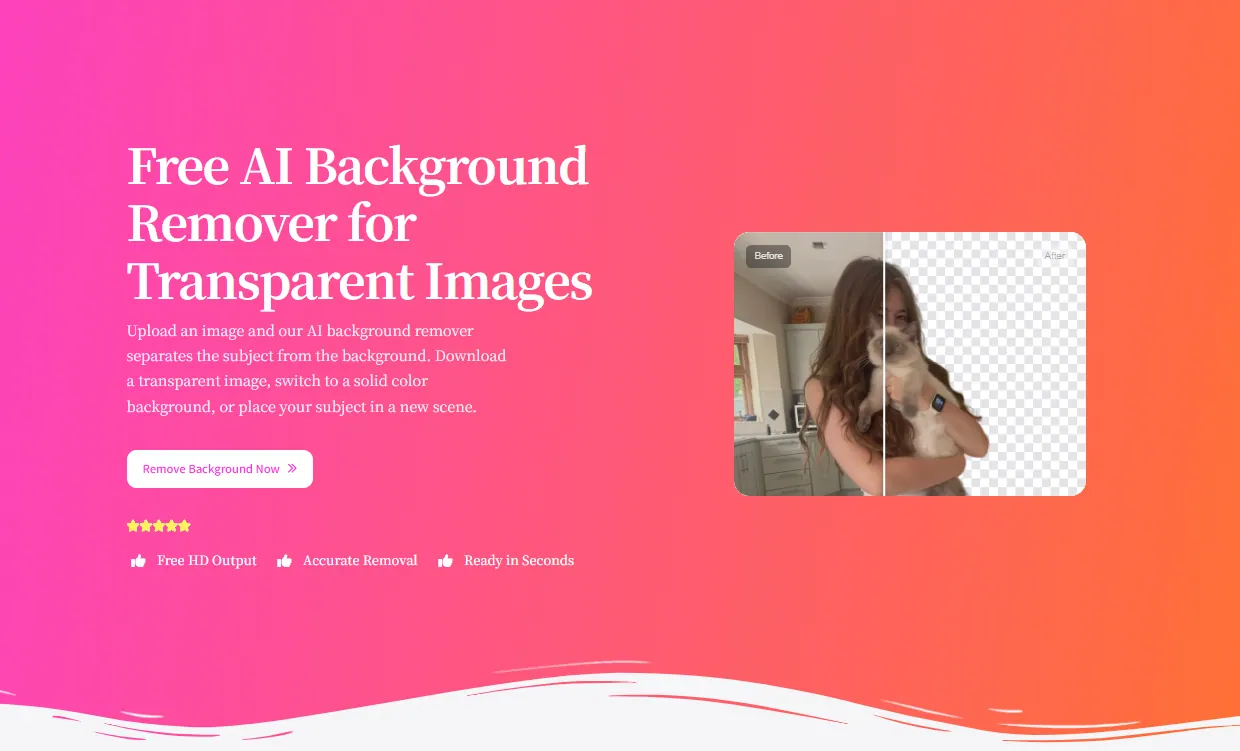
EzMaker AI Background Remover is a free online tool that uses AI to separate your subject from the background automatically. It’s designed to help you create clean cutouts quickly—preserving fine details like hair, fur, and the edges of clothing—so your images look sharp and ready to use.
After you upload a photo, you can download the result as a transparent image, switch the background to a solid color, or place your subject into a new scene. The workflow is simple: upload (or drag and drop) your image, let the AI process it, then download or continue editing from the output.
It works well for portraits, product photos, pets, logos, and illustrations, making it useful for ecommerce sellers, designers, marketers, and content creators who need consistent visuals for listings, promotions, and social media. You can use it directly in desktop and mobile browsers without installing software.
Supported formats include PNG, JPEG/JPG, and WebP. You can also download free HD output after background removal, with results ready in seconds.
What does EzMaker AI Background Remover do?
It automatically separates your subject from the background using AI, then lets you download a clean cutout for further use or editing.
What download options do I get after removing the background?
You can download a transparent image (transparent PNG), change to a solid color background, or place your subject into a new scene.
Which image formats are supported?
EzMaker supports PNG, JPEG/JPG, and WEBP files.
Is sign-up or software installation required?
No—there’s no login required and you can use the tool in your browser on desktop or mobile.
How long does it take to remove a background?
Background removal is ready in seconds after you upload your image.
Is it good for detailed edges like hair or fur?
Yes. The AI is designed to preserve fine details such as hair, fur, and clothing edges while separating the subject.
This listing is claimed
Own EzMaker AI Background Remover? Sign in with the email used to claim it to manage this listing, or upgrade to Pro for featured-first placement and a newsletter feature.