
EarDub
AI Translator & Translation Tools
EarDub is a Chrome/Edge extension that dubs captioned YouTube and course videos into your language with AI voices in sync as you watch.


- Category
- Translation
- Listed
- Oct 8, 2026
- Updated
- Oct 24, 2026
Promoted
 RewindType any X/Twitter handle. Get their year back as a narrated video story. Then ask it anything.
 KurodyneSell the tools from your AI side projects. Listing is free.
 Sidrune AI85% off. Stable Claude API for agent developers. Pay as you go. Invoices & refunds available.
 Pixmax.aiPixmax.ai is an all-in-one AI workspace for videos, visual stories, and marketing content.
 SEOify - Improve your SEO & rankingsBuild links to rank in Google. Improve your DR with links you can start building now.Advertise here270,000+ people visit Dang.ai every month.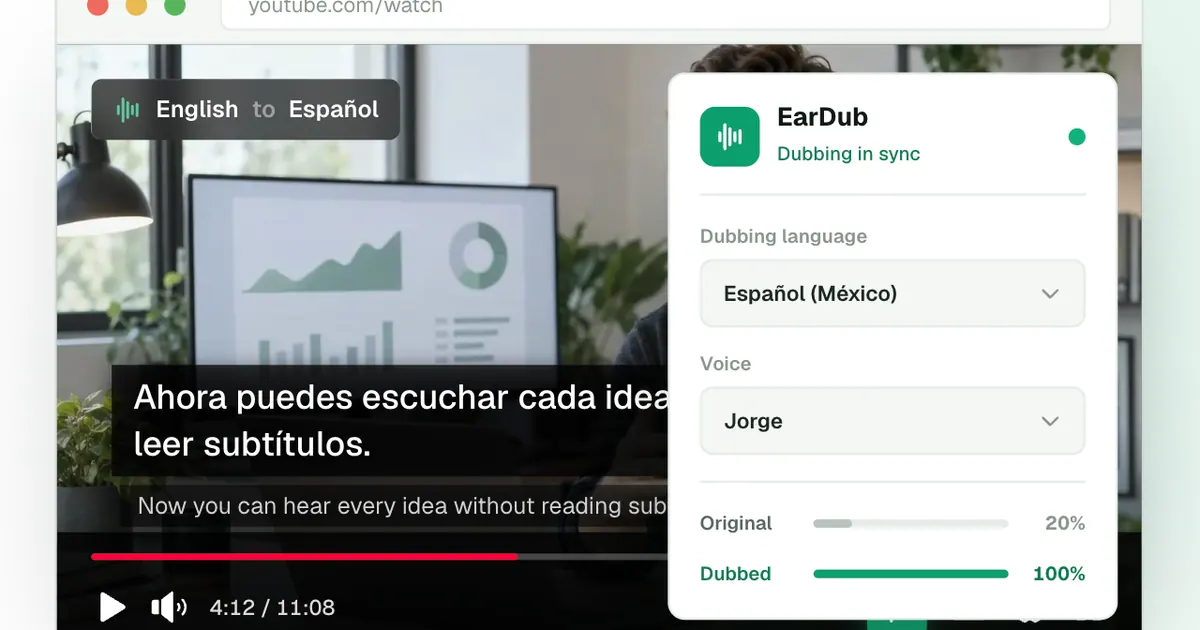
What does EarDub do?
EarDub is an AI dubbing extension for Chrome and Edge that lets you listen to videos in your chosen language instead of reading subtitles. Open any supported video (like YouTube or online course pages), press the EarDub button, and an AI voice begins speaking in sync with the original video—no uploads, downloads, or waiting.
EarDub translates at the sentence level using the video’s context, helping keep names and technical terms consistent. It also aligns the dubbed speech to the speaker’s timing so the conversation flows naturally as the video plays. If a translated line needs to fit the original pacing, the speech speeds up slightly (up to 1.45x) to stay in sync rather than cutting the line off. You can switch languages while watching and enable bilingual subtitles if you want to read along.
EarDub supports 75+ languages and 300+ natural AI voices (male and female, including regional accents). You can mix audio by using separate volume controls for the original soundtrack and the dubbed voice—keep the original quietly underneath or mute it.
For videos without captions: on paid plans, EarDub can recognize speech in the audio and dub it anyway (unless the video is copy-protected). A free plan is available with 30 minutes a day (up to 180 a month), no credit card required.
How do I dub a YouTube video with EarDub?
Install the EarDub extension for Chrome or Edge, sign in, pick your dubbing language, then open a video and click EarDub in the toolbar. Press “Dub this video” to start, and the AI voice plays in sync with the speaker.
Can EarDub dub videos that already have captions?
Yes. EarDub works with videos that have captions, and it can also handle auto-generated captions on supported sites.
Can I dub videos without captions?
Yes, but it depends on your plan. On paid plans, EarDub can recognize speech from the audio and dub it even when captions are not available (unless the video is copy-protected).
Does the dubbed voice stay aligned with what the speaker says?
Yes. EarDub times each spoken sentence to the original speaker and can gently speed up speech (up to 1.45x) to keep everything in sync.
Can I listen to the original audio and the dub at the same time?
Yes. EarDub provides separate volume controls for the original audio and the dubbed voice, so you can keep the original quietly underneath or mute it.
What languages and voices are available?
EarDub supports 75+ languages and 300+ AI voices. You can choose regional accents and switch dubbing languages while the video is playing.
This listing is claimed
Own EarDub? Sign in with the email used to claim it to manage this listing, or upgrade to Pro for featured-first placement and a newsletter feature.