
crystl
AI Productivity Tools
crystl is a macOS multitasking terminal for coordinating and running multiple AI agents across your projects.
- Pricing
- Free
- Category
- Productivity
- Listed
- Aug 19, 2026
- Updated
- Aug 20, 2026
Promoted
 Sidrune AI85% off. Stable Claude API for agent developers. Pay as you go. Invoices & refunds available.
 Pixmax.aiPixmax.ai is an all-in-one AI workspace for videos, visual stories, and marketing content.
 SEOify - Improve your SEO & rankingsBuild links to rank in Google. Improve your DR with links you can start building now.Advertise here270,000+ people visit Dang.ai every month.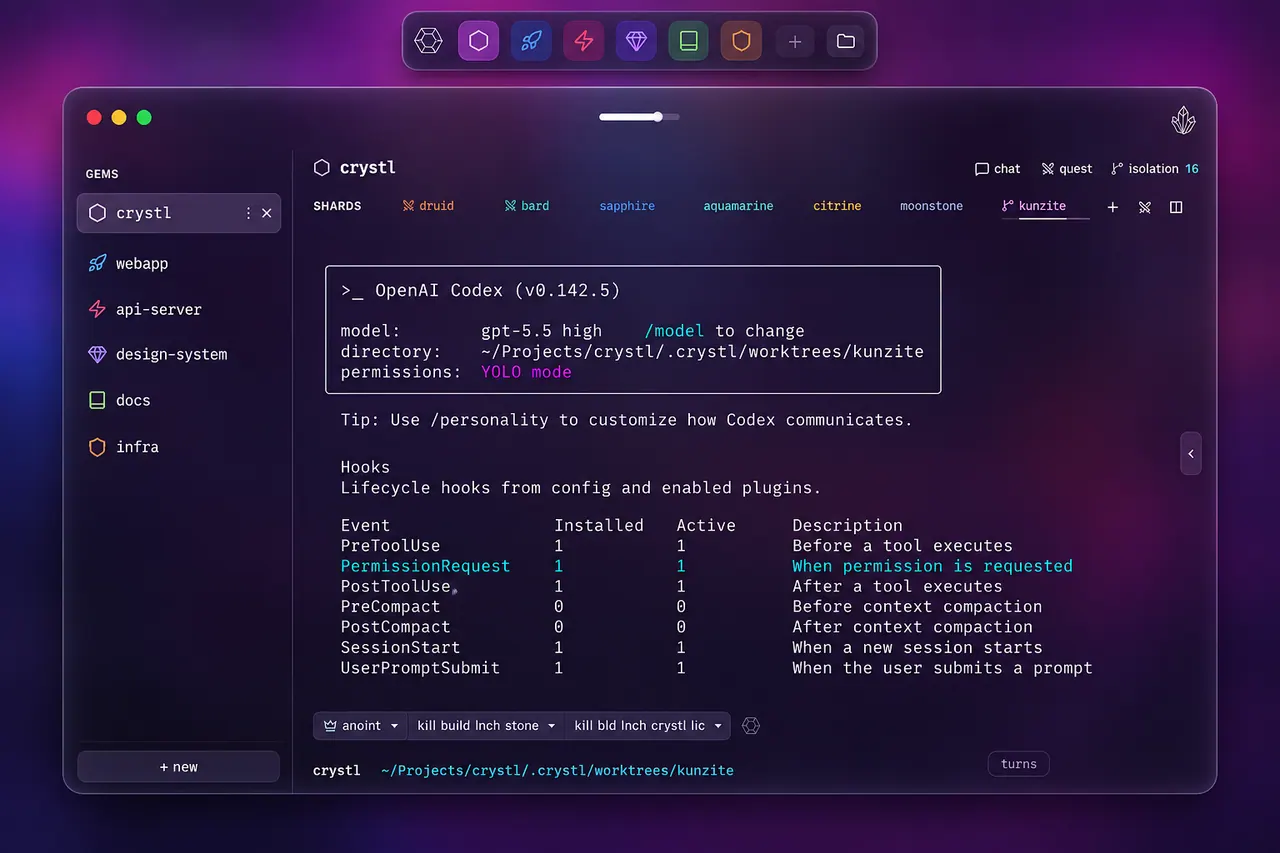
What does crystl do?
crystl turns your workspace into a structured, agent-friendly terminal environment for multitasking. Run many AI agents at once while keeping projects organized by “gems” and each terminal session isolated as a “shard,” so it’s easier to track what’s happening and where.
Agent orchestration is built in: you can assign an orchestrator agent to manage workers or launch crystl quest to spawn a preselected party of role-played agents that collaborate in parallel. Approval requests, questions, and notifications surface as action panels so you can respond without hunting through dozens of terminal windows.
crystl also helps you stay grounded while the agents work. Persistent session history is saved to your machine, workbench keeps a shared task list in a plain WORKBENCH.md file, and token tracking shows token usage per turn and per plugin/skill so you can adjust what’s heavy when needed. For more control, crystl supports remote development over SSH and uses a built-in agent-callable CLI to spawn and manage shards from any shell.
What does crystl mean by “multitasking terminal for AI agents”?
It’s a terminal workspace designed to run multiple agents and projects without losing context. Projects are organized as gems, work happens in separate shards, and action panels surface approvals, questions, and notifications right where you can respond.
Does crystl only work with Claude Code?
No. Any CLI agent can run in crystl because each shard is a full terminal session. Some agent-specific hook depth varies (Claude Code has the deepest integration, and Codex supports hooks), so panel-style features may not be available for every CLI agent.
Can I use crystl for regular terminal work?
Yes. Every shard is a full terminal session, so you can run typical command-line workflows (git, npm, docker, ssh, and more) and then use the AI features when you need them.
How does crystl keep parallel agents from stepping on each other?
Each shard runs as an isolated terminal session, and scaling is managed with worktree isolation so each agent has its own space. Off-screen work is throttled to keep the setup light as you go from a few agents to many.
What is the WORKBENCH.md workbench feature?
It’s a shared task list stored as a plain WORKBENCH.md file in each project. You and your agents read and write the same list, with items checked off as work progresses.
Is crystl macOS-only?
Yes. crystl is built for macOS as a native Swift app and uses macOS-specific capabilities such as secure key storage.
This listing is claimed
Own crystl? Sign in with the email used to claim it to manage this listing, or upgrade to Pro for featured-first placement and a newsletter feature.