
CodeFormer.io
AI Image Enhancer Tools
Restore blurry, faded, or scratched old photos in your browser, with optional colorization and a free daily photo.
Promoted
 MuzieCreate professional AI music videos starring you. Bring a song or make one, done in minutes.
 AI Checker PlusAI detector that highlights which passages AI wrote. Free check, no sign-up. Plagiarism too.
 Pixmax.aiPixmax.ai is an all-in-one AI workspace for videos, visual stories, and marketing content.
 AdsfieldPro ads from one product photo — $40/year
 SEOify - Improve your SEO & rankingsBuild links to rank in Google. Improve your DR with links you can start building now.Advertise here330,000+ people visit Dang.ai every month.
What does CodeFormer.io do?
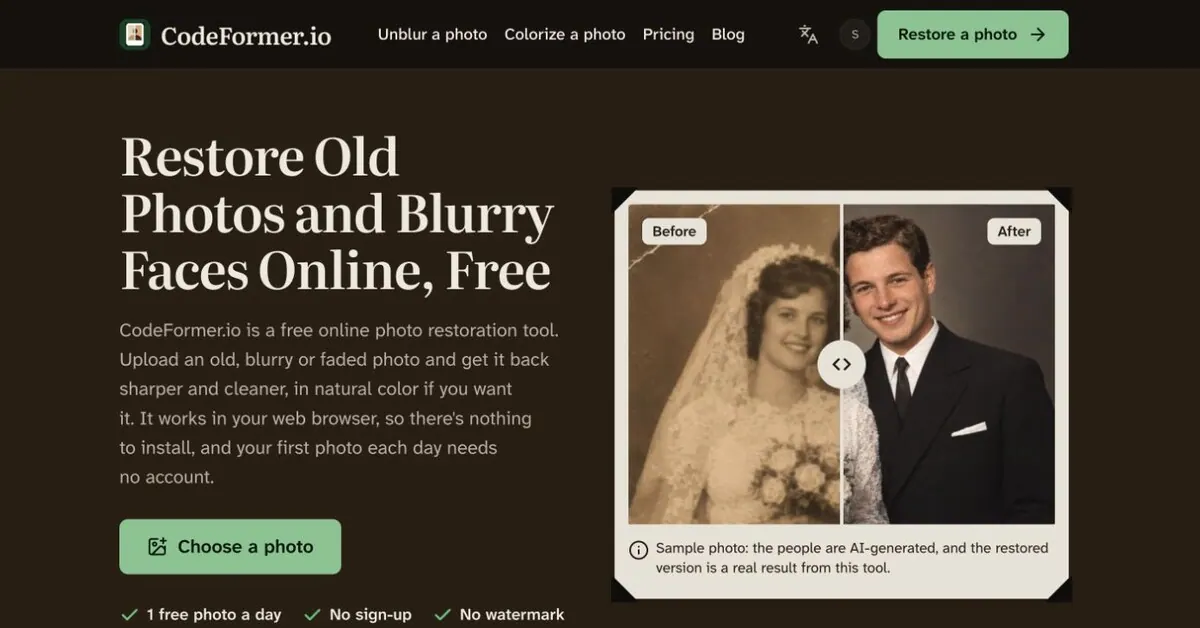
CodeFormer.io restores old, blurry, and faded photos directly in your web browser—no installs or downloads needed. Upload a scanned or photographed print and get a clearer result with sharper faces, reduced scratches and creases, and refreshed color when you choose it.
The workflow is simple: choose your image (JPG, PNG, or WEBP up to 30 MB), select output size, then pick a color option. Standard is free for your daily allowance; Large (2K) and Extra large (4K) use credits for higher-resolution output that’s better for printing and framing. For color, you can keep original colors and gently refresh faded prints, or bring back color on black-and-white or sepia photos (the result is an educated guess). You can also keep a photo black-and-white while repairing it.
After restoration, compare your original to the result using the slider before downloading. Your uploaded photos are kept private and there’s no watermark. Most photos take about one to three minutes, with a few taking longer.
This is for anyone who wants family-photo cleanup—portraits of parents and grandparents, aged prints with yellowing or loss of contrast, and low-quality phone images that turned blocky. It works best when faces are still visible; if parts of a face are torn away or completely missing, the tool can’t truly recover what isn’t there.
Is CodeFormer.io free to use?
Yes—your first photo each day is free at Standard size with no sign-up required, and there’s no watermark on the download.
Do I need to install anything to restore photos?
No. CodeFormer.io runs in your browser, so you can upload and restore photos without installing software.
What image types and sizes can I upload?
You can upload JPG, PNG, or WEBP files up to 30 MB. iPhone photos are supported too.
Can it colorize black-and-white photos?
Yes. Choose the option to bring back color to black-and-white or sepia photos. The added colors are an educated guess, so shades may differ from the original.
Will the restored photo still look like the person?
The tool aims to keep the same face and preserve details like expression, glasses, hairstyle, clothes, and background while improving clarity. Still, review the result closely—especially around eyes and the mouth—using the comparison slider.
Are my photos private, and do you train AI on my uploads?
Your photos are private, and there’s no watermark. The daily free photos do not get used to train AI.
This listing is claimed
Own CodeFormer.io? Sign in with the email used to claim it to manage this listing, or upgrade to Pro for featured-first placement and a newsletter feature.