
Clumi AI
Verified
AI Music Tools & Generators
Clumi AI is an online AI audio toolkit that removes vocals, splits stems, removes noise and effects, and can convert audio to MIDI.




Promoted
 Sidrune AI85% off. Stable Claude API for agent developers. Pay as you go. Invoices & refunds available.
 Pixmax.aiPixmax.ai is an all-in-one AI workspace for videos, visual stories, and marketing content.
 RewindType any X/Twitter handle. Get their year back as a narrated video story. Then ask it anything.
 KurodyneSell the tools from your AI side projects. Listing is free.
 SEOify - Improve your SEO & rankingsBuild links to rank in Google. Improve your DR with links you can start building now.Advertise here270,000+ people visit Dang.ai every month.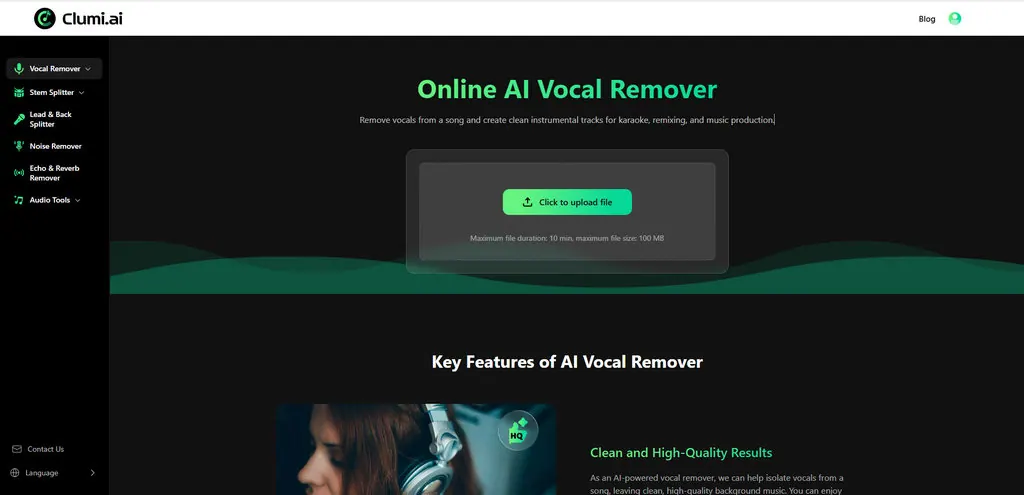
What does Clumi AI do?
Clumi AI is a browser-based platform for AI-assisted music editing. Use it to remove vocals from a song to create cleaner instrumentals for karaoke, remixing, practice, and content creation.
Beyond vocal removal, Clumi offers multiple audio tools in one place, including stem splitting (e.g., separating drums, bass, and piano), lead & back separation, noise removal, and echo & reverb removal. Upload your audio, let the AI process it, then preview and download the results.
The workflow is designed to be simple: upload a supported audio file, wait for processing, and download the isolated vocals or instrumental tracks. Clumi also includes an “Audio to MIDI” feature for converting audio into MIDI for free, and it’s available on desktops, tablets, and mobile devices without installing software.
What can I do with Clumi AI?
You can remove vocals to create instrumentals, split a track into stems, separate lead and back vocals, remove noise, reduce echo and reverb, and convert audio to MIDI.
How do I isolate vocals from a song using Clumi AI?
Upload your audio file, wait for processing, preview the separated vocals and instrumental, and then download the results when you’re satisfied.
Is there a file limit for uploads?
Yes—Clumi AI supports uploads up to 10 minutes per file and up to 100 MB per file.
Does Clumi AI work on mobile devices?
Yes. Clumi is an online tool that works across desktops, tablets, and mobile devices in your browser.
Is vocal removal free to use?
Yes—Clumi provides a free vocal remover option without requiring an account, and you can generate acapellas and instrumentals at no cost.
What audio formats are supported?
Clumi supports popular formats including MP3, WAV, M4A, and FLAC.
This listing is claimed
Own Clumi AI? Sign in with the email used to claim it to manage this listing, or upgrade to Pro for featured-first placement and a newsletter feature.