
Cleanup My Phone
AI Productivity Tools
Cleanup My Phone (Phone Diet) scans your iPhone on-device to find duplicates, compress videos, and clean email with a 30-day undo vault.
- Pricing
- Free
- Category
- Productivity
- Listed
- Aug 25, 2026
- Updated
- Oct 16, 2026
Promoted
 KurodyneSell the tools from your AI side projects. Listing is free.
 Sidrune AI85% off. Stable Claude API for agent developers. Pay as you go. Invoices & refunds available.
 Pixmax.aiPixmax.ai is an all-in-one AI workspace for videos, visual stories, and marketing content.
 RewindType any X/Twitter handle. Get their year back as a narrated video story. Then ask it anything.
 SEOify - Improve your SEO & rankingsBuild links to rank in Google. Improve your DR with links you can start building now.Advertise here270,000+ people visit Dang.ai every month.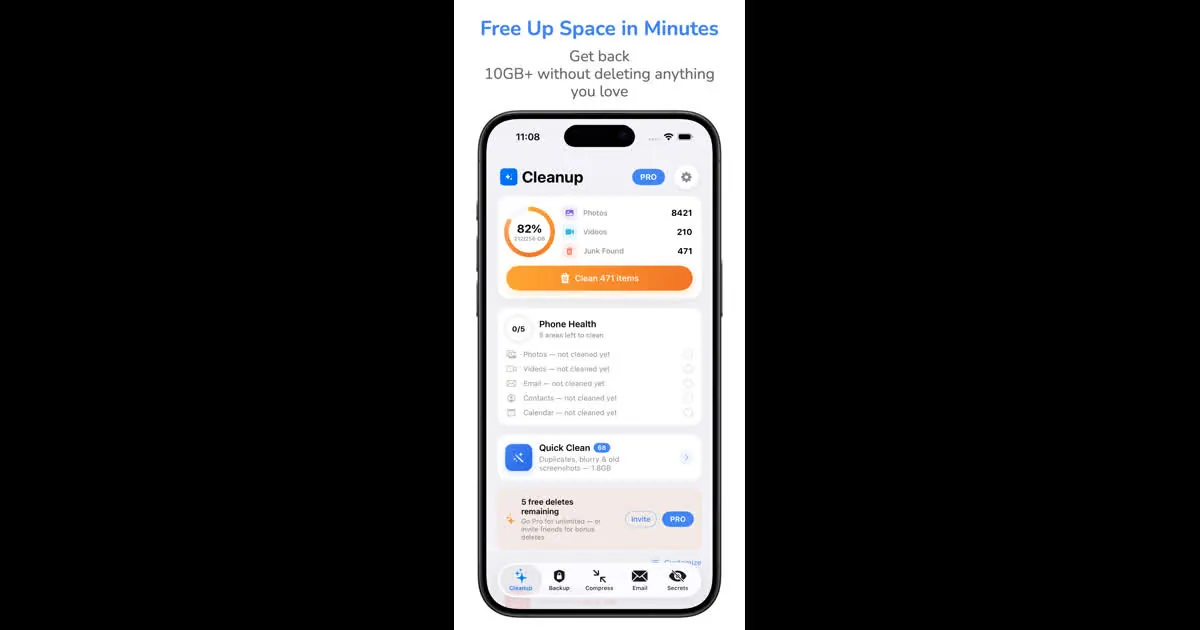
What does Cleanup My Phone do?
Cleanup My Phone by Gigabyte LLC (Phone Diet: Clean Up Storage) helps you reclaim iPhone and iPad storage by running scans directly on your device—so your photos stay on-device and never leave your library during photo analysis.
It groups near-identical shots with Similar Photos and marks the best copy to keep, while duplicates are treated as exact copies. Beyond duplicates, it can also surface blurry and dark photos, screenshots, screen recordings, Live Photos, bursts, and Largest Files. You can use Smart Albums and swipe-to-sort workflows to review what will be removed.
For videos, it compresses with HEVC to shrink videos up to 70% smaller. If you want to reduce inbox clutter, the Email Cleaner works with common providers (Gmail, iCloud, Outlook, Yahoo, AOL, and IMAP) and includes Gmail Auto Clean rules; it also offers undo for category cleans.
Removed items are kept in Recover for a countdown period: 30 days by default, with options to keep for 7 or 60. Pricing is available via in-app purchases: the full scan is free, and the first cleanup of up to 1 GB is free, with plans including Weekly $4.99, Monthly $12.99, Annual Premium $34.99, and Lifetime $59.99.
Does Cleanup My Phone send my photos off my iPhone for scanning?
Photo and video analysis runs on-device, and your photos never leave your iPhone during cleanup. Video compression also happens through the app’s HEVC workflow on your device.
What does it find in Photos besides exact duplicates?
It groups Similar Photos (near-identical shots) and handles exact duplicates, and it can also flag blurry and dark photos, screenshots, screen recordings, Live Photos, bursts, and Largest Files.
How does undo work if I delete something by mistake?
After cleanup, removed items go to Recover with a countdown. They stay in Recover for 30 days by default, or you can choose 7 or 60 days, and you can restore items from that screen.
How much smaller can videos get with compression?
Video compression uses HEVC and can make videos up to 70% smaller. The app notes that a minute of 4K video at 60 fps is about 400 MB.
Which email accounts are supported by the email cleaner?
The Email Cleaner supports Gmail, iCloud, Outlook, Yahoo, AOL, and IMAP. Gmail Auto Clean uses rules and includes a 30-second undo for category cleans.
What’s free, and what do in-app purchases cost?
The full scan is free, and the first cleanup of up to 1 GB is free. After that, in-app purchase options include Weekly $4.99, Monthly $12.99, Annual Premium $34.99, or Lifetime $59.99.
This listing is claimed
Own Cleanup My Phone? Sign in with the email used to claim it to manage this listing, or upgrade to Pro for featured-first placement and a newsletter feature.