
CleanAudio
Audio AI Tools
CleanAudio is an AI audio cleaner in your browser that removes background noise, filler words, and dead air from voice recordings.
- Category
- Audio
- Listed
- Oct 16, 2026
- Updated
- Nov 1, 2026
Promoted
 AI Checker PlusAI detector that highlights which passages AI wrote. Free check, no sign-up. Plagiarism too.
 RewindType any X/Twitter handle. Get their year back as a narrated video story. Then ask it anything.
 KurodyneSell the tools from your AI side projects. Listing is free.
 Sidrune AI85% off. Stable Claude API for agent developers. Pay as you go. Invoices & refunds available.
 Pixmax.aiPixmax.ai is an all-in-one AI workspace for videos, visual stories, and marketing content.
 SEOify - Improve your SEO & rankingsBuild links to rank in Google. Improve your DR with links you can start building now.Advertise here270,000+ people visit Dang.ai every month.
What does CleanAudio do?
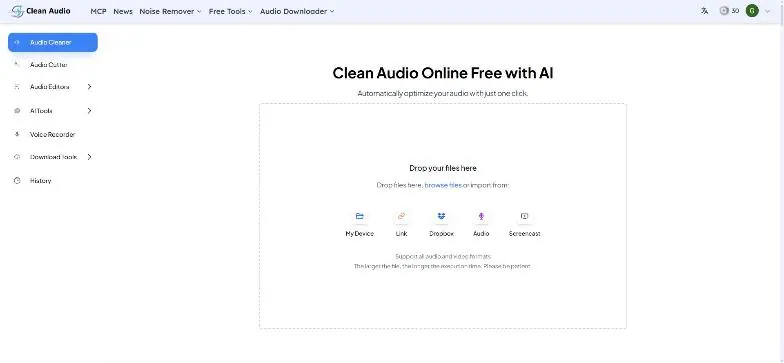
CleanAudio is a one-click AI audio cleaner you can use in your browser to make voice recordings clearer and more publish-ready—without installing software or opening a DAW. Upload an audio file, let the AI run cleanup, preview the result, and download a clearer version.
Use CleanAudio to remove common speech problems such as background noise, echo, reverb, hum, and other artifacts. It also targets pacing and intelligibility issues by removing filler words, mouth sounds and breath, and awkward long pauses/dead air. For a more polished sound, the studio-sound enhancer helps balance loudness and adjust voice presence while reducing reverb and distortion.
CleanAudio is designed for creators and teams who need fast, repeatable speech cleanup: podcasters, YouTubers, online educators, interviewers, and customer support/sales teams handling calls or demos. It supports common formats like MP3, WAV, and M4A, with broader format support, and processing typically completes in under 30 seconds (larger files take longer). You can also use post-production helpers like transcription and podcast summaries, plus editing tools such as audio cutter/joiner, multitrack editing, and timeline export showing removed parts.
Pricing is straightforward: start with a free trial (30 minutes of processed audio, no credit card required). Starter is $9/month for 10 hours of processed audio, and Unlimited is $20/month for unlimited processing on every tool. Unused Starter hours roll over up to 3x, and all plans include the same set of features and tools.
What does CleanAudio clean in my voice recordings?
CleanAudio reduces background noise and other audio issues, and it improves speech clarity by removing filler words and long silences/dead air. It also provides tools for echo/reverb/hum and studio-style voice enhancement.
What audio formats can I upload to CleanAudio?
You can upload common formats like MP3, WAV, and M4A. Additional audio/video formats are supported, and processing outputs cleaner audio in the same format when possible.
How long does processing take?
Most files process in under 30 seconds. The wait time depends on file length and complexity, and larger files take longer.
Does CleanAudio remove filler words and silence in different languages?
Yes. Filler words removal is available in 20+ languages, and the tool can also remove long pauses/dead air to tighten pacing.
What are the main limitations I should know?
Severely clipped or heavily distorted audio can’t be fully restored. Overlapping speakers can reduce accuracy for filler and silence detection, and music beds under speech may leave more artifacts than room noise.
What are the pricing plans and the free option?
You can start with a free trial that includes 30 minutes of processed audio with no credit card required. Starter is $9/month for 10 hours, and Unlimited is $20/month for unlimited processing on every tool, with unused Starter hours rolling over up to 3x.
This listing is claimed
Own CleanAudio? Sign in with the email used to claim it to manage this listing, or upgrade to Pro for featured-first placement and a newsletter feature.