Check Page SEO
AI SEO Tools
Check Page SEO is a Chrome extension that runs advanced on-page audits, compares competitors, and turns findings into actionable SEO and AEO improvements.


- Pricing
- Free
- Category
- SEO
- Listed
- Sep 10, 2026
- Updated
- Sep 11, 2026
Promoted
 Sidrune AI85% off. Stable Claude API for agent developers. Pay as you go. Invoices & refunds available.
 Pixmax.aiPixmax.ai is an all-in-one AI workspace for videos, visual stories, and marketing content.
 SEOify - Improve your SEO & rankingsBuild links to rank in Google. Improve your DR with links you can start building now.Advertise here270,000+ people visit Dang.ai every month.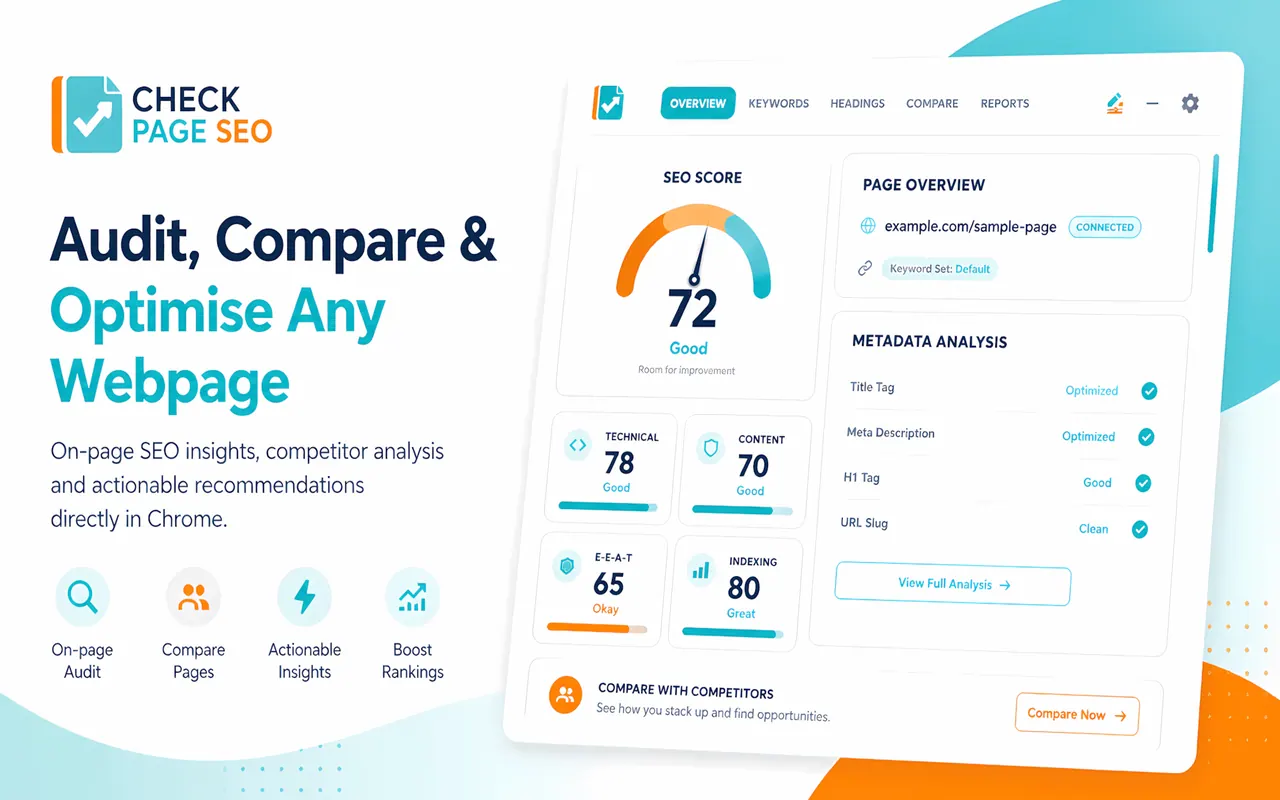
What does Check Page SEO do?
Check Page SEO is a Chrome extension suite for auditing, comparing, and optimizing any webpage—without leaving your browser tab. It performs fast, page-level analysis across core on-page elements like meta tags, heading structure, semantic keyword gaps, schema, links, images, and indexability/canonical signals.
Use it to review what’s on the page in front of you before publishing, during content updates, or when tearing down competitor strategies. After scanning, you get clear recommendations designed to move from raw audit data to targeted actions.
The workflow also supports competitor “tale of the tape” comparisons, local SEO and Google Business Profile insights, and optional Google Search Console data to pair performance metrics with the page changes you can make. You can then generate structured, AI-ready prompts and create client-ready reports covering issues, impact, and next steps.
What does Check Page SEO audit on a webpage?
It reviews meta tags and click-through relevance, H1–H3 heading hierarchy, semantic keyword gaps and content quality signals, links and image details (including alt text), schema markup validity, and core indexability/canonical signals.
Can I audit my page directly in Chrome without opening extra tools?
Yes—open the webpage you want to analyze, run the extension, and view the audit results in your browser workflow so you can act immediately.
How do competitor comparisons work in Check Page SEO?
You choose competitor pages to compare side by side. The extension highlights differences like missing sections, heading concepts, keyword usage, link patterns, and structural advantages.
Does Check Page SEO support local SEO workflows?
Yes. It extracts live local SEO data from Google Business Profiles and local SERPs so you can compare categories, review velocities, service areas, attributes, and booking links.
Can Check Page SEO use Google Search Console performance data?
Yes. Connect Google Search Console to review clicks, impressions, CTR, average position, and ranking queries alongside the live page audit, helping you spot missing opportunities.
Does it generate prompts or reports I can use with my team or clients?
Yes. It converts page findings into structured instructions for AI tools and supports generating professional, client-ready SEO reports that explain the issue, why it matters, and the next step.
This listing is claimed
Own Check Page SEO? Sign in with the email used to claim it to manage this listing, or upgrade to Pro for featured-first placement and a newsletter feature.