BracketView
AI Productivity Tools
BracketView is a free, privacy-first JSON workspace to view, format, validate, query (JSONPath/jq), and diff payloads in your browser.
- Pricing
- Free
- Category
- Productivity
- Listed
- Oct 20, 2026
- Updated
- Oct 20, 2026
Promoted
 Sidrune AI85% off. Stable Claude API for agent developers. Pay as you go. Invoices & refunds available.
 Pixmax.aiPixmax.ai is an all-in-one AI workspace for videos, visual stories, and marketing content.
 SEOify - Improve your SEO & rankingsBuild links to rank in Google. Improve your DR with links you can start building now.Advertise here270,000+ people visit Dang.ai every month.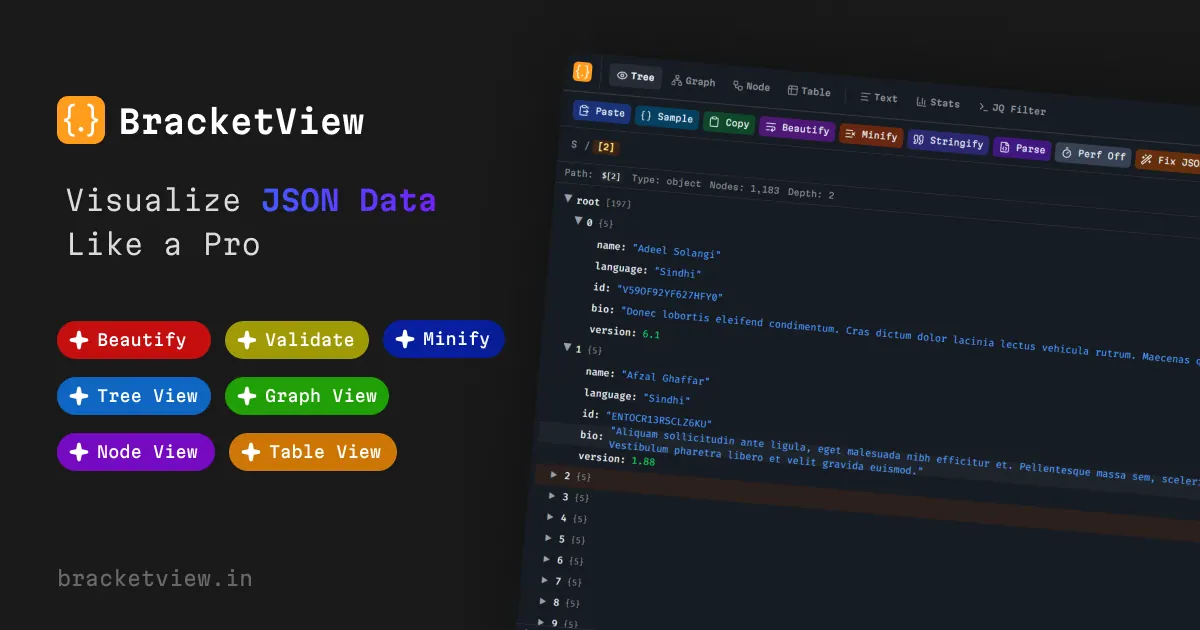
What does BracketView do?
BracketView is a privacy-first JSON workspace for developers who need to inspect API responses, configs, webhook bodies, and logs without juggling multiple tools.
Paste JSON and open it as text, a tree, a graph, node cards, or a nested table. Format or minify your payload, validate syntax in real time as you type, and use search to jump through large nested structures. When you need deeper checks, run schema validation against JSON Schema or OpenAPI definitions.
BracketView also includes tools for comparison and querying: diff two documents side by side to spot added/removed/changed values, and extract matching nodes using JSONPath or jq expressions. You can generate types from an example payload as well, and the UI is available in nine languages.
Core viewing, formatting, validation, JSONPath, and jq run locally in the browser with no install and no signup required for the free workspace. Optional features—AI repair, encrypted snapshot links, and Webhook Tester—use the server only when you choose them.
Pricing: Free is available for viewing, formatter, validator, node and table views, JSONPath, jq, diff, and schema tools ($0 forever). Pro is optional for larger uploads, longer snapshot links, and AI without a monthly cap, with monthly ($3/mo) or yearly ($2.25/mo billed annually) plans.
Is BracketView free to use without an account?
Yes—core workspace tools are free with no signup required, including the viewer, formatter, validator, node and table views, JSONPath, jq, diff, and schema tools.
Does BracketView upload my JSON when I view, format, validate, or query it?
No—viewing, formatting, validation, JSONPath, and jq run in your browser. Optional features like AI, encrypted snapshots, and Webhook Tester use server features only when you choose them.
What JSON views are available in BracketView?
You can open the same payload as text, tree, graph, node cards, or a nested table. Stats and jq are available alongside those views.
How do I validate JSON online?
Paste your payload and use the real-time validator, which highlights common syntax issues as you type and reports the first problem with line and column details.
Can I query JSON without writing code?
You can query directly with JSONPath or jq expressions. BracketView also supports an AI query assistant for generating a jq filter from plain-English instructions (AI features are optional).
What are the file size limits for the free web workspace?
Free web uploads are up to 5 MB. Pro raises uploads to 50 MB (and includes Performance Mode for large payloads).
This listing is claimed
Own BracketView? Sign in with the email used to claim it to manage this listing, or upgrade to Pro for featured-first placement and a newsletter feature.