
Block Dreamer
AI Games List
Describe a single Minecraft structure in plain words and get a placeable Java 1.21 build with a 3D preview, layer plan, and block list.
- Category
- Game
- Listed
- Oct 9, 2026
- Updated
- Oct 10, 2026
Promoted
 KurodyneSell the tools from your AI side projects. Listing is free.
 Sidrune AI85% off. Stable Claude API for agent developers. Pay as you go. Invoices & refunds available.
 Pixmax.aiPixmax.ai is an all-in-one AI workspace for videos, visual stories, and marketing content.
 AI Checker PlusAI detector that highlights which passages AI wrote. Free check, no sign-up. Plagiarism too.
 RewindType any X/Twitter handle. Get their year back as a narrated video story. Then ask it anything.
 SEOify - Improve your SEO & rankingsBuild links to rank in Google. Improve your DR with links you can start building now.Advertise here270,000+ people visit Dang.ai every month.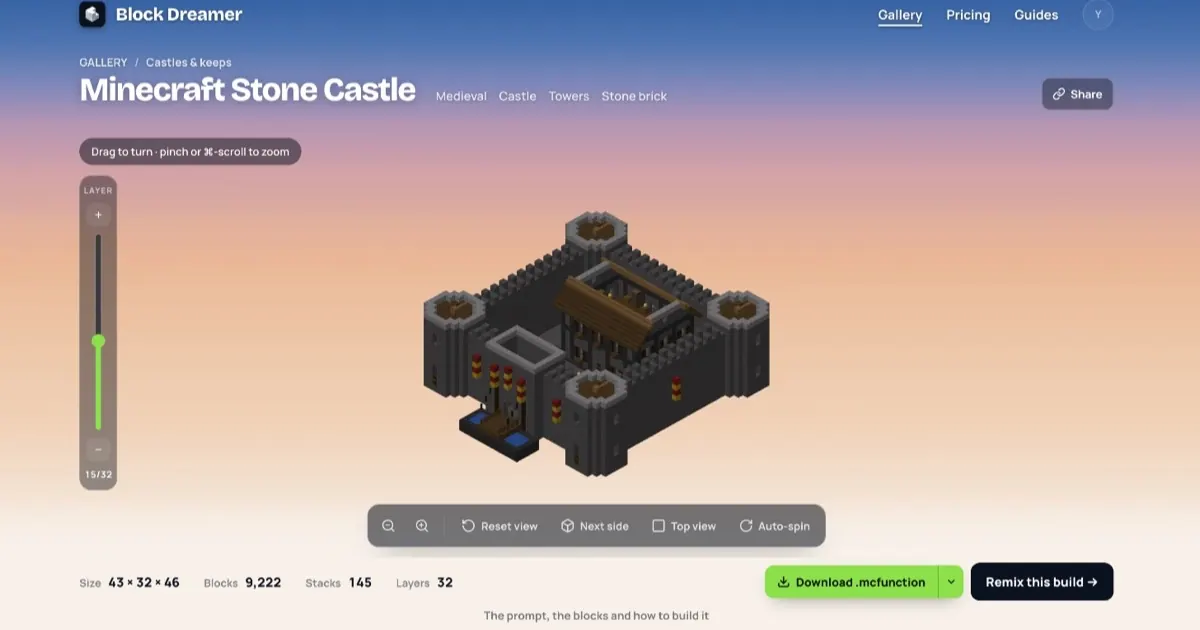
What does Block Dreamer do?
Block Dreamer is an AI Minecraft build generator that turns a one-structure prompt into a real, block-by-block Java 1.21 build. Describe what you want in plain language (for example, a mossy stone castle, a Japanese pagoda, or a kneeling knight), and the build appears in a textured 3D view.
Explore the result before placing it: rotate, zoom, and cut through the build at any height to see every room inside. You also get a layer plan and a block list counted in stacks of 64 (largest first), so you can build in survival—or on Bedrock—directly from the blueprint.
Choose a build style for each prompt. Classic uses a building “kit” approach to write the structure block by block (from roofs, walls, towers, stairs, and furnished rooms). Detailed 3D carves a 3D model into blocks, which works well for statues, creatures, and landmarks.
To place it in your world on vanilla Java, download the vanilla .mcfunction, drop it into a datapack, and run one /function command. The same build also downloads as .litematic for Litematica and a .schem for WorldEdit. Block Dreamer creates one structure per prompt (not whole cities, landscapes, or redstone/command contraptions).
What can Block Dreamer generate?
It’s best for single, complete structures like houses, cottages, towers, castles, temples, lighthouses, bridges, and interiors with doors, windows, stairs, lanterns, and furniture. It can also produce statues, creatures, and objects by carving from a 3D model.
How do I place a generated build in vanilla Minecraft Java?
Download the .mcfunction, put it into your world’s datapack under datapacks/<pack>/data/<ns>/function/, run /reload, then stand where you want the build and run /function <ns>:<name>. Coordinates are relative to you.
Do I need mods like WorldEdit or Litematica?
No. The default download is a vanilla Java datapack function that works on servers without mods. If you use tools like Litematica or WorldEdit, you can download the matching .litematic or .schem instead.
Does it work on Bedrock?
The 3D preview, layer plan, and block list work for planning. The downloadable function/schematic files are Java-only, so on Bedrock you’ll build from the layer plan by hand.
Which build mode should I use: Classic or Detailed 3D?
Use Classic for structures built from a kit of building parts at the requested size. Use Detailed 3D for carved results like statues, creatures, and landmarks that fit better with a carved 3D-model approach.
What inputs does Block Dreamer accept?
Prompts are plain-language descriptions of a single structure (style words like “mossy” or “Japanese” help). Building from an uploaded picture isn’t available—describe the subject in words instead.
This listing is claimed
Own Block Dreamer? Sign in with the email used to claim it to manage this listing, or upgrade to Pro for featured-first placement and a newsletter feature.