
AIYouTubeTranscript
No longer active
Transcript Generation Tool
Turn any YouTube video into a clean, searchable transcript in multiple languages and export it as TXT, SRT, or VTT—no signup required.
AIYouTubeTranscript is no longer available
- Pricing
- Free
- Category
- Transcription
- Listed
- Jun 1, 2026
- Shut down
- Oct 4, 2026
Promoted
 Sidrune AI85% off. Stable Claude API for agent developers. Pay as you go. Invoices & refunds available.
 Pixmax.aiPixmax.ai is an all-in-one AI workspace for videos, visual stories, and marketing content.
 SEOify - Improve your SEO & rankingsBuild links to rank in Google. Improve your DR with links you can start building now.Advertise here270,000+ people visit Dang.ai every month.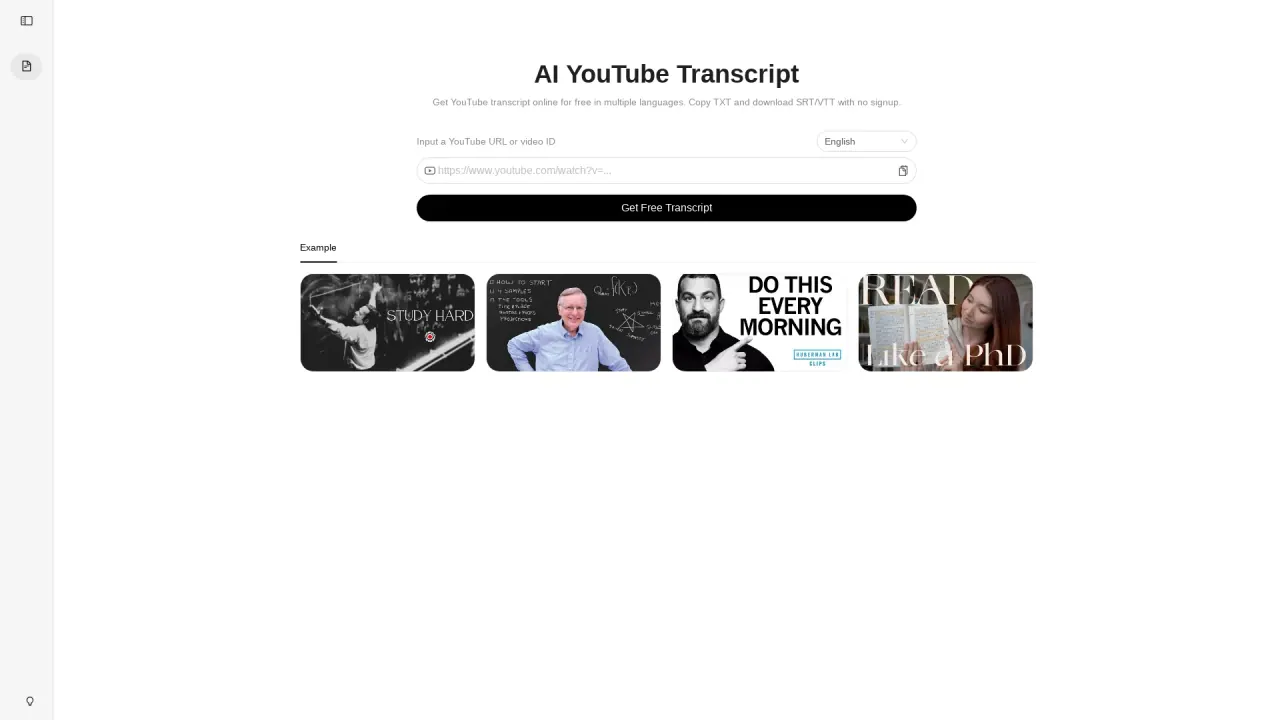
What does AIYouTubeTranscript do?
AI YouTube Transcript is a free online tool that converts YouTube videos into readable transcript text. Paste a YouTube URL or a video ID, choose a language, and open the transcript in seconds.
Use it to search within a video, copy transcript text, and click timestamps to jump back to the exact moment in the player. It’s designed for quick reviewing without replaying every section—whether you’re studying, researching, creating, or repurposing content.
When captions are available, you can also download the transcript as TXT (copy-ready) or timed subtitle files in SRT or VTT format to fit your workflow.
What is AI YouTube Transcript used for?
It generates transcript text for YouTube videos so you can read, search, and copy what’s said without replaying the whole video.
How do I turn a YouTube video into a transcript?
Paste a YouTube URL or video ID, pick a transcript language, then open the transcript. You can search and copy the result right away.
Can I view transcripts in different languages?
Yes. Choose your preferred transcript language and switch when needed, with an available track to fall back on.
What can I download from AI YouTube Transcript?
You can download TXT, and when captions are available you can also download SRT and VTT timed subtitle files.
Can I jump to a specific part of the video from the transcript?
Yes. Click timestamps next to transcript lines to seek the player to the exact moment in context.
Do I need an account to use AI YouTube Transcript?
No. You can open transcripts and copy or download TXT/SRT/VTT without signup or paywalls.