VideoToTextAI
AI Transcription Tool
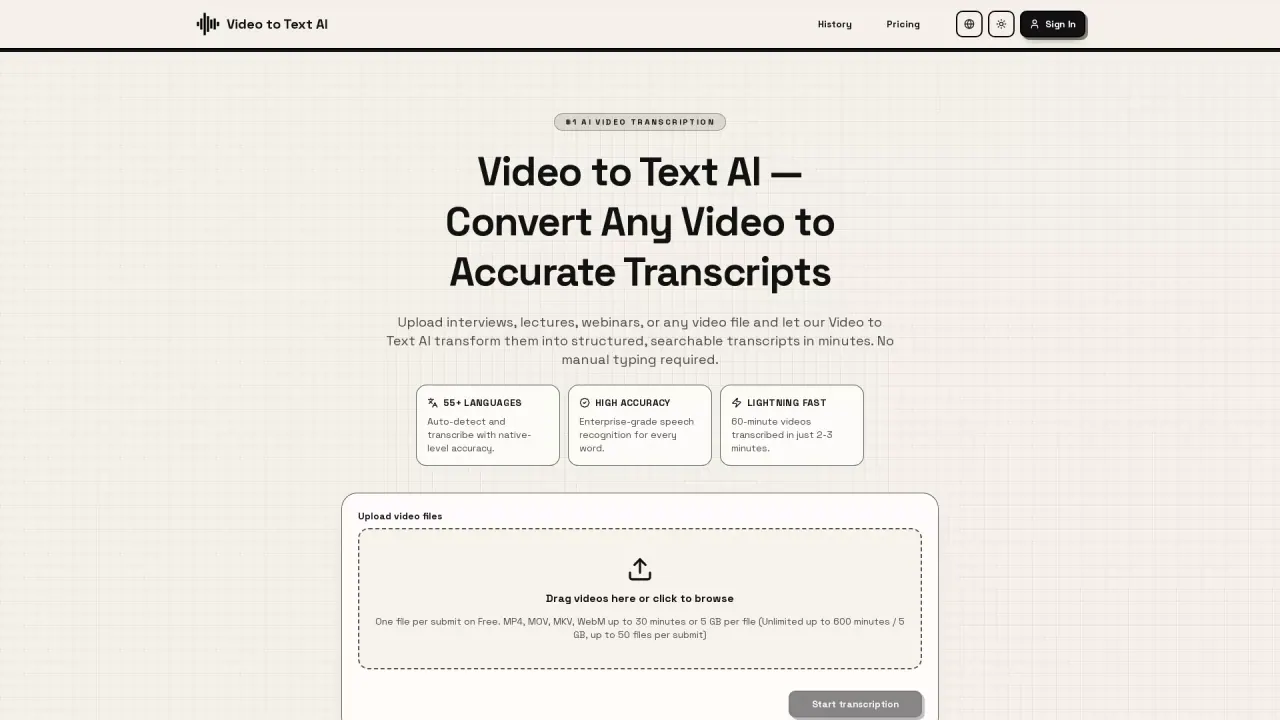
Video to Text AI converts any video or audio into accurate, timestamped transcripts in minutes, with support for 55+ languages.
Promoted
 AI Checker PlusAI detector that highlights which passages AI wrote. Free check, no sign-up. Plagiarism too.
 RewindType any X/Twitter handle. Get their year back as a narrated video story. Then ask it anything.
 KurodyneSell the tools from your AI side projects. Listing is free.
 Sidrune AI85% off. Stable Claude API for agent developers. Pay as you go. Invoices & refunds available.
 Pixmax.aiPixmax.ai is an all-in-one AI workspace for videos, visual stories, and marketing content.
 SEOify - Improve your SEO & rankingsBuild links to rank in Google. Improve your DR with links you can start building now.Advertise here270,000+ people visit Dang.ai every month.
What does VideoToTextAI do?
Video to Text AI turns spoken audio in videos and audio files into accurate written transcripts. It automatically analyzes the audio track to detect language, identify speakers, and generate time-stamped text—so you can turn long media into searchable notes, captions, and documentation without manual typing.
Key features include fast processing (up to 60-minute videos transcribed in about 2–3 minutes), high-accuracy speech recognition, and multi-format outputs. After transcription, you can download your results as plain text, SRT for subtitles, or VTT for web videos, and you can edit the transcript online or export directly.
It’s a good fit for content creators and YouTubers repurposing video into blog posts and social snippets, researchers transcribing interviews and lectures, and business teams converting meeting recordings and training videos into searchable knowledge. Accessibility-focused users can also generate captions to support ADA/WCAG-style accessibility needs.
Supported languages include 55+ options with automatic language detection, enabling you to work with native-language content and multilingual recordings. Upload video files (MP4, MOV, MKV, WebM) or paste a YouTube URL; free use is available, with upgrades for higher limits and longer files.
How accurate are the transcripts in Video to Text AI?
The tool uses enterprise-grade speech recognition designed for high-precision, word-by-word transcription and produces time-stamped transcripts.
What video and audio inputs does Video to Text AI support?
You can upload MP4, MOV, MKV, and WebM files, or paste a YouTube URL for transcription.
Does Video to Text AI include timestamps?
Yes. The transcription output includes timestamps so you can track where each part of the speech occurs.
How fast is transcription?
Processing is designed for speed—60-minute videos can be transcribed in about 2–3 minutes.
What transcript formats can I download?
You can download plain text, SRT (subtitles), or VTT (web video captions), and you can also edit online.
Are there file limits, and can I transcribe for free?
Free usage is available. Limits depend on your plan and include constraints like per-file duration/size on Free, with higher limits on paid plans (including longer videos and more files per submit).
This listing is claimed
Own VideoToTextAI? Sign in with the email used to claim it to manage this listing, or upgrade to Pro for featured-first placement and a newsletter feature.