
KlingAI
AI Text to Video Generator
Kling 3 AI is a free web tool that turns text prompts or images into short HD videos with advanced motion control.
- Pricing
- Freemium
- Category
- Voice changer
- Listed
- Feb 21, 2026
- Updated
- Oct 17, 2026
Promoted
 KurodyneSell the tools from your AI side projects. Listing is free.
 Sidrune AI85% off. Stable Claude API for agent developers. Pay as you go. Invoices & refunds available.
 Pixmax.aiPixmax.ai is an all-in-one AI workspace for videos, visual stories, and marketing content.
 RewindType any X/Twitter handle. Get their year back as a narrated video story. Then ask it anything.
 SEOify - Improve your SEO & rankingsBuild links to rank in Google. Improve your DR with links you can start building now.Advertise here270,000+ people visit Dang.ai every month.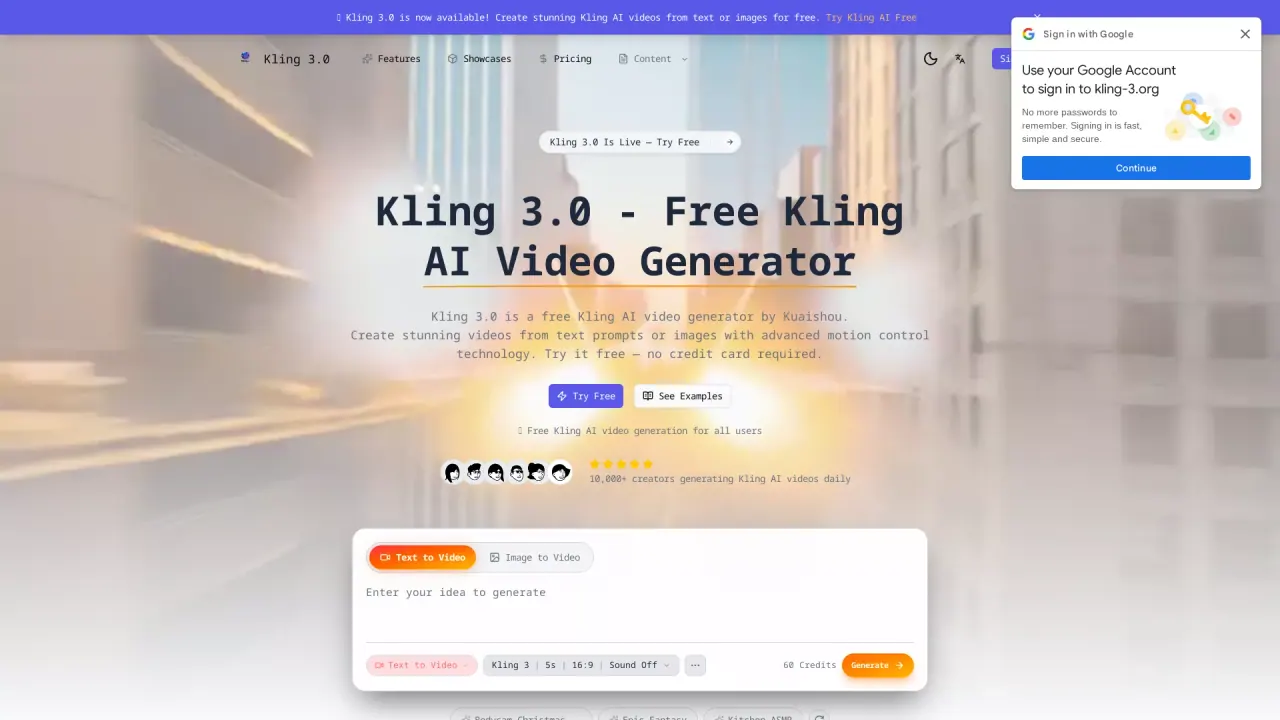
What does KlingAI do?
Kling 3 AI (Kling 3.0) is an AI video generator that creates short videos from either text prompts or images. It uses advanced motion control to help your generated clips feel more directed, with control over camera angles, object movement, and scene dynamics.
You can start by describing the video you want in natural language (text-to-video) or upload an image to animate it (image-to-video). The generator supports multiple video styles such as realistic, anime, cinematic, and fantasy, and includes options like normal, fun, and spicy modes to match different creative needs.
For control, Kling 3.0 emphasizes motion control features so you can steer how the scene plays out—useful when you’re aiming for cinematic camera movement or clearer action within a short duration. It also outputs in HD quality, and generation typically takes about 30–90 seconds.
Kling 3 AI is available for free for all users without a credit card required. You can also access full access via annual plans for features like unlimited generations, higher resolution, and commercial licensing.
How do I generate a video with Kling 3 AI?
Go to the generator, enter a detailed text prompt (text-to-video) or upload an image (image-to-video), choose your style and settings like duration and aspect ratio, then generate and download the result in MP4 format.
Can I create videos from an image, not just text?
Yes. Upload an image and use the image-to-video conversion to animate it with realistic motion.
What does motion control do in Kling 3.0?
Motion control helps you direct camera angles and scene dynamics, including object movement, so your video feels more intentional and cinematic.
How long does it take to generate a video?
Generation typically takes around 30–90 seconds, depending on the settings and prompt.
Is Kling 3 AI free to use?
Yes. Kling 3.0 offers free video generation for all users with no credit card required.
Can I use the videos commercially?
Commercial licensing is available on the Pro plan. The free tier is intended for free generation without a subscription.
This listing is claimed
Own KlingAI? Sign in with the email used to claim it to manage this listing, or upgrade to Pro for featured-first placement and a newsletter feature.