
Veo4AIVideoGenerator
AI Video Generation
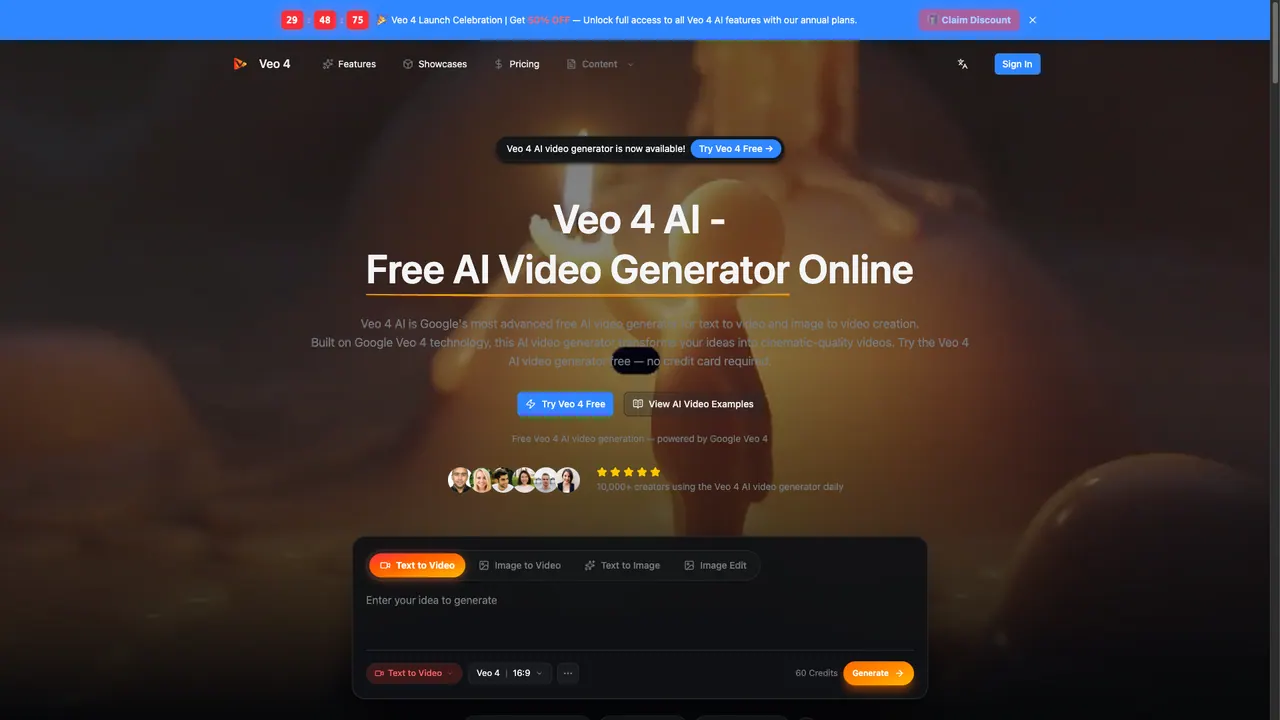
Veo 4 AI is a browser tool for generating short videos from a text prompt or an uploaded image.
- Pricing
- Freemium
- Category
- Voice changer
- Listed
- Mar 27, 2026
- Updated
- Oct 22, 2026
Promoted
 AI Checker PlusAI detector that highlights which passages AI wrote. Free check, no sign-up. Plagiarism too.
 RewindType any X/Twitter handle. Get their year back as a narrated video story. Then ask it anything.
 KurodyneSell the tools from your AI side projects. Listing is free.
 Sidrune AI85% off. Stable Claude API for agent developers. Pay as you go. Invoices & refunds available.
 Pixmax.aiPixmax.ai is an all-in-one AI workspace for videos, visual stories, and marketing content.
 SEOify - Improve your SEO & rankingsBuild links to rank in Google. Improve your DR with links you can start building now.Advertise here330,000+ people visit Dang.ai every month.
What does Veo4AIVideoGenerator do?
Veo 4 AI is a free, browser-based video generator that turns ideas into cinematic videos using Google Veo 4 technology. You can create videos directly from text prompts (text to video) or upload an image and animate it with realistic motion (image to video). It also includes style options to match different aesthetics such as realistic, cinematic, anime, and artistic looks.
The workflow is built for speed and iteration: describe the scene you want, choose video settings like resolution and aspect ratio, and generate an MP4 download. If you’re starting from existing visuals, you can upload an image to bring artwork, portraits, or product photos to life with natural camera movement and fluid animation.
Veo 4 AI is designed for creators and teams who need fast concept previews or ready-to-share short video content—whether for social posts, marketing ideas, storyboards, or experimentation across multiple styles. It’s also positioned as a tool for developers, with support for integrating the generator through an API and enabling batch processing.
Pricing-wise, you can try Veo 4 AI for free with no credit card required and access daily generation with standard resolution. For more, upgrading to Veo 4 Pro is described as offering unlimited generation, 4K output, and commercial licensing (exact plan details are on the pricing page).
What can I generate with Veo 4 AI?
You can create videos from text prompts (text to video) and from uploaded images (image to video), and you can apply multiple video styles such as realistic, cinematic, anime, and artistic.
Is Veo 4 AI free to use?
Yes—Veo 4 AI offers free access with no credit card required, including daily generation with standard resolution.
How do I create a video using Veo 4 AI?
Open the tool in your browser, enter a detailed text prompt or upload an image, choose your style and output settings (like resolution and aspect ratio), then generate and download the result as an MP4.
What video quality can I get?
Veo 4 AI supports HD output up to 4K resolution. The free tier is described as standard resolution, while Veo 4 Pro includes 4K output.
Can I use videos commercially?
Commercial licensing is included with the Veo 4 Pro upgrade. Free usage is intended for trying the tool with daily limits.
Does Veo 4 AI support API access for developers?
Yes—Veo 4 AI supports developer API access, including text-to-video and image-to-video integration and batch processing.
This listing is claimed
Own Veo4AIVideoGenerator? Sign in with the email used to claim it to manage this listing, or upgrade to Pro for featured-first placement and a newsletter feature.