
Sonicker
AI Voice Cloning
Clone any voice from 3 seconds of audio for realistic, multi-language AI voiceovers—free to start.
Promoted
 Pixmax.aiPixmax.ai is an all-in-one AI workspace for videos, visual stories, and marketing content.
 AI Checker PlusAI detector that highlights which passages AI wrote. Free check, no sign-up. Plagiarism too.
 RewindType any X/Twitter handle. Get their year back as a narrated video story. Then ask it anything.
 KurodyneSell the tools from your AI side projects. Listing is free.
 Sidrune AI85% off. Stable Claude API for agent developers. Pay as you go. Invoices & refunds available.
 SEOify - Improve your SEO & rankingsBuild links to rank in Google. Improve your DR with links you can start building now.Advertise here270,000+ people visit Dang.ai every month.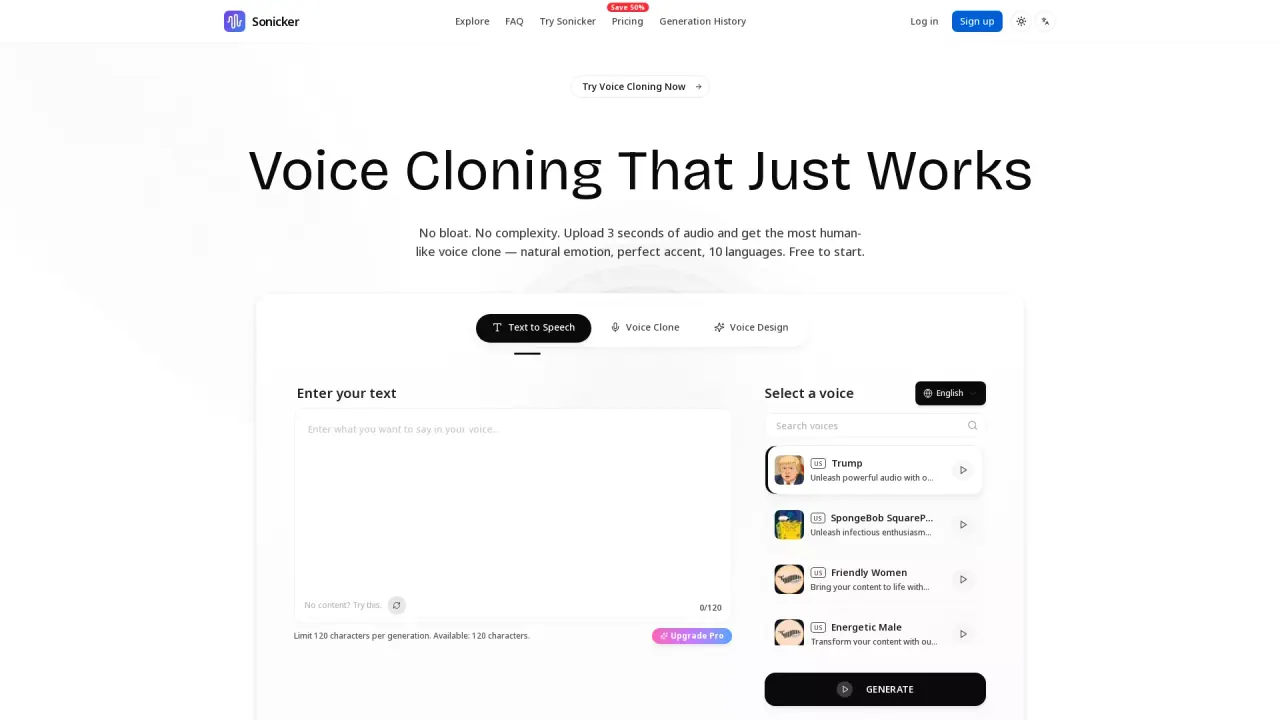
What does Sonicker do?
Sonicker is an AI voice cloning and text-to-speech platform built to turn your content into natural-sounding audio quickly. Upload just 3 seconds of audio to clone a voice while preserving nuance like tone, emotion, accent, and intonation—so your result sounds expressive and human.
Beyond cloning, Sonicker includes a text-to-speech workflow that lets you generate voiceovers from text instantly. Choose from a voice library with 50+ natural voices across 10 languages, or use voice design to craft a unique voice based on a description (for example, specifying gender, tone, and accent). You can also adjust voice style with options like happy, sad, angry, whisper, news, story, excited, and calm.
Sonicker is a good fit for content creators, podcasters, video producers, game developers, educators, and businesses that want professional audio without hiring voice actors for every project. It can help you create narrations, NPC dialogue, e-learning modules, customer-facing prompts, product demos, training materials, and multilingual marketing content.
Pricing: Sonicker is free to start. It uses 10 credits per generation, and paid plans begin at $9.90/month for higher volume usage and commercial licensing.
How do I get started with voice cloning on Sonicker?
Upload a short audio clip (3 seconds) and generate the clone from that sample. Then use it for your text-to-speech voiceover projects.
Can I use the generated voice commercially?
Commercial licensing is available on paid plans. If you need commercial use, choose a plan that includes it.
Which languages are supported?
Sonicker supports 10 languages, including English, Chinese, Japanese, and Korean.
What are the requirements for the audio sample?
You only need 3 seconds of audio to clone a voice. The goal is to capture tone, emotion, accent, and intonation from a short sample.
Are there usage limits or a credit system?
Generations use credits—10 credits per generation. You can check remaining credits under generation history and usage.
Can I download the audio and customize the voice style?
Yes, you can download generated audio. You can also customize delivery by selecting a voice and using optional voice style settings (e.g., happy, sad, whisper, news, story).
This listing is claimed
Own Sonicker? Sign in with the email used to claim it to manage this listing, or upgrade to Pro for featured-first placement and a newsletter feature.