
Summarizer Tool
No longer active · Verified
AI Text Summarization Tool
Crisp summaries at your fingertips with the help of AI.
Summarizer Tool is no longer available
- Pricing
- Free
- Category
- Productivity
- Listed
- Feb 12, 2024
- Shut down
- Jan 27, 2026
Promoted
 Sidrune AI85% off. Stable Claude API for agent developers. Pay as you go. Invoices & refunds available.
 Pixmax.aiPixmax.ai is an all-in-one AI workspace for videos, visual stories, and marketing content.
 AI Checker PlusAI detector that highlights which passages AI wrote. Free check, no sign-up. Plagiarism too.
 RewindType any X/Twitter handle. Get their year back as a narrated video story. Then ask it anything.
 KurodyneSell the tools from your AI side projects. Listing is free.
 SEOify - Improve your SEO & rankingsBuild links to rank in Google. Improve your DR with links you can start building now.Advertise here270,000+ people visit Dang.ai every month.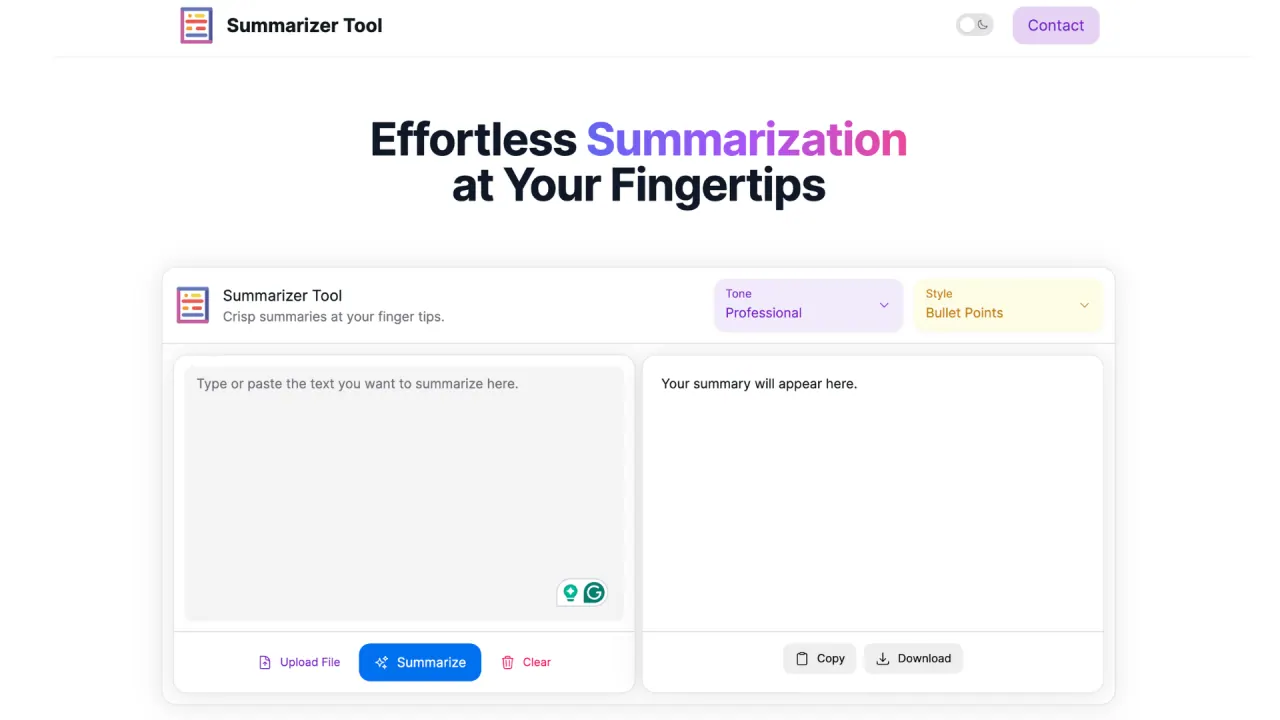
What does Summarizer Tool do?
What is the use for Summarization Tool?
SummarizerTool.ai offers a clean user interface to generate summaries for you from texts and avoid having to sift through large pieces of text. Summarizer Tool helps you with ->
- Generate effective text summaries
- Type, paste, or upload the file you want to summarize. It supports all text and PDF files.
- Summaries as bullet points and paragraphs.
- Choose between three tones - Professional, Friendly, and Sarcastic.
Can a user use Summarization Tool for free?
Yes, a user can generate upto 5 summaries a day for free even without logging in.
What are the primary features of Summarization Tool?
The primary feature the tool offers is text summarization.
How does the Summarizer Tool improve productivity?
The Summarizer Tool enhances productivity by allowing users to quickly condense large volumes of text into concise summaries. This saves time and helps users extract key information without going through lengthy documents.
What types of files are supported by the Summarizer Tool for uploading?
The Summarizer Tool supports all text and PDF files. Users can type, paste, or upload their documents directly into the tool for summarization.
How can users customize the tone of the summaries generated by the Summarizer Tool?
Users can personalize the tone of the summaries generated by choosing from three options: Professional, Friendly, and Sarcastic. This allows users to tailor the summary to their specific audience or context.