
VideoToText
AI Speech Transcription
Convert video or audio into clean, timestamped transcripts and subtitles, then export them as TXT, SRT, VTT, or CSV.
- Pricing
- Freemium
- Category
- Transcription
- Listed
- Apr 15, 2026
- Updated
- Oct 22, 2026
Promoted
 AI Checker PlusAI detector that highlights which passages AI wrote. Free check, no sign-up. Plagiarism too.
 RewindType any X/Twitter handle. Get their year back as a narrated video story. Then ask it anything.
 KurodyneSell the tools from your AI side projects. Listing is free.
 Sidrune AI85% off. Stable Claude API for agent developers. Pay as you go. Invoices & refunds available.
 Pixmax.aiPixmax.ai is an all-in-one AI workspace for videos, visual stories, and marketing content.
 SEOify - Improve your SEO & rankingsBuild links to rank in Google. Improve your DR with links you can start building now.Advertise here270,000+ people visit Dang.ai every month.
What does VideoToText do?
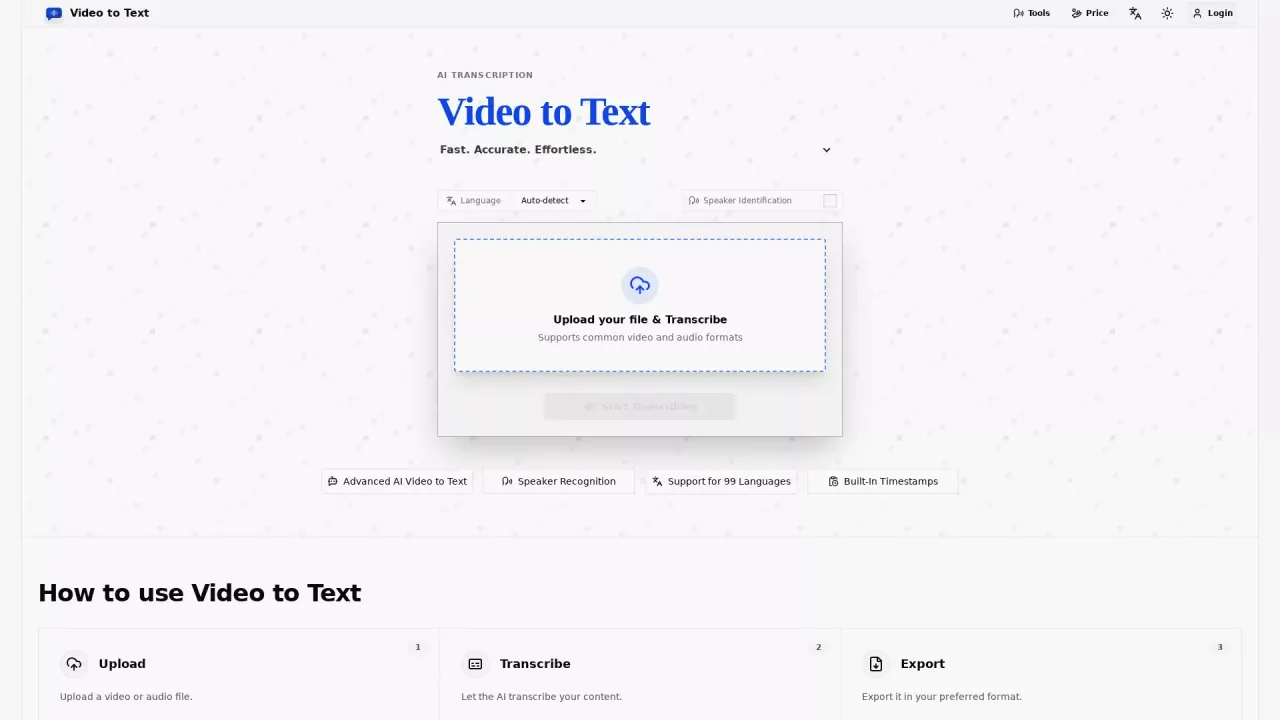
Video to Text Converter turns uploaded video or audio into structured, readable text using AI transcription. After you upload a file (or provide a public social link), the tool transcribes the spoken content and returns it in formats you can reuse right away.
The workflow is simple: upload your media, transcribe automatically, and export your transcript in your preferred format. You can export as TXT for quick editing, SRT/VTT for subtitles and captions, or CSV for structured review and downstream analysis. Built-in timestamps make it easy to jump to specific moments for review, editing, or captioning.
To improve readability for real-world recordings, the tool includes speaker recognition (speaker diarization) so different voices can be identified clearly. It also supports multi-language transcription with automatic language detection, including global English and many other languages, plus mixed-language recognition for recordings that switch between languages.
Video to Text is a good fit for creators producing subtitles and social clips, knowledge workers turning meetings and webinars into searchable notes, students generating study materials from lectures, and journalists or researchers transcribing interviews and recordings. New users get 30 free credits. Plans are pay-as-you-go with credits: Starter is $9.9 for 200 credits, most popular is $19.9 for 600 credits, and best value is $99 for 6000 credits.
What can I convert with Video to Text?
You can convert uploaded video or audio files into transcripts. You can also convert public videos from platforms like YouTube, TikTok, Instagram, Facebook, and X by pasting a public link.
What transcript formats are available for export?
Exports include TXT for plain text, SRT and VTT for subtitle/caption workflows, and CSV for structured outputs that work well with spreadsheets.
Does it include timestamps and speaker labels?
Yes. Transcripts include built-in timestamps, and speaker diarization helps identify different speakers clearly.
How does language support work?
Transcription supports 99+ languages with automatic language detection and multi-language recognition, which helps when a recording contains more than one language.
What does credit pricing mean?
Transcription uses credits, and you pay only for what you use with no subscription required. New users get 30 free credits.
How much are the Starter credits?
Starter is $9.9 for 200 credits, with additional options available at higher credit amounts.
This listing is claimed
Own VideoToText? Sign in with the email used to claim it to manage this listing, or upgrade to Pro for featured-first placement and a newsletter feature.