
RoomFlip
AI Room Design
RoomFlip is an AI room designer that turns your real room photos into before-and-after design concepts to guide furniture, renovation, rental, and listing decisions.
- Pricing
- Freemium
- Category
- Interior design
- Listed
- Apr 10, 2026
- Updated
- Oct 16, 2026
Promoted
 RewindType any X/Twitter handle. Get their year back as a narrated video story. Then ask it anything.
 KurodyneSell the tools from your AI side projects. Listing is free.
 Sidrune AI85% off. Stable Claude API for agent developers. Pay as you go. Invoices & refunds available.
 Pixmax.aiPixmax.ai is an all-in-one AI workspace for videos, visual stories, and marketing content.
 SEOify - Improve your SEO & rankingsBuild links to rank in Google. Improve your DR with links you can start building now.Advertise here270,000+ people visit Dang.ai every month.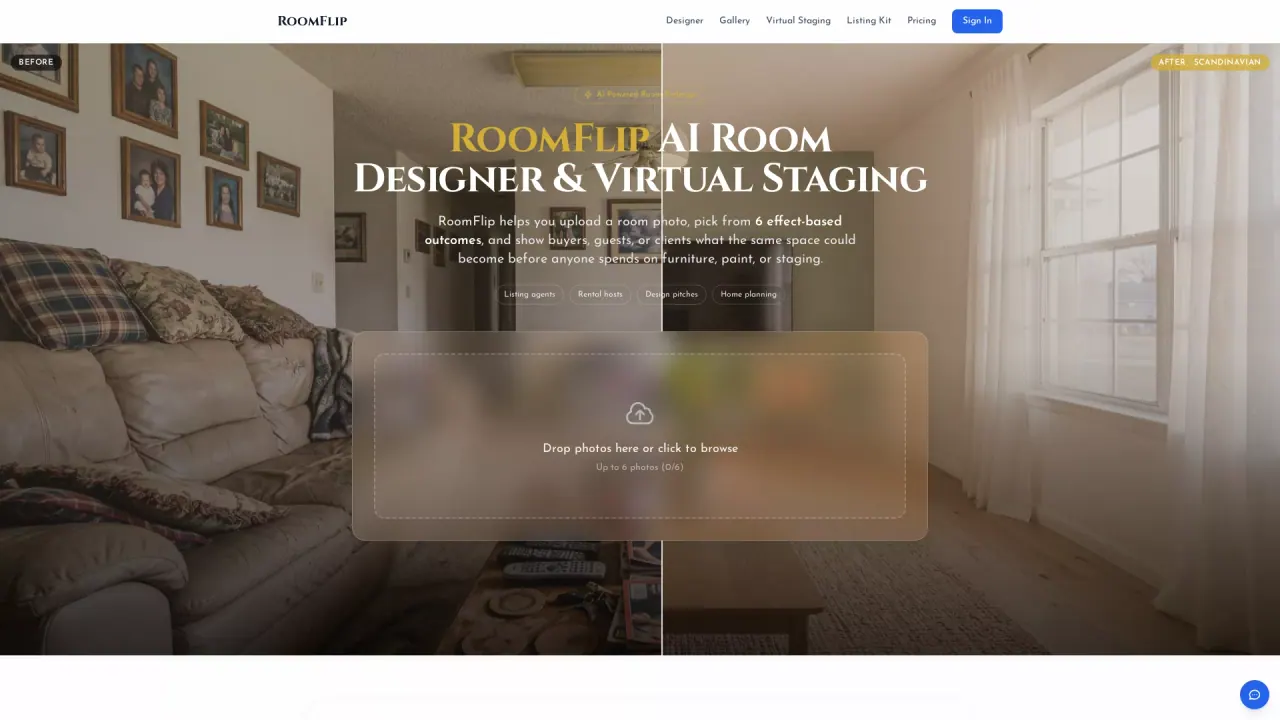
What does RoomFlip do?
RoomFlip helps you design a room from a photo. Upload an image of your real space, choose what you want to change, and generate a believable “before/after” design concept you can compare side by side while you decide what to do next.
Use it to redesign a room, try a new layout, or furnish an empty space. You can upload up to 6 photos (JPG, PNG, or WebP) and start with one photo or select multiple angles/rooms in the workspace. Each generated option keeps the original room visible, so it’s easier to judge layout, furniture placement, color direction, and overall feel.
RoomFlip is designed for practical real-room decisions—whether you’re planning for move-in readiness, making a home feel warmer or calmer, or preparing something more polished for guests or photos. It fits homeowners and renters, furniture shoppers who want to see how items look in context, Airbnb and rental hosts planning a guest-ready refresh, and agents/renovation teams preparing seller-facing directions before listing or pitching.
Plans include a Free option with 5 starter credits, plus Pro subscriptions with 100 credits/month for $9.99/month and Max with 400 credits/month for $24.99/month. Credits and subscriptions are managed before checkout, with secure checkout via Stripe.
What can RoomFlip generate from my photo?
Upload a real room photo and create a before-and-after design concept. You can also generate layout and furniture-direction ideas to compare against your original space.
How many room photos can I upload at once?
You can upload up to 6 photos in JPG, PNG, or WebP format. Start with one photo or select multiple angles/rooms before entering the workspace.
Is RoomFlip free to use?
Yes—there’s a Free plan that includes 5 starter credits. If you need more output, you can upgrade to Pro or Max.
Who is RoomFlip best for?
It’s best when you’re making decisions using real-room context: furniture choices, room refreshes, rental/guest-ready staging, or listing prep where structural reality should stay clear.
Can I refine a design after generating the first option?
Yes. If a direction is close, you can mark areas that need more work and create another version without losing the earlier result.
What are the main subscription options and credit amounts?
Free includes 5 starter credits. Pro is 100 credits/month for $9.99/month, and Max is 400 credits/month for $24.99/month.
This listing is claimed
Own RoomFlip? Sign in with the email used to claim it to manage this listing, or upgrade to Pro for featured-first placement and a newsletter feature.