
ReviewResponder
Customer Review Response AI
Paste a review, choose a tone, and generate a personalized reply with clickable placeholders you can tailor in seconds.
Promoted
 RewindType any X/Twitter handle. Get their year back as a narrated video story. Then ask it anything.
 KurodyneSell the tools from your AI side projects. Listing is free.
 Sidrune AI85% off. Stable Claude API for agent developers. Pay as you go. Invoices & refunds available.
 Pixmax.aiPixmax.ai is an all-in-one AI workspace for videos, visual stories, and marketing content.
 SEOify - Improve your SEO & rankingsBuild links to rank in Google. Improve your DR with links you can start building now.Advertise here270,000+ people visit Dang.ai every month.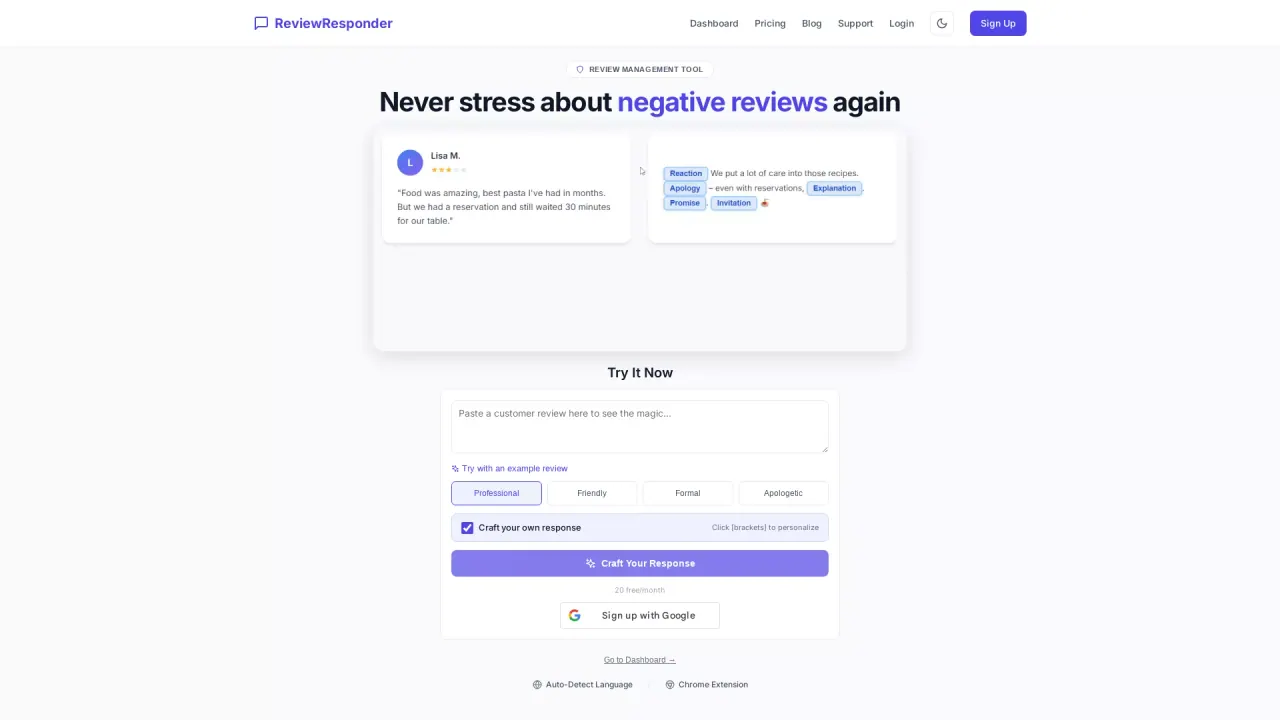
What does ReviewResponder do?
ReviewResponder is a review management tool that helps you craft professional replies faster. You paste a guest’s review, pick the tone you want (Professional, Friendly, Formal, or Apologetic), and the tool drafts a ready-to-post response.
What makes it different is personalization: you can click [brackets] to swap in details so the message sounds like you—using your voice, not a generic AI template. The tool also supports auto-detecting language, so you can respond across languages while keeping your tone aligned with the situation.
It’s designed for local businesses that handle reputation day-to-day, including restaurants and hotels, but it also fits other industries such as dentists, salons & spas, auto shops, medical practices, and service providers. If you regularly reply to reviews on platforms like Google Reviews, Yelp, TripAdvisor, Booking.com, and Facebook, ReviewResponder can reduce the time spent writing responses from minutes to seconds.
Plans start with a free option: 20 free responses per month with no credit card required. If you need more volume, paid plans begin at $29 per month for 300 responses.
How do I use ReviewResponder to reply to a negative review?
Paste the review text into the tool, choose a tone (including Apologetic for tougher situations), and review the draft. Use the clickable [brackets] to insert personal details, then post your response to the platform.
Can I personalize the reply instead of using a generic AI response?
Yes. Click the [brackets] to replace placeholders like names and specifics so the reply matches your situation and sounds like you.
Does it work for multiple review platforms?
Yes. ReviewResponder supports major platforms such as Google Reviews, Yelp, TripAdvisor, Booking.com, and Facebook.
Is there a free plan?
Yes. The free plan includes 20 responses per month and requires no credit card.
What’s the Chrome extension and do I need to sign up to try it?
The Chrome extension lets you respond directly on the review page, syncing settings with your dashboard. You can download and try it instantly without signing up, and it’s labeled BETA.
How much do paid plans cost?
Paid plans start at $29 per month for 300 responses.
This listing is claimed
Own ReviewResponder? Sign in with the email used to claim it to manage this listing, or upgrade to Pro for featured-first placement and a newsletter feature.