
ArchRender
Verified
AI Architectural Rendering
ArchRender turns sketches, elevations, and 3D models into photorealistic architectural renders in seconds—no complex scene setup required.
- Pricing
- Freemium
- Category
- Interior design
- Listed
- Feb 18, 2026
- Updated
- Oct 17, 2026
Promoted
 Sidrune AI85% off. Stable Claude API for agent developers. Pay as you go. Invoices & refunds available.
 Pixmax.aiPixmax.ai is an all-in-one AI workspace for videos, visual stories, and marketing content.
 SEOify - Improve your SEO & rankingsBuild links to rank in Google. Improve your DR with links you can start building now.Advertise here270,000+ people visit Dang.ai every month.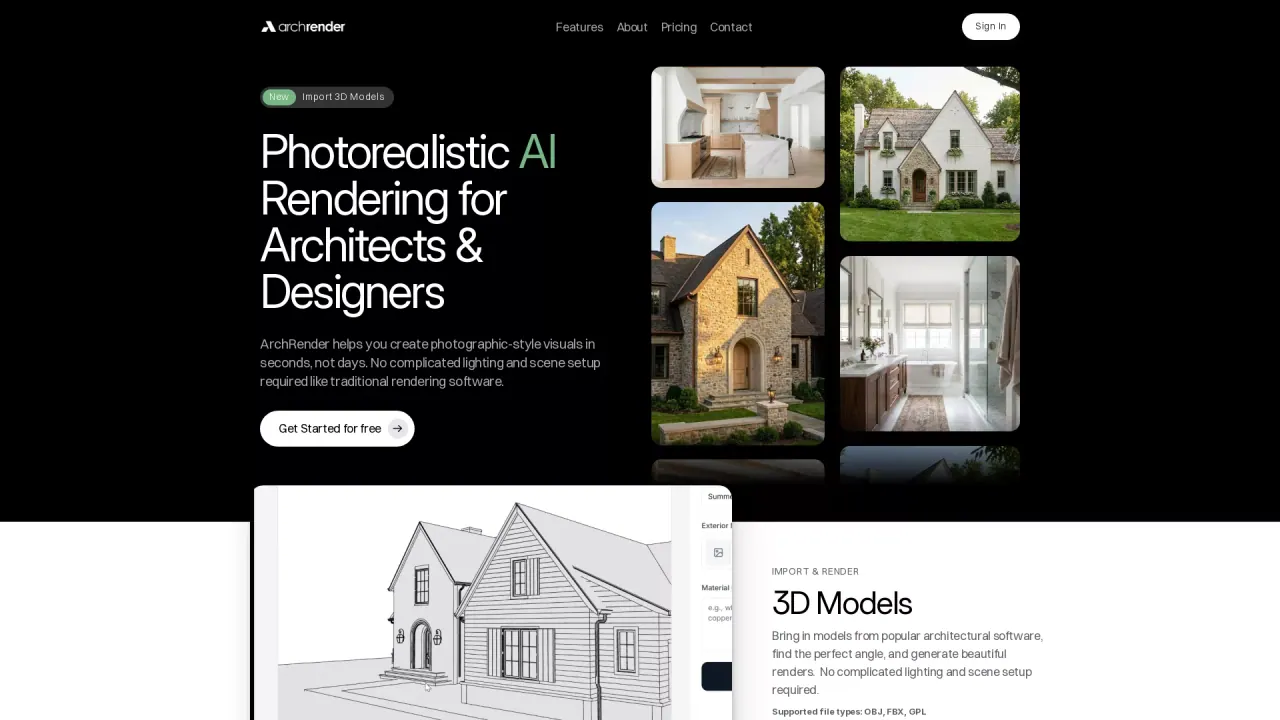
What does ArchRender do?
What does ArchRender do?
ArchRender is an AI rendering platform for architects and designers that generates photorealistic architectural visuals in seconds. It helps you turn elevation drawings, sketches, and 3D models into realistic renders without complex lighting, scene setup, or specialized rendering software.
Key features
With prompt-driven control, you can describe materials, style, mood, and lighting in natural language, then generate multiple render options to compare and iterate. Use elevation drawing to render workflows for quick visualizations, and bring in 3D models from common architectural tools to find the right angle before generating final images.
ArchRender also includes tools to refine the look and context of your project: adjust season and time of day, choose surrounding environments, and use 3D model view controls such as angle, FOV, and aspect ratio. For presentation-ready output, it offers 4K upscaling.
Who it’s for
ArchRender is designed for architects, designers, builders, and real estate professionals who need fast visuals for client previews, design exploration, and marketing. It’s also useful for homeowners who want to visualize what a build could look like.
Pricing & plans
You can try ArchRender for free with 3 credits. Plans include Basic ($39/month, or $29/month), Pro ($69/month, or $49/month), and Studio ($139/month, or $119/month), each with monthly credits and storage, plus features like 3D model import, 4K upscaling, and support levels.
What can I render with ArchRender?
You can generate renders from elevation drawings, sketches, and 3D models. You can also edit existing renders or photos to iterate on your visuals.
Do I need rendering experience or complex setup?
No. ArchRender is designed to remove complicated lighting and scene setup, so you can go from drawings or models to photorealistic results quickly.
How do I control materials, style, and lighting?
Use prompts in natural language to guide materials, style, mood, and lighting. You can also adjust season and time of day and choose different surrounding environments.
Which 3D file types are supported for imports?
ArchRender supports OBJ, FBX, and GLB file types for 3D model import.
How does the credit system work?
Rendering uses credits, and each plan includes a monthly credit allowance. You can also start with a free trial that includes 3 credits.
What output quality options are available?
You can upscale renders to crisp, high-resolution 4K, which is useful for presentations, proposals, and print-ready marketing.
This listing is claimed
Own ArchRender? Sign in with the email used to claim it to manage this listing, or upgrade to Pro for featured-first placement and a newsletter feature.