AIPhotoEditor
AI Photo Editing
Edit and enhance photos with AI using simple text prompts, including background changes, object fixes, restoration, and upscaling.
Promoted
 Sidrune AI85% off. Stable Claude API for agent developers. Pay as you go. Invoices & refunds available.
 Pixmax.aiPixmax.ai is an all-in-one AI workspace for videos, visual stories, and marketing content.
 SEOify - Improve your SEO & rankingsBuild links to rank in Google. Improve your DR with links you can start building now.Advertise here270,000+ people visit Dang.ai every month.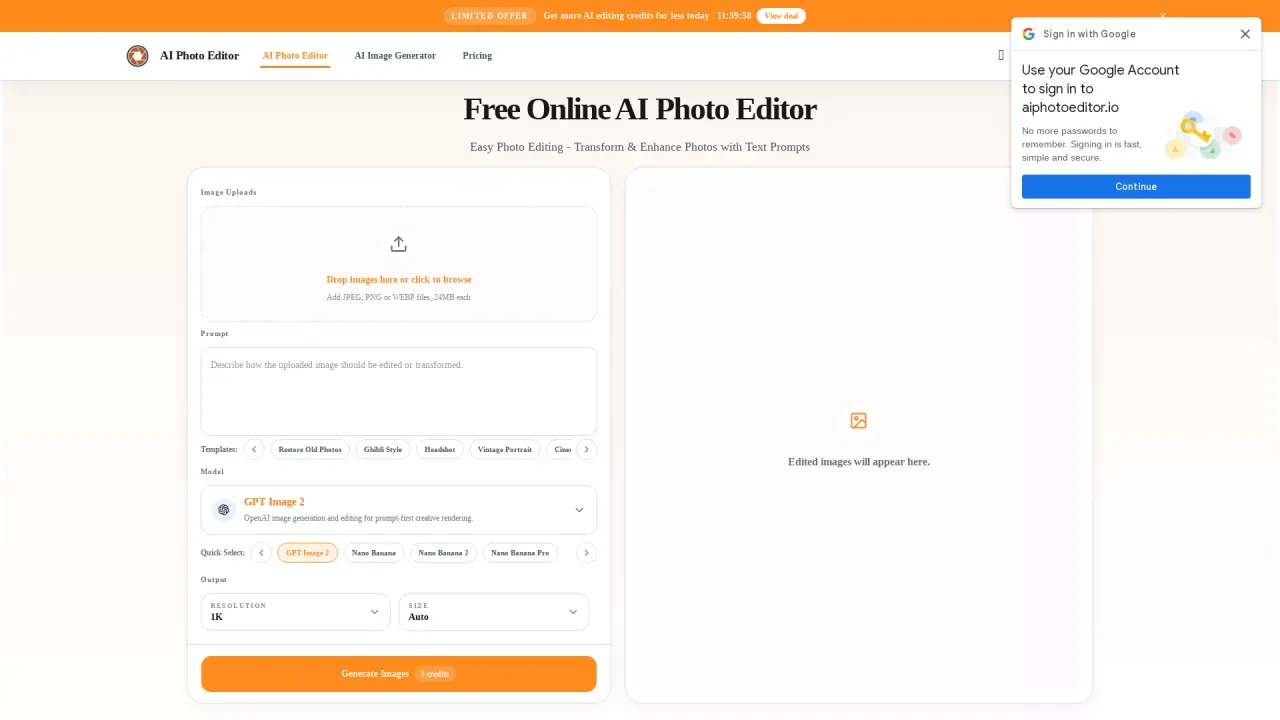
What does AIPhotoEditor do?
AI Photo Editor is a free online AI photo editing tool that lets you transform photos with artificial intelligence using text prompts. Instead of complex manual retouching, you describe what you want to change, and the editor generates an updated image you can review and download.
Key features include precise AI photo editing of people, objects, areas, and details to match your editing goals. You can also change backgrounds with natural subject borders for clean, brand-aligned scenes—useful for ecommerce listings and social posts. For inspiration and faster workflows, the editor includes prompt reverse-engineering (Image to Prompt) to extract prompt details and keywords from existing images.
If you want more control, you can upload an optional reference image to deep-link composition, visual style, and subject details for consistent outputs. Prompt optimization helps by enhancing simple descriptions into richer commands with natural lighting and details, improving results across iterations.
Different AI models are available for different creative needs, including GPT Image 2 and Nano Banana Pro (plus other options). You can start free with daily credits, and there are premium plans for higher limits and advanced capabilities.
Do I need an account to use AI Photo Editor?
The editor can be used from the homepage, but an account requirement isn’t specified in the available text. If you see a sign-in step, create an account to proceed.
Is AI Photo Editor free to use?
Yes—there is free online access with daily credits for core AI editing features. Premium plans are available if you need higher limits and advanced capabilities.
How does AI Photo Editor work?
Upload a JPG, PNG, or WebP image, then enter a prompt describing what to remove, fix, or replace. Generate the result, review it, and iterate by adjusting the prompt if needed before downloading.
Can I generate edits using a text prompt only?
Yes. You can leave the optional reference image empty and generate directly from your text prompt.
Which file formats are supported?
The editor supports JPG, PNG, and WebP uploads.
Can it change backgrounds and keep the subject looking natural?
Yes. The background change feature replaces the original setting with clean or brand-aligned backgrounds while keeping subject borders natural for one-click ecommerce and social backgrounds.
This listing is claimed
Own AIPhotoEditor? Sign in with the email used to claim it to manage this listing, or upgrade to Pro for featured-first placement and a newsletter feature.