
jpgHD
AI Lossless Image Restoration
jpgHD uses AI to losslessly restore old photos—repair scratches, colorize, denoise, upscale, and enhance—with web access and mobile/desktop apps.
Promoted
 MuzieCreate professional AI music videos starring you. Bring a song or make one, done in minutes.
 AI Checker PlusAI detector that highlights which passages AI wrote. Free check, no sign-up. Plagiarism too.
 Pixmax.aiPixmax.ai is an all-in-one AI workspace for videos, visual stories, and marketing content.
 SEOify - Improve your SEO & rankingsBuild links to rank in Google. Improve your DR with links you can start building now.Advertise here330,000+ people visit Dang.ai every month.
What does jpgHD do?
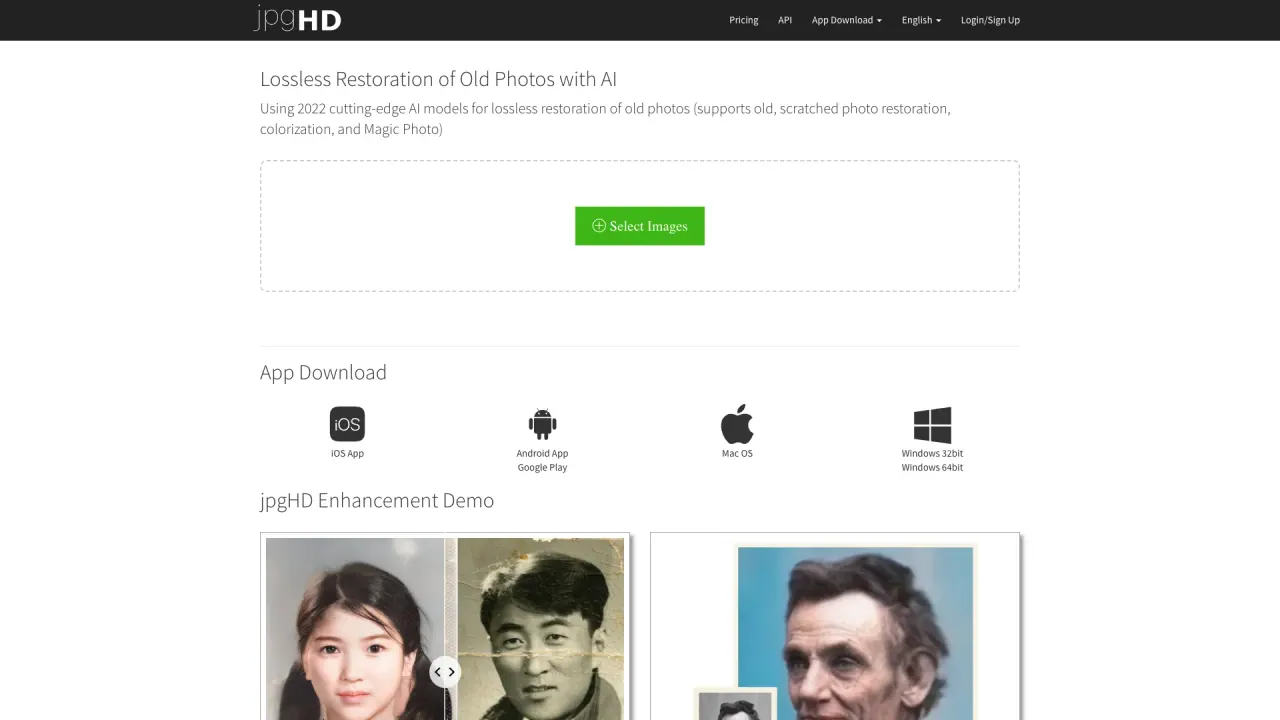
jpgHD is an AI image restoration and enhancement tool built for reviving old photos. You can repair scratches, colorize black-and-white images, and improve overall clarity with options such as Old Photo Restoration, Colorize, Scratch Repair, Super Resolution, and AI Denoise.
Beyond basic restoration, jpgHD also includes enhancement modes for specific styles and effects. Options include Ultra Restoration and Negative to positive, plus AI enhancements like Anime Enlarge, Design Upscale, Lossless Enhance, HD Landscape, and HD Sketch. A separate set of controls can be used to fine-tune the kind of enhancement you want for your image.
You can start by uploading images through the web experience or by selecting photos from your device using the available iOS, Android, Mac, or Windows apps. There’s also an Enhancement Demo that lets you preview restoration results before you run a final processing step.
jpgHD offers pricing information in its Pricing section, and you can also access an API and download the apps from the site’s App Download area. If you want to restore multiple images or experiment with different enhancement combinations, use the available restoration options and the demo workflow to pick the best look for each photo.
What kinds of photo restoration features does jpgHD offer?
jpgHD focuses on AI restoration and enhancement such as Old Photo Restoration, Colorize, Scratch Repair, Super Resolution, and AI Denoise. It also includes Ultra Restoration, Negative to positive, HD Landscape, and HD Sketch, plus options like Anime Enlarge and Logo-related enlargement tools.
How do I process photos with jpgHD—web or app?
You can upload images through the website or choose photos directly from your device using the iOS, Android, Mac, or Windows apps. This lets you restore images from wherever your photos are stored.
Is there a way to preview results before I restore my photos?
Yes—use the Enhancement Demo. Upload an image there to preview outcomes with options such as Old Photo Restoration, Colorize, Scratch Repair, Super Resolution, Magic Photo, and other enhancement choices.
What is Magic Photo in jpgHD?
Magic Photo is an enhancement feature within jpgHD’s suite of AI restoration tools. It provides special restoration options as part of the platform’s enhancement controls.
What types of images are jpgHD enhancements designed for?
jpgHD is aimed at old photos—especially images that are faded, scratched, or otherwise degraded. You can apply the available restoration options to improve clarity and appearance.
Where can I find jpgHD pricing and download the apps?
Pricing details are available in the Pricing section, and app downloads are provided under App Download for iOS, Android, Mac, and Windows.
Is this your tool?
Claim jpgHD to manage this listing, or upgrade to Pro for featured-first placement and a newsletter feature.