ImageCombinerAI
Photo Merging Tool
Instantly merge two to nine photos into one using AI, with smart templates, prompt-driven style fusion, and free starter credits.
- Pricing
- Paid
- Category
- Productivity
- Listed
- Apr 22, 2026
- Updated
- Oct 22, 2026
Promoted
 KurodyneSell the tools from your AI side projects. Listing is free.
 Sidrune AI85% off. Stable Claude API for agent developers. Pay as you go. Invoices & refunds available.
 Pixmax.aiPixmax.ai is an all-in-one AI workspace for videos, visual stories, and marketing content.
 RewindType any X/Twitter handle. Get their year back as a narrated video story. Then ask it anything.
 SEOify - Improve your SEO & rankingsBuild links to rank in Google. Improve your DR with links you can start building now.Advertise here270,000+ people visit Dang.ai every month.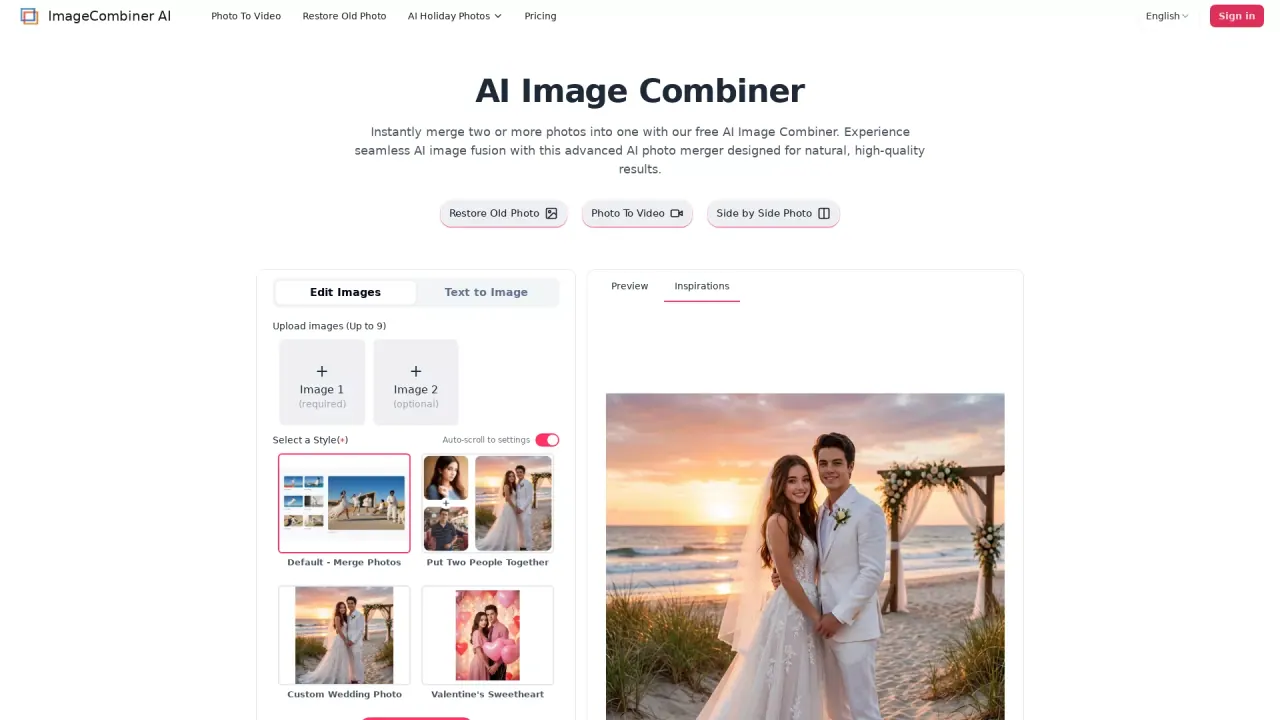
What does ImageCombinerAI do?
ImageCombiner AI is an AI photo merger that lets you combine two or more images into a single, cohesive result—without manual editing. Upload up to 9 images, choose a template, and generate a merged photo that blends lighting, texture, and composition for natural, high-quality outputs.
You can use quick templates for common edits like putting two people together, adding a person to a photo, or creating themed portraits (family, couples, holidays, and more). If you want more creative control, switch to prompt-driven generation: describe how you want the images blended and what style or atmosphere you’re aiming for, and the tool will guide the fusion process.
The app supports multiple generation modes such as Seamless Fusion (Natural & Lifelike) and options for keeping identity or changing style (including clothes and looks). You can also adjust image ratio and output resolution (from 1K up through higher-resolution options) to match the look you want and control the final output.
ImageCombiner AI is a good fit for personal memories (couples, reunions, fantasy/fan art ideas) and practical workflows like e-commerce visuals, virtual try-on-style concepts, and consistent product staging. Start free with starter credits; previews are available, and upgrading unlocks higher-quality, watermark-free downloads.
How many photos can I combine in ImageCombiner AI at once?
You can upload 1 to 9 images in one job. Image 1 is required, and you can optionally add Image 2 up to your total limit.
Can I merge two people from different photos into one image?
Yes—use templates like “Put Two People Together” or “Add Person to Photo.” The tool blends lighting and background for a more seamless result.
What’s the difference between templates and prompts in this AI image combiner?
Templates help you pick a ready-made merge type (like couple, family, or themed frames). Prompts let you describe the style, atmosphere, and edit intent so the AI can guide the fusion more creatively.
Is ImageCombiner AI free to try?
Yes. New users get free starter credits after login, which you can use to merge photos and generate previews.
Will my combined images have a watermark?
Preview outputs are available with free credits, while watermark-free, higher-quality downloads require an upgrade.
What controls do I have over the final output?
You can adjust generation mode, image ratio, image resolution (e.g., 1K/2K/4K options), and how many images to output (within the available limits).
This listing is claimed
Own ImageCombinerAI? Sign in with the email used to claim it to manage this listing, or upgrade to Pro for featured-first placement and a newsletter feature.