
NearScribe
Verified
AI Audio Video Transcription
NearScribe quickly converts audio and video into editable, timestamped transcripts with many export options.
- Pricing
- Freemium
- Category
- Transcription
- Listed
- Jan 31, 2026
- Updated
- Oct 16, 2026
Promoted
 Pixmax.aiPixmax.ai is an all-in-one AI workspace for videos, visual stories, and marketing content.
 Sidrune AI85% off. Stable Claude API for agent developers. Pay as you go. Invoices & refunds available.
 SEOify - Improve your SEO & rankingsBuild links to rank in Google. Improve your DR with links you can start building now.Advertise here270,000+ people visit Dang.ai every month.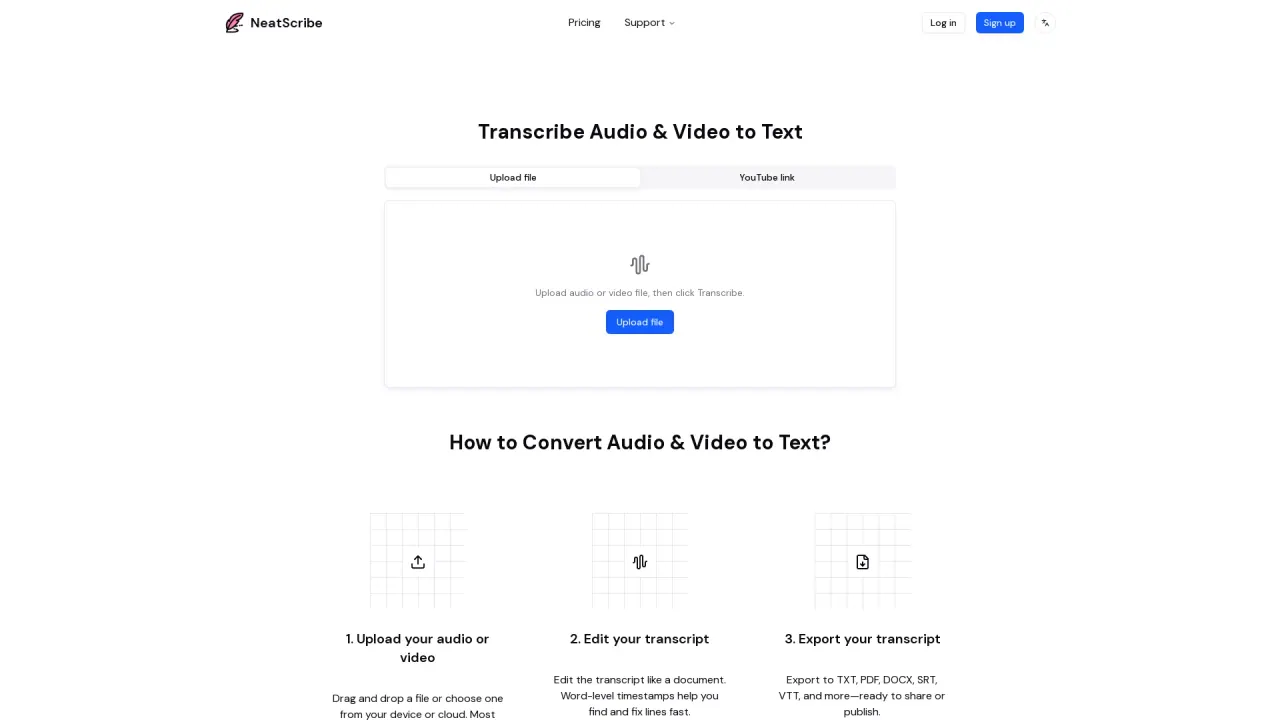
What does NearScribe do?
NearScribe is an AI transcription tool that turns audio and video into accurate, editable text. Upload a file, paste a supported link, or record, then transcribe instantly in your browser—ideal for turning lectures, interviews, tutorials, and meetings into searchable notes.
Key features include broad language coverage (98 transcription languages), fast transcription, and an editor designed for cleanup. Word-level timestamps help you locate and refine specific sections, while speaker identification can separate speakers automatically so multi-person conversations are easier to follow. For additional workflow support, NearScribe offers AI translation and AI mind maps to summarize long recordings into structured key ideas.
After transcription, you can export your work in multiple formats, including TXT, CSV, DOCX, PDF, SRT, VTT, and LRC. You can also transcribe from public links—such as YouTube, Instagram, Facebook, X/Twitter, TikTok, and Vimeo—without needing to download the media first.
NearScribe offers a Free plan plus paid plans. The Free plan is $0 with Basic features, including 3 transcriptions per week and up to 30 minutes per transcription. Starter is $5/month (300 credits/month), Pro is $10/month (1,800 credits/month), and Premium is $30/month (6,000 credits/month), each with increasing limits and included features.
What can I transcribe with NearScribe?
NearScribe converts audio and video into text. You can upload supported media files, or transcribe by pasting supported public links like YouTube, Instagram, Facebook, X/Twitter, TikTok, and Vimeo.
Can I edit the transcript after it’s generated?
Yes. Use the transcript editor to revise text directly. Word-level timestamps and speaker labels help you quickly find the exact parts you want to adjust.
Does NearScribe provide timestamps and speaker labels?
Yes. Transcripts include word-level timestamps, and speaker identification can label/separate speakers automatically so conversations are easier to edit and review.
What export formats are available?
You can export transcripts in TXT, CSV, DOCX, PDF, SRT, VTT, and LRC (and more subtitle-related formats depending on the workflow).
Is there a free plan?
Yes. The Free plan costs $0 and includes 3 transcriptions per week and up to 30 minutes per transcription, along with 98 transcription languages and mind map support.
How does plan upgrading work?
You can upgrade from the pricing page at any time. The upgrade takes effect immediately, your billing cycle restarts that day, and unused credits carry over. Downgrades aren’t available—cancel first, then choose a lower plan after it ends.
This listing is claimed
Own NearScribe? Sign in with the email used to claim it to manage this listing, or upgrade to Pro for featured-first placement and a newsletter feature.