
Wann AI
Verified
AI Art Generator & Creator Tools
Wann AI is a free AI image-to-video and image editing tool for generating motion from your photos and keeping clean results.




- Category
- Art
- Listed
- Jul 28, 2026
- Updated
- Jul 29, 2026
Promoted
 AI Checker PlusAI detector that highlights which passages AI wrote. Free check, no sign-up. Plagiarism too.
 RewindType any X/Twitter handle. Get their year back as a narrated video story. Then ask it anything.
 KurodyneSell the tools from your AI side projects. Listing is free.
 Sidrune AI85% off. Stable Claude API for agent developers. Pay as you go. Invoices & refunds available.
 Pixmax.aiPixmax.ai is an all-in-one AI workspace for videos, visual stories, and marketing content.
 SEOify - Improve your SEO & rankingsBuild links to rank in Google. Improve your DR with links you can start building now.Advertise here330,000+ people visit Dang.ai every month.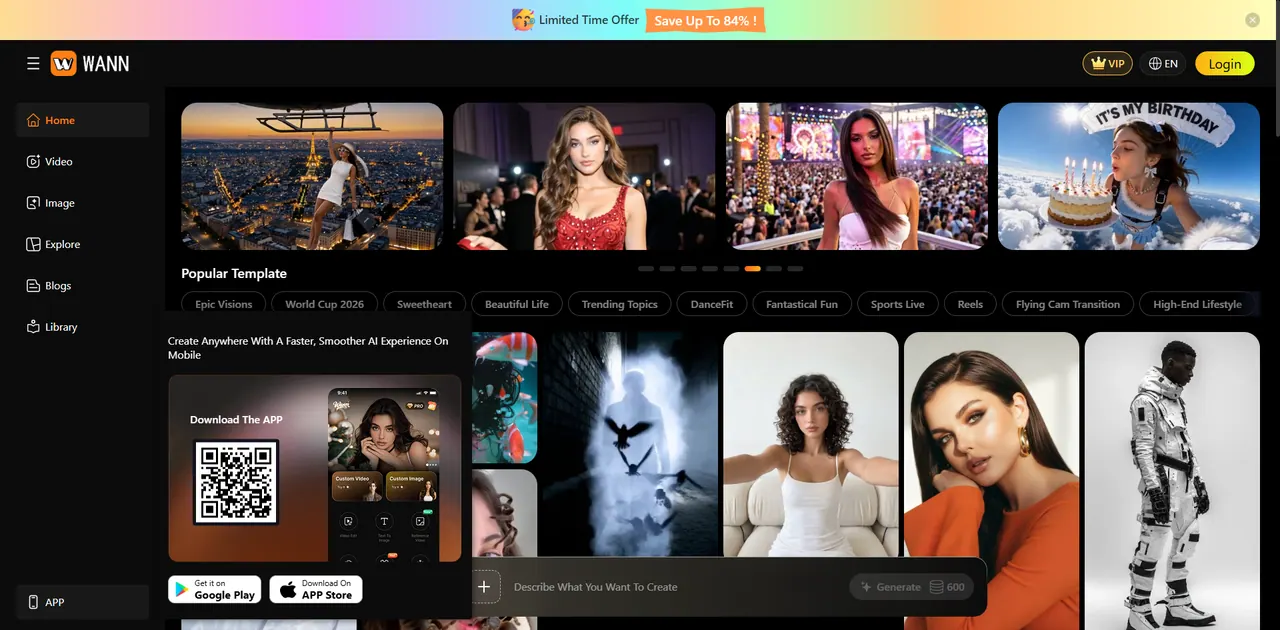
What does Wann AI do?
Wann AI helps you describe what you want to create, then generate AI visuals across both images and video. Use it for AI image-to-image edits and photo-to-video creation workflows, and explore templates and popular AI models to speed up your process.
For image-to-video, upload a photo and generate a short video version that adds motion to your original input. The library of AI video templates and media options makes it easier to jump into common styles and formats.
Wann AI also includes tools for more specific creative tasks like video extension, motion/video editing, background removal, and clothes and jersey generation. If you’re building consistent visuals for fashion, sports, lifestyle, or social content, the available image and video templates can help you iterate quickly.
What can I create with Wann AI?
You can generate AI images and AI video, including image-to-image edits and image-to-video (photo-to-video) animations, plus use specialized tools like background removal and clothes/jersey generation.
How does the photo-to-video workflow work?
Upload a source photo, describe what you want to create, and generate a video from your image using Wann AI’s AI video/image generator features.
Are there templates and AI models to help me get started?
Yes. You can browse popular template categories (like fashion, AI video templates, and AI photo templates) and popular AI models to try different styles and workflows.
Do I need to sign in to use Wann AI?
The interface includes a login option, and you can access creation features from the main generator area after navigating through the app.
Does Wann AI offer anything besides image-to-video?
Yes. It also supports AI video editing and extension, AI image-to-image and text-to-image generation, and additional utilities such as remove background and clothes changer.
This listing is claimed
Own Wann AI? Sign in with the email used to claim it to manage this listing, or upgrade to Pro for featured-first placement and a newsletter feature.