
Wan 3.0 AI Video Generator (wan-3.run)
AI Video Maker Generators & Tools
Generate up to 30-second Wan 3.0 AI videos in your browser with sound mixed into the same MP4.
Promoted
 AI Checker PlusAI detector that highlights which passages AI wrote. Free check, no sign-up. Plagiarism too.
 RewindType any X/Twitter handle. Get their year back as a narrated video story. Then ask it anything.
 KurodyneSell the tools from your AI side projects. Listing is free.
 Sidrune AI85% off. Stable Claude API for agent developers. Pay as you go. Invoices & refunds available.
 Pixmax.aiPixmax.ai is an all-in-one AI workspace for videos, visual stories, and marketing content.
 SEOify - Improve your SEO & rankingsBuild links to rank in Google. Improve your DR with links you can start building now.Advertise here270,000+ people visit Dang.ai every month.
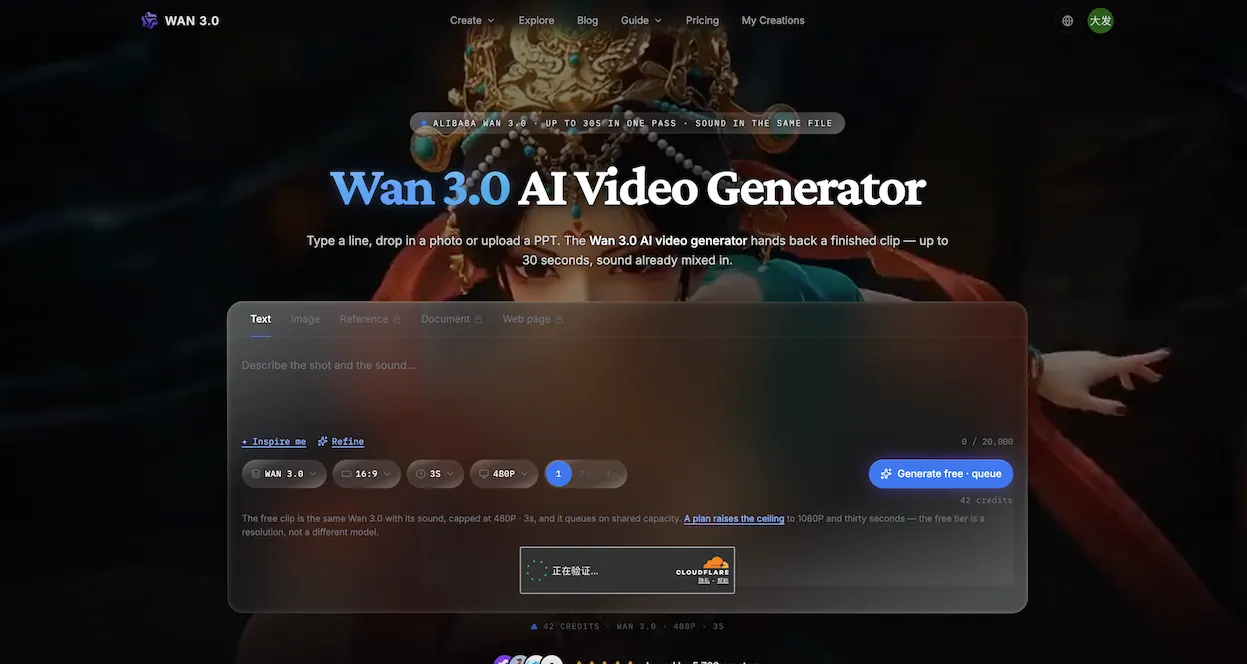
What does Wan 3.0 AI Video Generator (wan-3.run) do?
Wan 3.0 AI Video Generator (wan-3.run) lets you create finished video clips directly in the browser—from a text prompt, an image, reference assets, or even documents and web pages. You can also edit existing footage by describing how it should change, with the result rewritten rather than regenerated from scratch.
Each generation produces a single continuous clip from 2 to 30 seconds at 30 fps. Choose 480P, 720P, or 1080P output resolution, and include sound (speech, effects, and background music) as part of the same generation pass. Turning audio off won’t reduce billing because the system runs as one computation either way. Every run returns a downloadable MP4 and includes a receipt-style output with the model ID and upstream task ID.
Inputs support both creative and production workflows. Text prompts can be up to 20,000 characters. Image-to-video can use a first frame, last frame, or both. Reference-to-video can keep consistency across a whole take by using up to 10 images, plus up to 5 video clips and 5 audio tracks, addressed by number inside your prompt. Document-to-video can turn a file or a web page into new footage based on its contents (up to 50 pages).
Video generation requires purchased credits. Plans run on yearly billing with up to 20% savings, and failed generations return credits automatically.
What can I start from in Wan 3.0 AI Video Generator (wan-3.run)?
You can use text (up to 20,000 characters), an image (first frame, last frame, or both), reference sets (images, video clips, and audio tracks), document files (up to 50 pages), or a web page URL. You can also rewrite existing footage by describing changes.
How long can one Wan 3.0 clip be?
One generation returns a single clip from 2 to 30 seconds (any whole number) at 30 fps.
Does the video include sound, and is it generated in the same pass?
Yes—speech, effects, and background music are generated and mixed into the same output file. Disabling audio doesn’t reduce credits because generation is one pass either way.
What resolutions are supported for downloads?
You can generate at 480P, 720P, or 1080P. 1080P is the top tier available.
How do credits and pricing work?
Video generation uses credits (no free trial, signup credits, or daily rewards). Plans are billed yearly, with options including Starter ($12.90/mo), Pro ($39.90/mo), and Studio ($99.90/mo), and you can also buy one-time credit packs.
What happens if a generation fails or times out?
Failed generations aren’t billed—credits are returned automatically. You don’t need to open a ticket for the refund.
This listing is claimed
Own Wan 3.0 AI Video Generator (wan-3.run)? Sign in with the email used to claim it to manage this listing, or upgrade to Pro for featured-first placement and a newsletter feature.