
Vismuse
AI Art Generator & Creator Tools
Vismuse is an all-in-one AI toolset for generating images, product ads, flyers, album art, logos, and short videos from prompts or references.
- Pricing
- Free
- Category
- Art
- Listed
- Jul 17, 2026
- Updated
- Jul 28, 2026
Promoted
 Sidrune AI85% off. Stable Claude API for agent developers. Pay as you go. Invoices & refunds available.
 Pixmax.aiPixmax.ai is an all-in-one AI workspace for videos, visual stories, and marketing content.
 RewindType any X/Twitter handle. Get their year back as a narrated video story. Then ask it anything.
 KurodyneSell the tools from your AI side projects. Listing is free.
 SEOify - Improve your SEO & rankingsBuild links to rank in Google. Improve your DR with links you can start building now.Advertise here270,000+ people visit Dang.ai every month.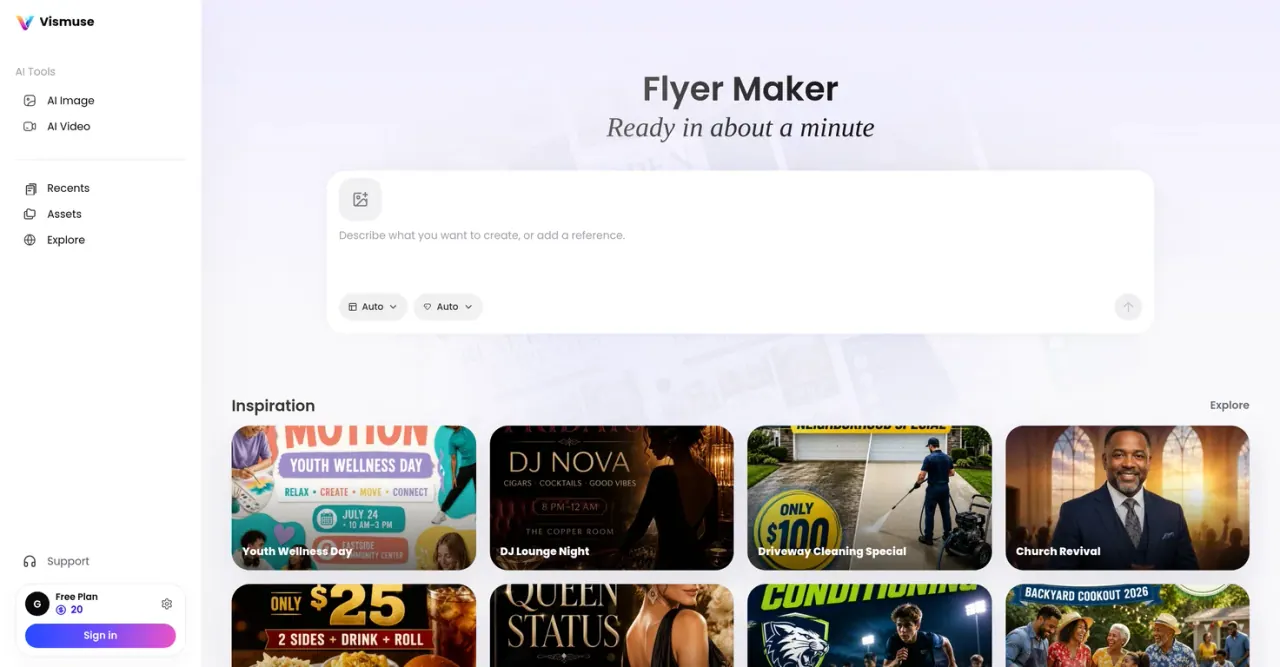
What does Vismuse do?
Vismuse helps you create polished visuals for many formats—images, short videos, and marketing graphics—starting from a prompt, a URL, or a reference image. It’s built for creators and brands that need consistent, ready-to-use creative across campaigns and platforms.
Choose from dedicated tools like an AI Image Maker, Product Ad Generator, AI Flyer Generator, AI Album Cover Generator, AI Logo Generator, and AI Poster Maker. You can also generate short AI videos, create business card designs, remove backgrounds for clean cutouts, and generate backgrounds, stickers, wallpapers, invitations, tattoo concepts, and book covers.
The workflow is straightforward: set direction with what you have, generate a first draft sized and styled for your goal, then refine with edits and enhancements before export. A multi-model generation stack routes tasks to the right workflow for image and video outputs, helping you move from idea to finished assets faster.
What can I create with Vismuse?
You can generate images, short AI videos, product promo visuals, event flyers, album covers, logos, posters, invitations, business cards, stickers, wallpapers, and more.
How do I start a project in Vismuse?
Begin with a prompt, paste a URL, or upload a reference image to set the direction for what you want to generate.
What’s the typical workflow from draft to final output?
Generate a polished first draft sized and styled for your goal, then refine by editing, upscaling, adding effects, or extending until it’s ready to use.
Can Vismuse create product ad creatives specifically?
Yes—use the Product Ad Generator to create product promotion images and ad creatives from your inputs.
Can Vismuse remove backgrounds from images?
Yes. The Background Remover tool helps create clean cutouts and product-ready images.
Does Vismuse support video generation too?
Yes—Vismuse includes an AI Video Generator for creating short videos from prompts, references, and briefs.
This listing is claimed
Own Vismuse? Sign in with the email used to claim it to manage this listing, or upgrade to Pro for featured-first placement and a newsletter feature.