VinSavant
Lifestyle AI Tools
VinSavant is a free AI wine guide that scans labels, wine lists, and menus to provide wine details, drinking windows, and food pairings.
Promoted
 Sidrune AI85% off. Stable Claude API for agent developers. Pay as you go. Invoices & refunds available.
 Pixmax.aiPixmax.ai is an all-in-one AI workspace for videos, visual stories, and marketing content.
 SEOify - Improve your SEO & rankingsBuild links to rank in Google. Improve your DR with links you can start building now.Advertise here270,000+ people visit Dang.ai every month.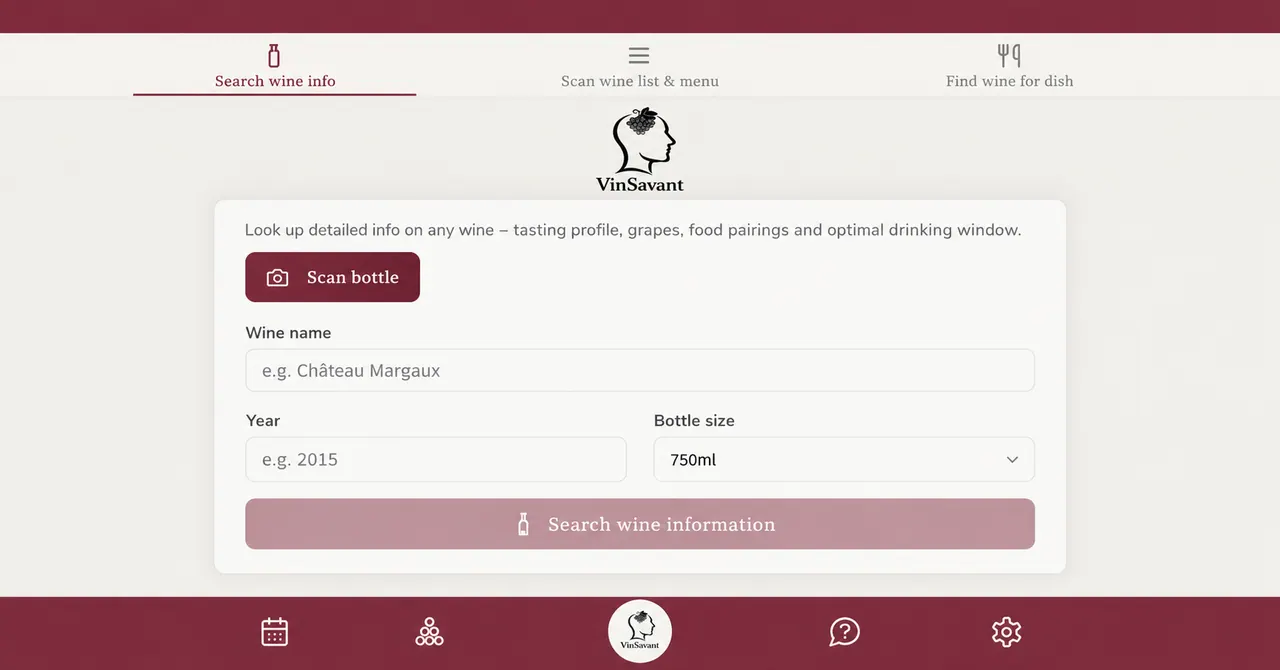
What does VinSavant do?
VinSavant is a free AI wine guide designed to help you quickly understand any wine you’re looking at. Scan a bottle label, and get structured details such as producer, vintage, style, tasting/critic assessments (including the MICHELIN Guide selection and La Revue du vin de France when reliable information exists), an optimal drinking window, and an estimated value.
It’s also built for restaurant use. Scan a wine list and the menu to remove options you don’t want, then receive suggestions for which wine pairs best with which dish. If you’re shopping or browsing at home, you can also search wine information directly and explore tasting profiles, grapes, and food pairings.
Beyond scanning, VinSavant helps you manage a cellar. Import your cellar from CellarTracker or Vivino using a CSV file, and then each bottle gets a drinking window and value estimate. Save recipes and use the app’s pairing workflow either by describing a dish to find suitable wines or by starting from a wine to generate recipe ideas.
VinSavant runs in your browser and can be installed to your home screen. The app supports 19 languages. Note: AI outputs may not always be fully accurate—verify important information before making decisions.
What does VinSavant do?
VinSavant helps you identify wines from photos and get details like producer, vintage, style, drinking windows, and food pairing suggestions. It can also scan restaurant wine lists and menus to match wines with dishes.
How do I scan a wine with VinSavant?
Use the scan feature and take a photo of the bottle label. VinSavant then extracts wine details and generates a drinking window and estimated value.
Can VinSavant suggest wines for a specific dish?
Yes. Describe the dish and VinSavant will provide wine suggestions and pairing ideas.
Can I scan a restaurant wine list and menu?
Yes. Scan both the wine list and the menu, then filter out options you don’t want and get guidance on which wine pairs with each dish.
How can I manage my wine cellar in VinSavant?
Import your cellar from CellarTracker or Vivino by uploading a CSV file. VinSavant will associate each bottle with a drinking window and value estimate.
Is VinSavant’s information always accurate?
No—AI-generated outputs aren’t always fully accurate. Verify important information, especially when making decisions based on the results.
This listing is claimed
Own VinSavant? Sign in with the email used to claim it to manage this listing, or upgrade to Pro for featured-first placement and a newsletter feature.