
Viktor
AI Agents
Viktor is an AI employee for Slack and Microsoft Teams that connects to 3,200+ tools to execute work end to end with approvals.
- Pricing
- Free
- Category
- AI Agents
- Listed
- Oct 8, 2026
- Updated
- Oct 15, 2026
Promoted
 Pixmax.aiPixmax.ai is an all-in-one AI workspace for videos, visual stories, and marketing content.
 AI Checker PlusAI detector that highlights which passages AI wrote. Free check, no sign-up. Plagiarism too.
 RewindType any X/Twitter handle. Get their year back as a narrated video story. Then ask it anything.
 KurodyneSell the tools from your AI side projects. Listing is free.
 Sidrune AI85% off. Stable Claude API for agent developers. Pay as you go. Invoices & refunds available.
 SEOify - Improve your SEO & rankingsBuild links to rank in Google. Improve your DR with links you can start building now.Advertise here270,000+ people visit Dang.ai every month.
What does Viktor do?
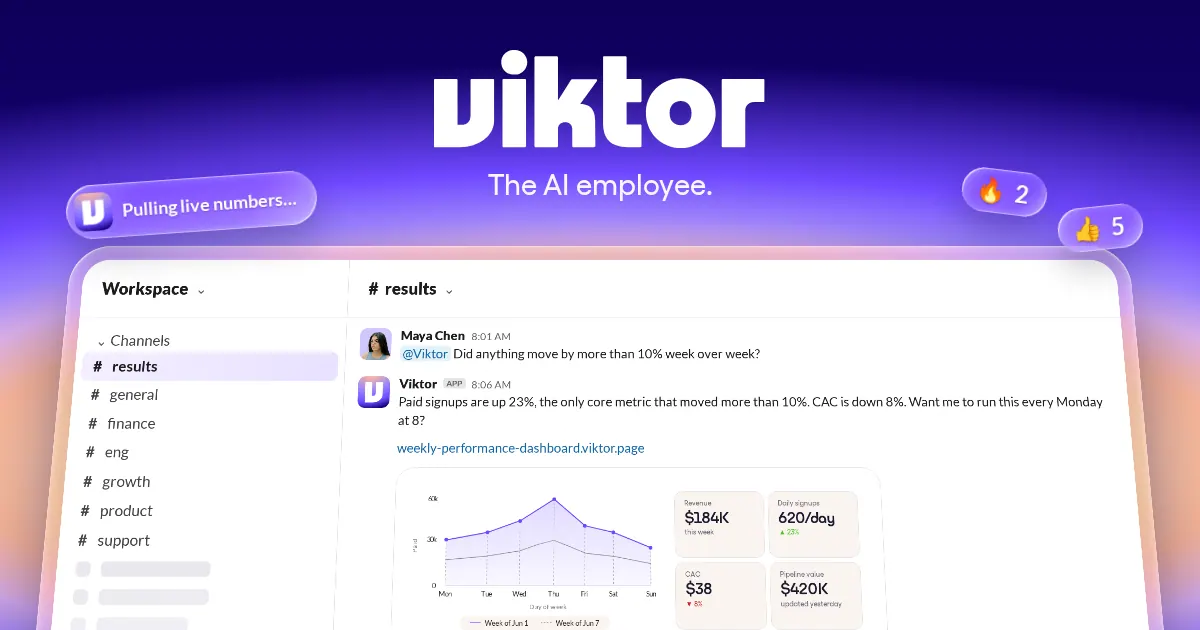
Viktor is an AI employee that lives in Slack and Microsoft Teams. Instead of only answering questions, it performs work across your connected tools—producing outputs like reports, dashboards, code, and other deliverables—then returns results in the channels where you work.
Viktor’s key strength is execution. You can assign a task that takes you from research to shipped work: it decides what to do next, updates the tools it’s connected to, and follows through. It also reports back what it did, so you can track outcomes rather than manage steps.
This is designed for teams that want real “legwork” done without giving up control. Viktor is autonomous, but not unsupervised: it asks before anything it can’t safely undo, and sensitive/irreversible actions require approval. It also uses per-person permissions and access controls, and it only sees channel content when invited.
Viktor connects to 3,200+ integrations across CRM & sales, product & engineering, ads & marketing, docs & productivity, analytics & data, and finance & ops. Setup is plug-and-play: install Viktor from the app directory to add it as a teammate in your workspace, then connect your tools and assign your first job.
Pricing is available through a free start option (“Get Started for Free”), with additional plans shown on the site under “See all plans” and “Talk with Viktor.”
What is Viktor?
Viktor is an AI employee that lives in Slack and Microsoft Teams and completes tasks by running work across connected tools. It’s built to deliver outcomes, not just provide chat responses.
How is Viktor different from a chatbot?
Viktor doesn’t only propose plans—it executes the work and posts results. It can take a task from research to an outcome your team can use, across your tools.
What kinds of tasks can Viktor complete?
Viktor can do end-to-end work such as producing reports and dashboards, generating code, and handling operational tasks inside the tools you connect. It can also run scheduled jobs if you want it to repeat work.
Which tools and integrations does Viktor connect to?
Viktor connects to 3,200+ tools. Common categories include CRM & sales (e.g., HubSpot, Salesforce), product & engineering (e.g., Linear, Jira & Confluence), marketing ads (e.g., Meta Ads, Google Ads), docs & productivity (e.g., Notion, Google Drive), analytics (e.g., Airtable, PostHog), and finance/ops (e.g., QuickBooks, PayPal).
Does Viktor need approval before making risky changes?
Yes. Viktor asks before anything it can’t safely undo, and sensitive/irreversible actions wait for your approval. You propose the direction, and Viktor executes within your control.
How do I get started with Viktor?
Start by installing Viktor from the app directory so it appears as a teammate in your Slack or Microsoft Teams workspace. Then connect your tools and assign your first job—Viktor will begin working from there.
Is this your tool?
Claim Viktor to manage this listing, or upgrade to Pro for featured-first placement and a newsletter feature.