Vidrush AI
AI Video Maker Generators & Tools
Vidrush AI is a free-to-start AI video maker for image-to-video and text-to-video, with scripts, voiceovers, captions, and viral templates.
- Pricing
- Free
- Category
- Video
- Listed
- Sep 9, 2026
- Updated
- Oct 16, 2026
Promoted
 Sidrune AI85% off. Stable Claude API for agent developers. Pay as you go. Invoices & refunds available.
 Pixmax.aiPixmax.ai is an all-in-one AI workspace for videos, visual stories, and marketing content.
 SEOify - Improve your SEO & rankingsBuild links to rank in Google. Improve your DR with links you can start building now.Advertise here270,000+ people visit Dang.ai every month.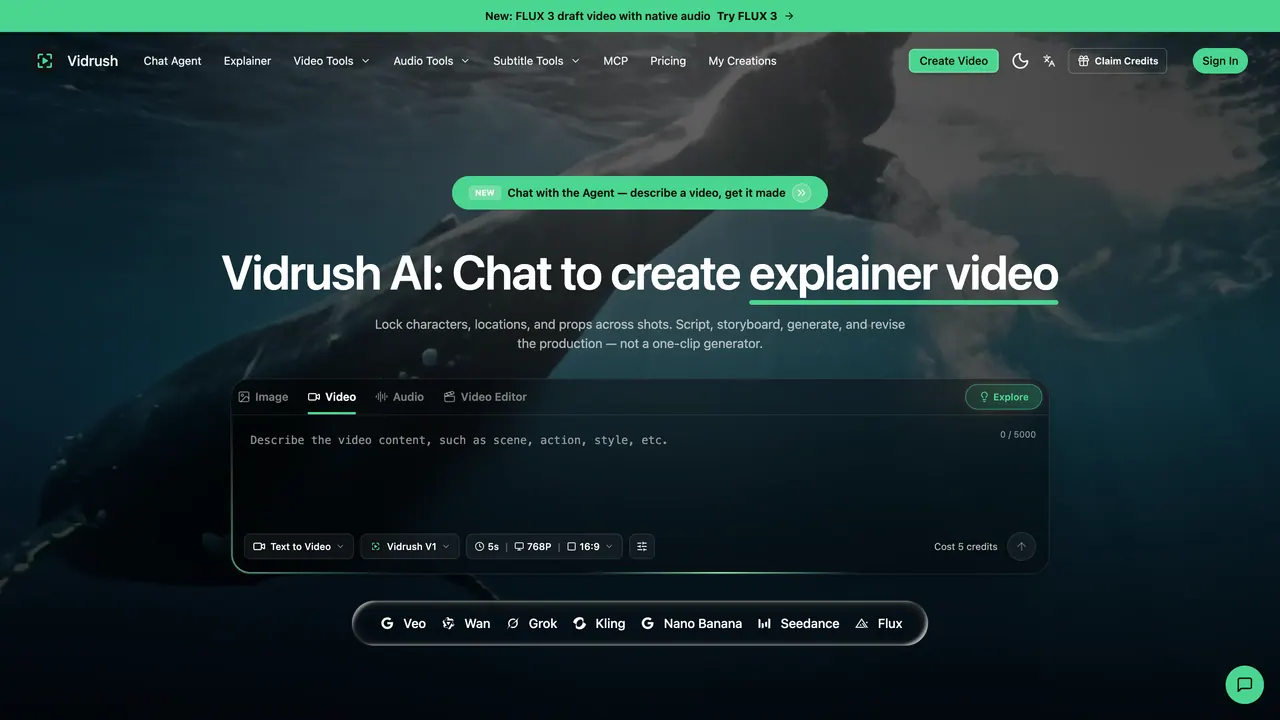
What does Vidrush AI do?
Vidrush AI is an all-in-one AI media studio built for creating short-form videos quickly—from turning a photo into a cinematic clip to generating videos directly from text prompts. It brings video, audio, and subtitle tools together so you can go from idea to share-ready output in one workflow.
Create videos by uploading an image (JPG, PNG, or WebP) or by writing a prompt. Use multiple AI models—such as Kling, Wan, Grok, and others—to match different styles and quality levels. Generation is designed to be fast, producing HD outputs suitable for social media, marketing, and creative projects.
To help you produce more consistently, Vidrush includes a Director Agent that lets you draft a script, references, and a storyboard, then revise shot by shot. This approach is intended to support locked continuity instead of relying on a single one-off clip. You can also add scripts and AI voiceovers and generate automatic captions for finished videos.
For creators focused on viral formats, Vidrush offers viral templates and presets aligned with popular social media styles. The platform uses a credit system with free credits to start, plus pay-as-you-go scaling as needed.
What can I create with Vidrush AI?
You can create video from images (image-to-video) or from text prompts (text-to-video). The workflow can also include scripts, AI voiceovers, automatic captions, and viral templates.
How does the Director Agent help with video creation?
The Director Agent helps you draft a script, references, and a storyboard, then revise the production shot by shot. This is designed to support continuity across shots rather than treating each clip as a separate gamble.
Which AI models can I choose from?
Vidrush offers multiple AI models, including options such as Kling, Wan, Grok, and others. Pick a model to match the style and quality you’re aiming for.
Do I need to confirm every generation before it runs?
The generation flow includes an option about confirming generations, but the exact confirmation behavior isn’t detailed here—check the in-app prompts during creation.
How do Vidrush credits work?
Vidrush uses a credit system with free credits to start and a pay-as-you-go approach to scale. Credits are used for generations, and you can plan by tracking credit cost per output.
Can I download and share my videos for TikTok, Reels, and Shorts?
Yes—exports are ready for popular short-form platforms like TikTok, Reels, and Shorts, so you can download and share immediately.
This listing is claimed
Own Vidrush AI? Sign in with the email used to claim it to manage this listing, or upgrade to Pro for featured-first placement and a newsletter feature.