
VidMuse
AI Music Tools & Generators
VidMuse helps you generate music videos and conversion-focused product ads using AI assistant workflows, templates, and reusable projects.
- Category
- Music
- Listed
- Nov 11, 2026
- Updated
- Nov 11, 2026
Promoted
 Sidrune AI85% off. Stable Claude API for agent developers. Pay as you go. Invoices & refunds available.
 Pixmax.aiPixmax.ai is an all-in-one AI workspace for videos, visual stories, and marketing content.
 AI Checker PlusAI detector that highlights which passages AI wrote. Free check, no sign-up. Plagiarism too.
 RewindType any X/Twitter handle. Get their year back as a narrated video story. Then ask it anything.
 KurodyneSell the tools from your AI side projects. Listing is free.
 SEOify - Improve your SEO & rankingsBuild links to rank in Google. Improve your DR with links you can start building now.Advertise here330,000+ people visit Dang.ai every month.
What does VidMuse do?
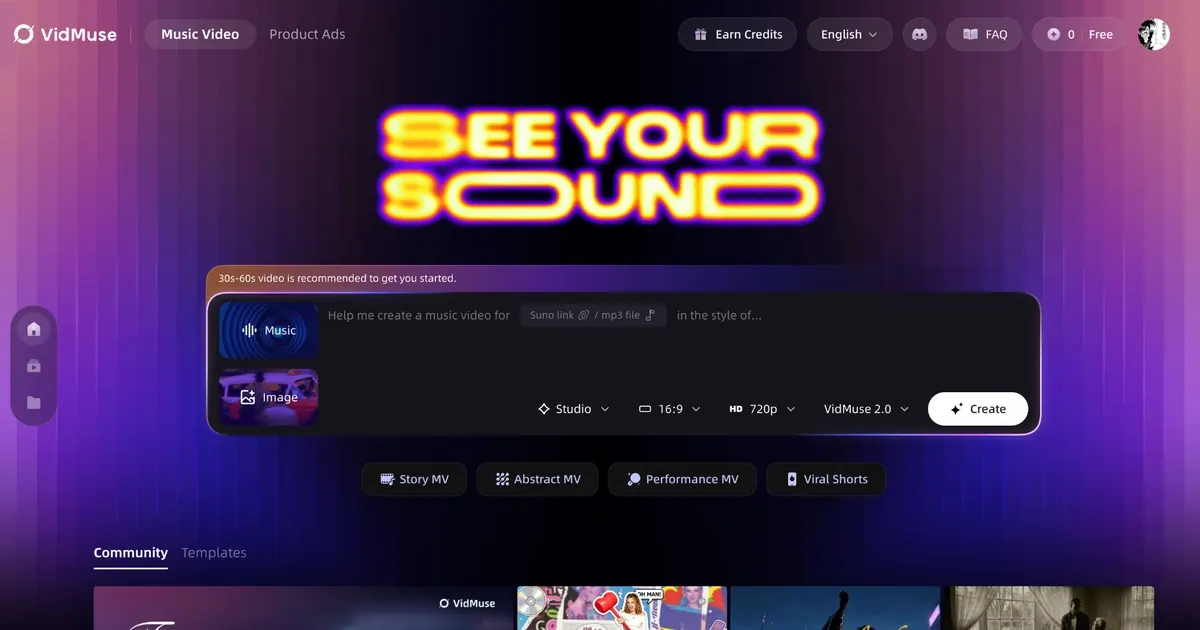
VidMuse is an AI creative studio for making music videos and product ads from your ideas. With a personal creative assistant called Musi, you can describe what you want and then generate video concepts and ad-style animations to match your direction.
Create in multiple ways: use a “Talk to me” experience to connect your inputs to outputs, browse an Inspiration Pool for prompt ideas, and run Scheduled Tasks that work while you sleep. You can also start from structured formats using MV templates for music videos and ads templates for ad-style videos, helping you keep a consistent look across projects.
VidMuse includes tools beyond basic generation. Features listed include a Video Object Remover & Replacer (select a target, describe the change, and create a clean, consistent edit), plus creative makers like Perler Bead Pattern Maker, Photo to 3D Figure, Motion Comic Maker, and AI Talking Pet—each focused on turning images and stories into shareable animated or stylized results.
For builders and power users, VidMuse offers a VidMuse Plugin and a VidMuse CLI & Skill workflow, along with Assets and Projects for organizing work and sharing outputs. Plans, pricing, and licensing details aren’t included in the provided text, so review the Licensing and related legal pages for terms that apply to your use.
Main creation highlights include Music Video Generator, Winning Ads, and Video Remix formats.
What can I create with VidMuse?
You can generate AI music videos and ad-style animations, including “Winning Ads” and music-to-video formats. VidMuse also includes other creative tools like motion comics, stylized 3D figures, talking pet videos, and more.
How do I start generating a video in VidMuse?
Start by sharing your idea through Musi (“Talk to me”), then choose a style or a template. You can use MV templates for music videos or ads templates for ad-focused formats.
Does VidMuse include templates?
Yes. VidMuse offers MV templates for music videos and ads templates for creating ad-style animations with a structured starting point.
Can tasks run automatically while I’m away?
Yes. Scheduled Tasks are designed to work while you sleep, and weekly topic picks can help generate new prompts for your next outputs.
Is there an editing tool inside VidMuse?
Yes. The Video Object Remover & Replacer lets you remove an object or replace it by selecting the target, describing the result, and using AI to generate a clean, consistent edit.
Can I use VidMuse from a developer workflow?
Yes. VidMuse offers a Plugin and a VidMuse CLI & Skill workflow, plus Assets and Projects for organizing and sharing your work.
Is this your tool?
Claim VidMuse to manage this listing, or upgrade to Pro for featured-first placement and a newsletter feature.