
Video Text Remover
AI Video Maker Generators & Tools
Video Text Remover is an online AI tool that removes subtitles, captions, logos, timestamps, watermarks, and other text overlays with reconstructed, blur-free results.
- Pricing
- Free
- Category
- Video
- Listed
- Sep 27, 2026
- Updated
- Sep 30, 2026
Promoted
 AI Checker PlusAI detector that highlights which passages AI wrote. Free check, no sign-up. Plagiarism too.
 RewindType any X/Twitter handle. Get their year back as a narrated video story. Then ask it anything.
 KurodyneSell the tools from your AI side projects. Listing is free.
 Sidrune AI85% off. Stable Claude API for agent developers. Pay as you go. Invoices & refunds available.
 Pixmax.aiPixmax.ai is an all-in-one AI workspace for videos, visual stories, and marketing content.
 SEOify - Improve your SEO & rankingsBuild links to rank in Google. Improve your DR with links you can start building now.Advertise here330,000+ people visit Dang.ai every month.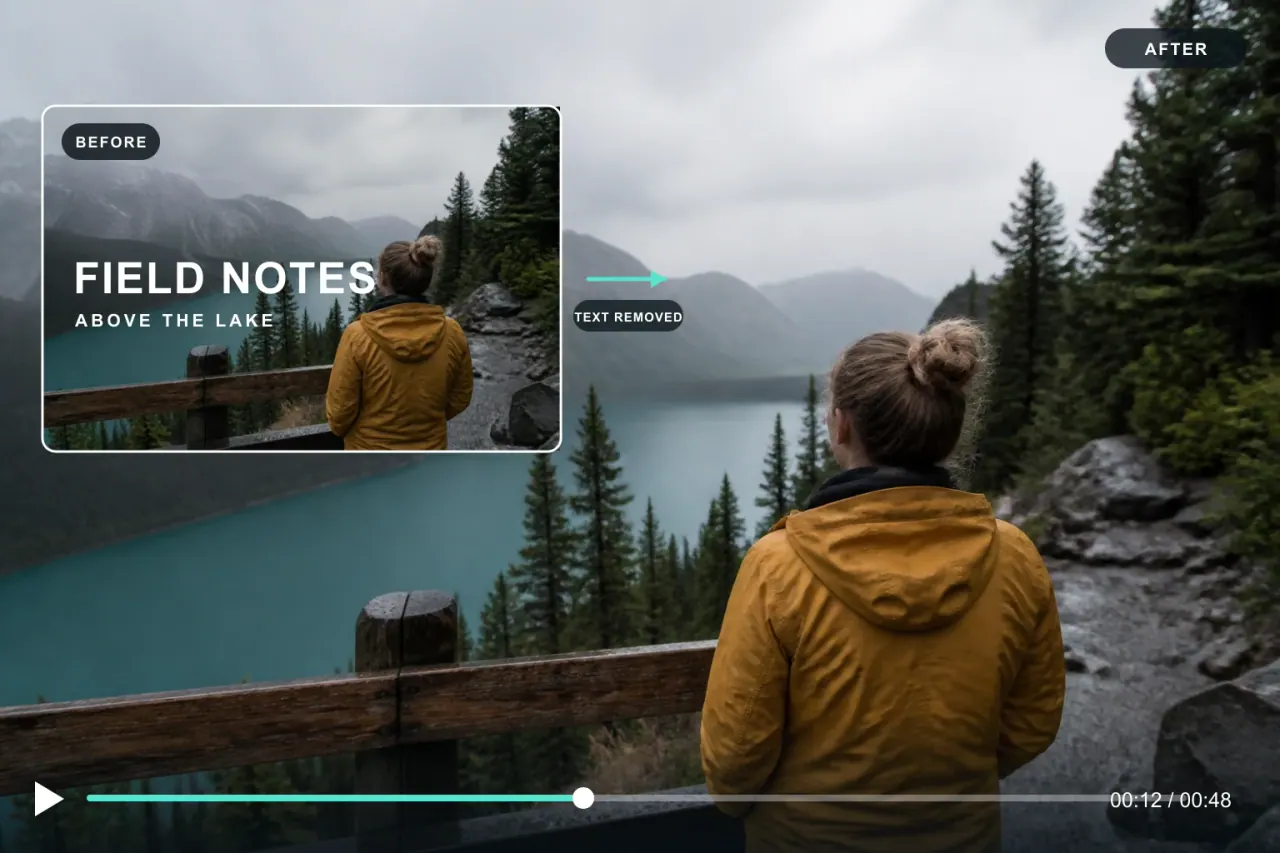
What does Video Text Remover do?
Video Text Remover removes unwanted on-screen text from video using AI-powered background reconstruction. It’s built for quick cleanup of burned-in subtitles, captions, timestamp overlays, channel logos, watermark stamps, and TikTok-style text so the result looks natural instead of smeared.
Upload your MP4, MOV, or WebM file, preview the result for free, then process and download the cleaned video in the original resolution and frame rate. You can rely on auto text detection or choose specific areas when the overlay is in a consistent spot and you want more control.
The tool runs entirely in your browser—no software install, plugins, or complex setup. It’s designed to help creators, editors, and repurposers remove overlays from downloaded clips, repackaged tutorials, stock footage, and personal recordings so you can reuse them cleanly.
Will removing text blur my video?
No—removal is done via context-aware background reconstruction, aiming for clean, blur-free results rather than smearing the area behind the text.
What video formats are supported?
Video Text Remover supports MP4, MOV, and WebM.
How does the free preview work?
You can sign in to preview the removal result for free before processing the full video; no credit card is required to preview.
Is my video safe and private?
The workflow runs in your browser, avoiding local software installs. For how data is handled, review the site’s Privacy Policy.
What if the result isn’t perfect?
If the overlay is in a dynamic scene, or the background changes a lot behind the text, results may vary. Use the select-area workflow for more targeted removal when auto detection isn’t ideal.
How do credits work for full processing?
Standard processing uses 1 credit per second, and advanced text uses 2 credits per second. Credits are only needed when you choose to process the full video.
This listing is claimed
Own Video Text Remover? Sign in with the email used to claim it to manage this listing, or upgrade to Pro for featured-first placement and a newsletter feature.