
VidClean
AI Video Maker Generators & Tools
Clean videos and audio by removing silence and more with 26 free tools—no account, no watermark, and auto-deletion after 15 minutes.
- Pricing
- Free
- Category
- Video
- Listed
- Jun 16, 2026
- Updated
- Jun 17, 2026
Promoted
 Pixmax.aiPixmax.ai is an all-in-one AI workspace for videos, visual stories, and marketing content.
 AI Checker PlusAI detector that highlights which passages AI wrote. Free check, no sign-up. Plagiarism too.
 RewindType any X/Twitter handle. Get their year back as a narrated video story. Then ask it anything.
 KurodyneSell the tools from your AI side projects. Listing is free.
 Sidrune AI85% off. Stable Claude API for agent developers. Pay as you go. Invoices & refunds available.
 SEOify - Improve your SEO & rankingsBuild links to rank in Google. Improve your DR with links you can start building now.Advertise here270,000+ people visit Dang.ai every month.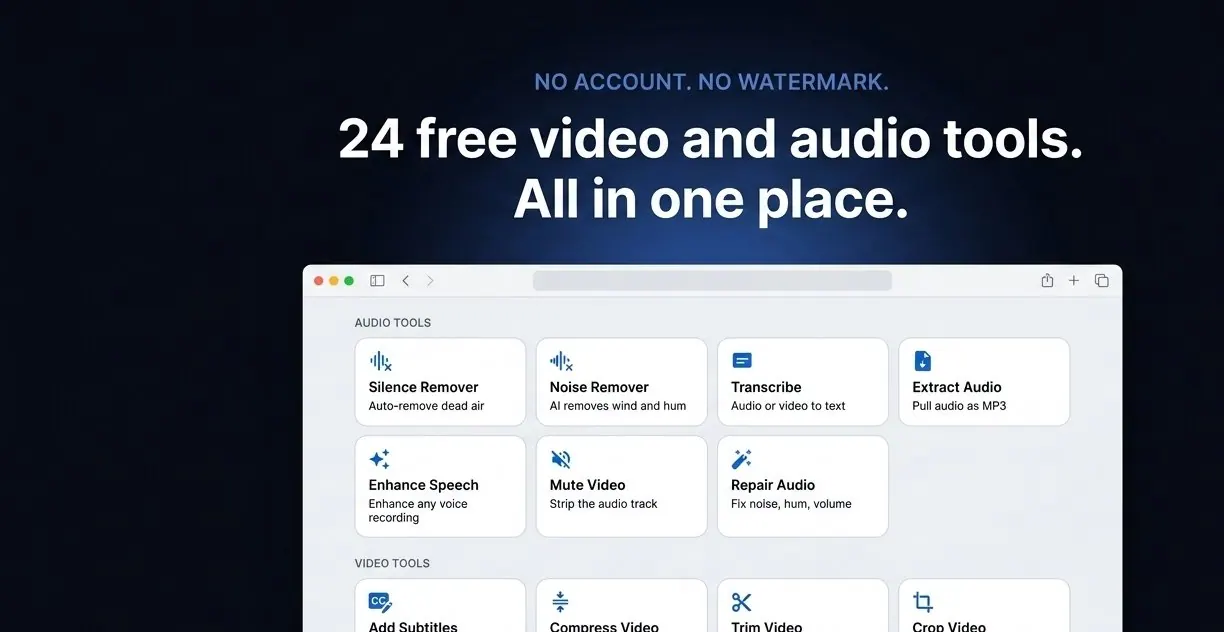
What does VidClean do?
VidClean is a free online tool for removing silence and dead air from videos and audio. Upload a file and get an automatically cleaned version back in minutes, with no account required, no watermark added, and no time limit.
Beyond silence removal, VidClean offers a curated set of 26 free tools for video, audio, and images—such as transcribing audio to text, removing background noise, enhancing speech, trimming, resizing, stabilizing, and performing common format conversions.
How file privacy works: uploaded files are automatically deleted within 15 minutes. Supported uploads include MP4, MOV, MKV, WebM (up to 2GB) and audio formats like MP3, WAV, and M4A for related tools.
Is VidClean really free?
Yes—silence removal and the rest of VidClean’s tool set are available for free with no account needed, no watermark, and no time limit.
What file types and sizes are supported?
Video uploads support MP4, MOV, MKV, and WebM up to 2GB. Audio-based tools support formats like MP3, WAV, and M4A.
How does the silence removal work?
The tool analyzes the audio track, detects quiet gaps below -35dB lasting more than 0.5 seconds, and removes them automatically while keeping a small buffer around cuts to avoid clipping speech.
Will the cleaned output have a watermark or branding?
No—exports are provided without watermarks or added branding.
How long are my files kept after I upload?
Uploaded files are automatically deleted within 15 minutes.
Will it work for podcasts and spoken content (not just music)?
Yes. Silence removal is designed for spoken audio and video—podcasts, interviews, lectures, tutorials, and other recordings where dead air is an issue.
This listing is claimed
Own VidClean? Sign in with the email used to claim it to manage this listing, or upgrade to Pro for featured-first placement and a newsletter feature.