
Uyo
AI Image Generators from Text Tools
Uyo is an all-in-one browser studio for creating AI images, editing photos, and turning them into short videos with credit-based generation.
Promoted
 RewindType any X/Twitter handle. Get their year back as a narrated video story. Then ask it anything.
 KurodyneSell the tools from your AI side projects. Listing is free.
 Pixmax.aiPixmax.ai is an all-in-one AI workspace for videos, visual stories, and marketing content.
 AI Checker PlusAI detector that highlights which passages AI wrote. Free check, no sign-up. Plagiarism too.
 SEOify - Improve your SEO & rankingsBuild links to rank in Google. Improve your DR with links you can start building now.Advertise here330,000+ people visit Dang.ai every month.
What does Uyo do?
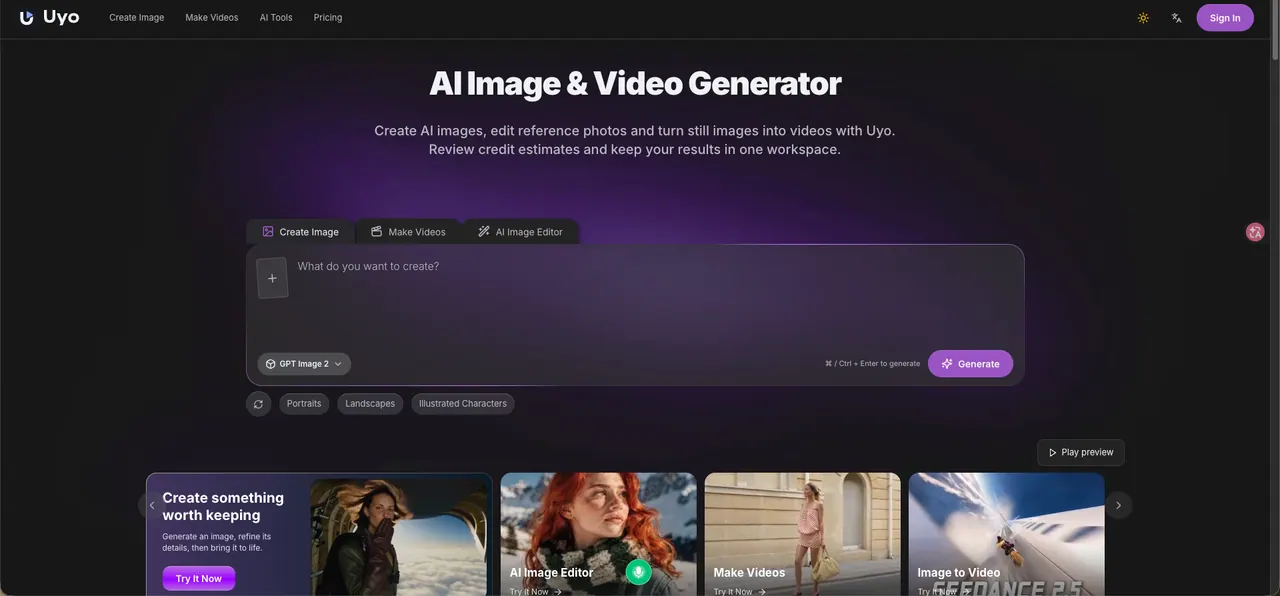
Uyo is a browser-based AI studio that helps you create AI images, edit photos, and generate short videos from prompts or still images. It’s designed as a single workspace where you can start from an idea, refine the visuals, and then carry the result forward into an image-to-video workflow.
Core features include generating images by prompt, using an AI image editor to refine details and perform focused edits, and transforming an image into a short video by adding motion described in text (including scene/action and camera direction). You can also work with references and review the prompt-based settings before running generation. The workspace provides an estimated credit quote for the selected model and settings so you can check cost before you submit.
Your tasks and outputs are organized in “My Creations,” letting you return to results after generation. The interface supports English and Chinese, and generation is account-based—new accounts receive starter credits to help you begin.
Uyo uses credits for generation. One-time credit packs are available: $9 for 400 credits, $49 for 2,500 credits, and $99 for 6,000 credits. During generation, you’ll see an estimate of the credits required for your selected tool and settings.
What can I create with Uyo?
You can generate AI images from text prompts, edit photos using AI tools (including reference-based editing), and create short videos using text-to-video or image-to-video workflows.
How does the credit system work in Uyo?
Before generating, the workspace shows an estimated credit cost for your selected model and settings. You’ll need enough credits in your account to complete the generation.
Can I turn a still image into a video?
Yes—use the image-to-video workflow. Generate or edit an image first, then add motion by describing the action and camera in the video step.
Where do my generated results and tasks go?
They’re saved under “My Creations,” so you can review and revisit outputs after generation.
Does Uyo support references for more controlled results?
Yes. You can open a reference and refine prompts/settings, then generate outputs based on the prompt and the selected tool workflow.
How do I pay for credits?
You can purchase one-time credit packs. Available options include $9 for 400 credits, $49 for 2,500 credits, and $99 for 6,000 credits.
This listing is claimed
Own Uyo? Sign in with the email used to claim it to manage this listing, or upgrade to Pro for featured-first placement and a newsletter feature.