
TurnPhotoIntoVideo
AI Video Maker Generators & Tools
TurnPhotoIntoVideo turns your photos into cinematic AI videos in minutes—upload, prompt the motion, and export up to 1080p.

- Pricing
- Free
- Category
- Video
- Listed
- Jul 20, 2026
- Updated
- Jul 21, 2026
Promoted
 KurodyneSell the tools from your AI side projects. Listing is free.
 Sidrune AI85% off. Stable Claude API for agent developers. Pay as you go. Invoices & refunds available.
 Pixmax.aiPixmax.ai is an all-in-one AI workspace for videos, visual stories, and marketing content.
 AI Checker PlusAI detector that highlights which passages AI wrote. Free check, no sign-up. Plagiarism too.
 RewindType any X/Twitter handle. Get their year back as a narrated video story. Then ask it anything.
 SEOify - Improve your SEO & rankingsBuild links to rank in Google. Improve your DR with links you can start building now.Advertise here270,000+ people visit Dang.ai every month.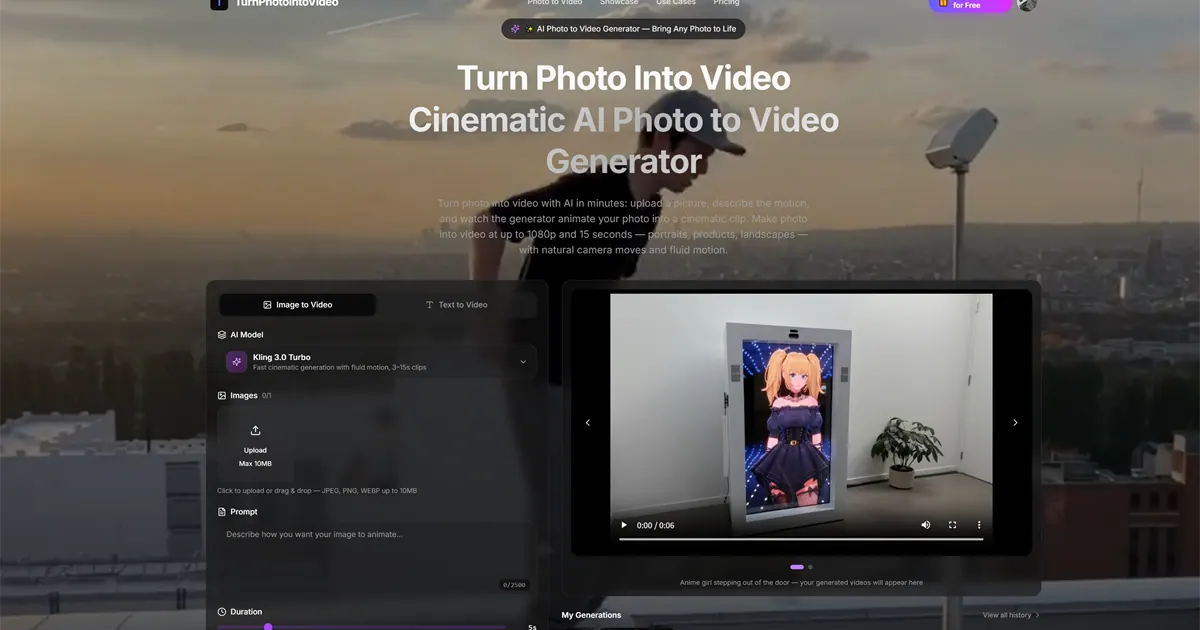
What does TurnPhotoIntoVideo do?
TurnPhotoIntoVideo is an all-in-one AI photo-to-video generator that animates a still image into a cinematic clip. Upload a photo, describe the motion in natural language, and generate fluid 3–15s results with options for resolution up to 1080p.
Choose the workflow that fits your project: photo + motion prompt for direct animation, or text-to-video when you want to draft a concept before you have the exact image. You can also use reference-guided generation and first/last frame control to keep your subject, style, and framing consistent across outputs.
Generate multiple versions quickly, compare side by side, and export when the motion matches your vision. With fast iteration built in, it’s designed for creators working on ad concepts, product videos, storyboards, training materials, and more—without needing separate editing software.
How do I turn a photo into a video in TurnPhotoIntoVideo?
Upload your photo, write a motion prompt describing the camera move and subject action, then generate the clip. You can pick resolution and aspect ratio before exporting.
What video length and quality can I generate?
Generated clips can be 3–15 seconds, with outputs available up to 1080p. Duration and resolution options are set during the generation workflow.
What photo formats are supported?
You can upload JPEG, PNG, or WEBP images. Files can be up to 10MB.
Can I control the start and end of the video using frames?
Yes. TurnPhotoIntoVideo supports first & last frame control, letting you lock the opening and closing frames with photos so the AI fills in the motion in between.
Do I need separate tools for audio or post-production?
The workflow is designed to keep motion prompts, references, and generation in one place. You can refine by re-running generations and exporting the version you want.
Can I use the generated videos commercially?
Commercial usage rights are included with the plans and the generation output.
This listing is claimed
Own TurnPhotoIntoVideo? Sign in with the email used to claim it to manage this listing, or upgrade to Pro for featured-first placement and a newsletter feature.