
Try This Skill
AI Image Generators from Text Tools
Try This Skill turns ordinary photos into stylized AI images for e-commerce, portraits, and backgrounds with one-click effects.
- Pricing
- Free
- Category
- Image
- Listed
- Aug 31, 2026
- Updated
- Sep 1, 2026
Promoted
 Sidrune AI85% off. Stable Claude API for agent developers. Pay as you go. Invoices & refunds available.
 Pixmax.aiPixmax.ai is an all-in-one AI workspace for videos, visual stories, and marketing content.
 AI Checker PlusAI detector that highlights which passages AI wrote. Free check, no sign-up. Plagiarism too.
 RewindType any X/Twitter handle. Get their year back as a narrated video story. Then ask it anything.
 KurodyneSell the tools from your AI side projects. Listing is free.
 SEOify - Improve your SEO & rankingsBuild links to rank in Google. Improve your DR with links you can start building now.Advertise here270,000+ people visit Dang.ai every month.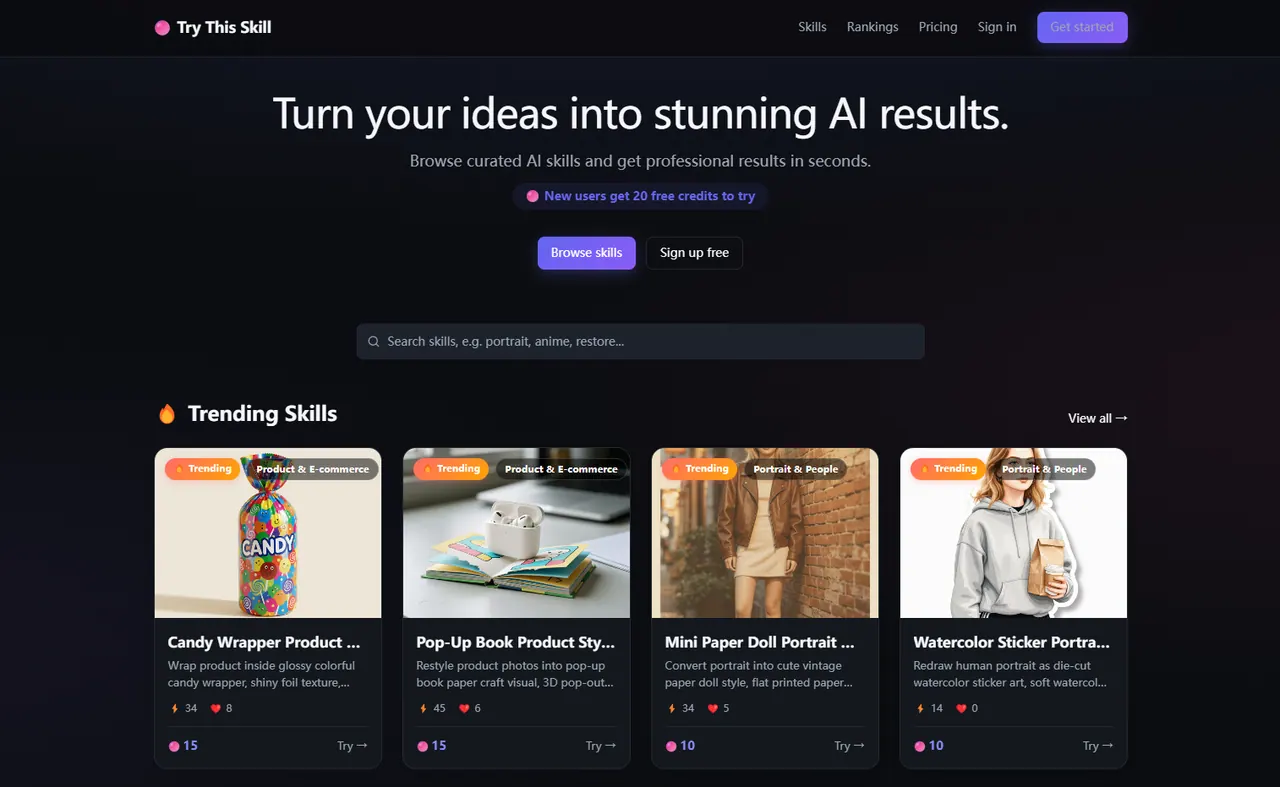
What does Try This Skill do?
Try This Skill is a web-based AI image creation platform that helps you restyle photos into polished artistic and commercial visuals in seconds. Browse a curated library of effects—organized into categories like Artistic Style, Background & Scene, Image Enhancement, Portrait & People, and Product & E-commerce—and generate results with one click.
You can use it to upgrade product photos for online store listings, create trendy portrait or social media content, or transform backgrounds into scenes like underwater coral worlds and floating cloud islands. Many popular styles focus on preserving the subject’s core likeness and silhouette while changing the look—color, texture, lighting feel, and surrounding scene.
Popular examples include analog lo-fi VHS stylization, glow-in-the-dark neon sketch art, vintage paper-doll and watercolor sticker portrait looks, plus product converters like candy wrapper and pop-up book 3D craft effects. New skills appear regularly, with trending and most-used collections to help you quickly pick a direction and iterate.
For ongoing improvement, the platform also provides blog guides covering AI image generation for product and e-commerce photography, helping you build practical workflows and faster results.
What is Try This Skill used for?
It’s a web tool for one-click AI photo stylization, covering e-commerce product visuals, portrait redesign, background swapping, and multiple artistic style conversions.
What kinds of effects can I browse?
Effects are grouped into five categories: Artistic Style, Background & Scene, Image Enhancement, Portrait & People, and Product & E-commerce.
Will the subject’s likeness and main details change after I generate an image?
The stylization is designed to keep the original subject’s core features and overall silhouette while updating the visual style, colors, textures, and—when selected—the background/scene.
Can I use Try This Skill for product and e-commerce images?
Yes—many available skills are tailored for product display, including luxury studio-style shots and product converters like candy wrapper and pop-up book 3D craft looks.
Do you support background replacement for portraits or photos?
Yes. Choose Background & Scene skills to replace the original background with curated scenes such as underwater coral worlds or floating cloud islands while keeping the foreground subject unchanged.
Are there tutorials or guides to help with image generation workflows?
Yes. The blog includes guides focused on AI image generation for product photography and e-commerce product photos.
This listing is claimed
Own Try This Skill? Sign in with the email used to claim it to manage this listing, or upgrade to Pro for featured-first placement and a newsletter feature.